

Add Zoho Books customers with a new invoice to Mailchimp for payment reminders
Each new Zoho Books invoice adds or updates the customer in your Mailchimp audience and gives them a tag, so a Mailchimp automation you build can send payment reminders to customers who were just invoiced.
 Zoho Books
 Mailchimp
3 steps Setup ~5 min Used on 1.9k sites Free to import
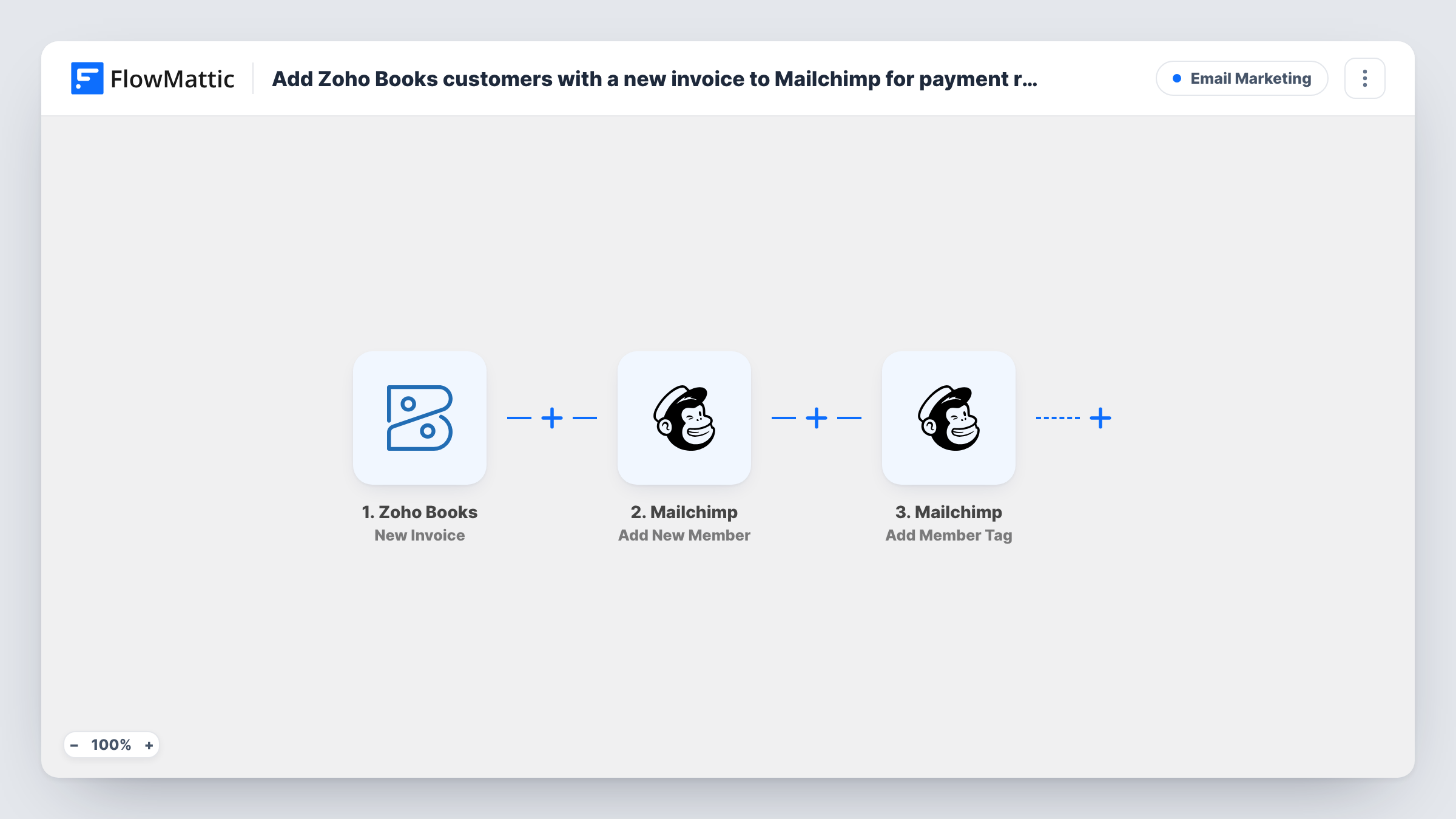
What this workflow does
Zoho Books can send an invoice, but some businesses want their reminder emails to come from Mailchimp, with the same branding and audience tools as their other campaigns. For that, Mailchimp has to know who was invoiced. This workflow passes each invoiced customer to Mailchimp and marks them with a tag that a reminder automation can use.
The Zoho Books trigger fires when a new invoice is created. The first Mailchimp step adds the customer to the audience you pick, or updates them if they are already in it. The second step adds a tag to that member; if the tag doesn't exist yet, Mailchimp creates it.
Neither Mailchimp step has its fields set when you import it. Once it's in, you choose the audience, map the customer's email and name from the invoice, and set the tag, such as "invoice-sent". Check a test run to see whether the invoice carries the customer's email. If it doesn't, add Zoho Books' Get Contact By ID step between the trigger and the first Mailchimp step and map the email from there.
The workflow doesn't send reminders itself and doesn't check payment. You build the reminder emails in Mailchimp around the tag. The tag also stays after the customer pays, so plan how to remove it, as the tips describe.
Branded reminder sequence for freelancers
A designer invoices clients in Zoho Books and uses a Mailchimp automation on the tag to send a friendly nudge a few days later in the same style as their newsletter.
Agency retainers billed monthly
An agency's monthly invoices tag each client in Mailchimp, which starts a short series explaining payment options and the due date policy.
Segmenting customers who buy on account
A wholesaler builds a Mailchimp segment of everyone it has invoiced, separate from shop customers who pay at checkout.
How this workflow runs
What happens at each step once the workflow is on, and what you need before you import it.
 Zoho Books New Invoice
Starts a run each time a new invoice is created in Zoho Books. The invoice details are passed on; run a test to confirm the customer's email is among them before you map it.
- Mailchimp Add New Member
Adds the invoiced customer to your Mailchimp audience, or updates them if they are already a member. After import, pick the audience and map the email and name from the invoice.
- Mailchimp Add Member Tag
Adds a tag to the member from the previous step. Mailchimp creates the tag if it doesn't exist yet. Set the tag name and map the same email so Mailchimp finds the member.
What you need
- FlowMatticCore
- Zoho Books AccountAccount
- Mailchimp AccountAccount
After importing, map your own data. To keep the template universal, not every step is pre-filled. Open each step in the builder and connect your accounts and fields (channels, lists, sheets, recipients) before you switch the workflow on.
Make it yours
Changes worth making after you import it.
- Create a second workflow on Zoho Books' New Customer Payment trigger with Mailchimp's Remove Member Tag action, so customers drop out of the reminder automation once they pay.
- Map the invoice number and due date into Mailchimp merge fields in the Add New Member step, if your audience has fields for them, so reminders can quote both.
- Choose a tag name that only this workflow uses, so your reminder automation doesn't pick up people tagged for other reasons.
- If some invoices shouldn't trigger reminders, put a Filter between the Zoho Books trigger and the first Mailchimp step on an invoice field you set, such as the payment terms.
Questions about this workflow
Does this send payment reminders from Mailchimp by itself?
No. It adds the customer and a tag in Mailchimp. You build the reminder emails as a Mailchimp automation or campaign aimed at that tag.
What happens if the Zoho Books customer is already in my Mailchimp audience?
The Add New Member step updates the existing member instead of adding a duplicate, and the tag is then added to that member.
Is the Mailchimp tag removed when the Zoho Books invoice is paid?
Not by this workflow. Set up a second one on the New Customer Payment trigger that removes the tag with Mailchimp's Remove Member Tag action.
Should I worry about email consent when adding invoiced customers to Mailchimp?
Yes. Adding invoiced customers to a Mailchimp audience means they are on a mailing list, so check the consent rules that apply to you. Consider a separate audience for billing contacts.
More Email Marketing workflows
Other ready-to-import templates from the same category.





Import this workflow into your WordPress site
Download the JSON, import it from the Workflows screen and connect your accounts. Every run stays on your server, with no per-task fees.
30-day money-back guarantee Unlimited workflows and runs Self-hosted