

Add Appointlet attendees to a Mailchimp audience with a tag
Everyone who books a meeting through Appointlet is added to your Mailchimp audience and tagged with the meeting type they booked. You can then send pre-call reminders or follow-up campaigns to the right people. After import, pick the audience, and set the status to pending if you want double opt-in.
 Appointlet
 Mailchimp
3 steps Setup ~5 min Used on 2.8k sites Marketing Free to import
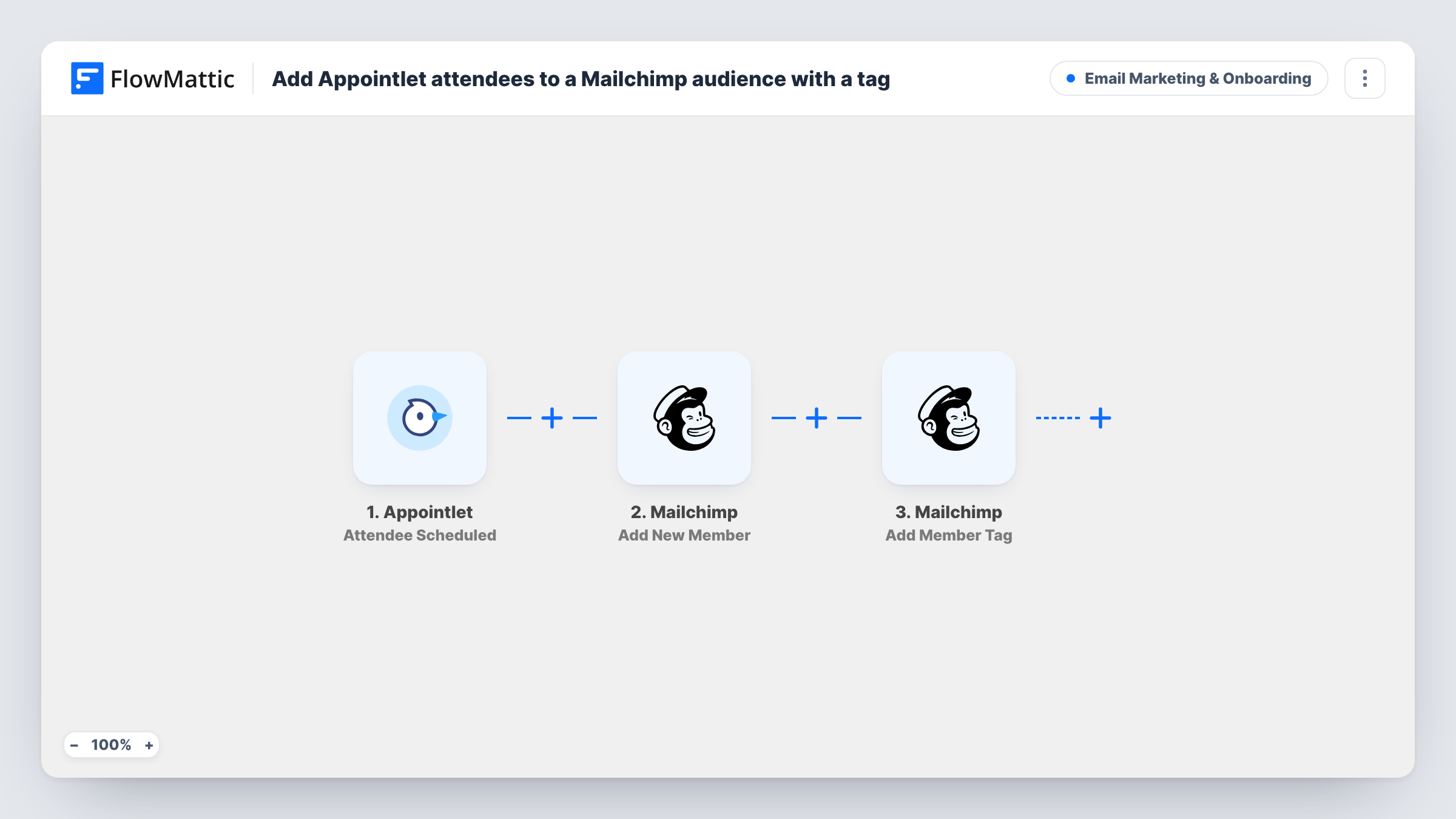
How this workflow runs
What happens at each step once the workflow is on, and what you need before you import it.
 Appointlet Attendee Scheduled
The workflow starts automatically when an attendee schedules a meeting or joins an existing one in Appointlet. FlowMattic captures that data for the steps below.
- Mailchimp Add New Member
Mailchimp — add a new member to the list, or update them if they already exist. Data is mapped from earlier steps; connect your Mailchimp account on import.
- Mailchimp Add Member Tag
Mailchimp — add a new tag to the existing member. New tags will be added if they are not exist. Data is mapped from earlier steps; connect your Mailchimp account on import.
What you need
- FlowMatticCore
- Appointlet AccountAccount
- Mailchimp AccountAccount
After importing, map your own data. To keep the template universal, not every step is pre-filled. Open each step in the builder and connect your accounts and fields (channels, lists, sheets, recipients) before you switch the workflow on.
More Email Marketing & Onboarding workflows
Other ready-to-import templates from the same category.






Import this workflow into your WordPress site
Download the JSON, import it from the Workflows screen and connect your accounts. Every run stays on your server, with no per-task fees.
30-day money-back guarantee Unlimited workflows and runs Self-hosted