

Give your AI agent live browsing for on-demand research
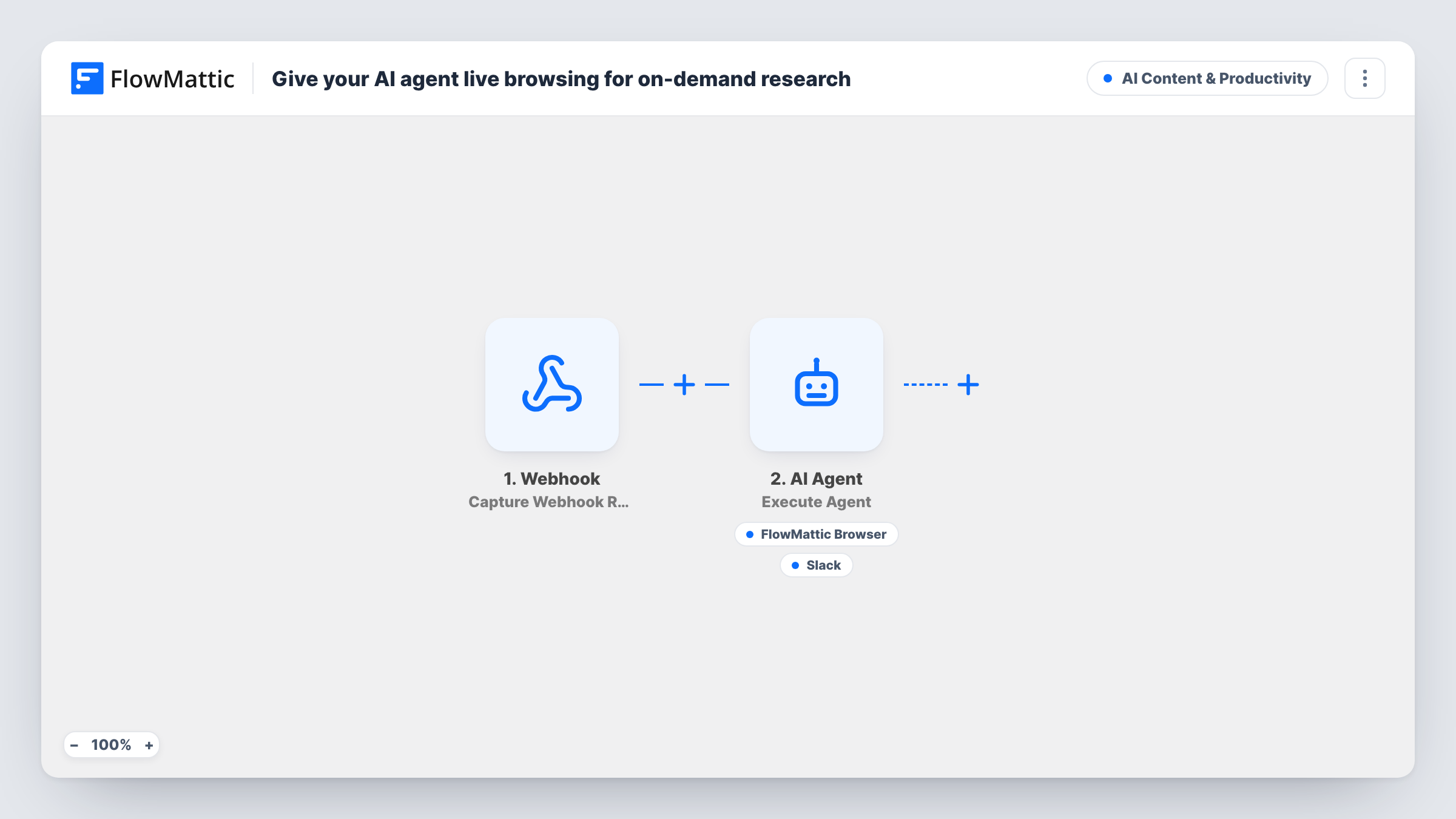
Post a research question to a FlowMattic webhook and an AI agent with the FlowMattic Browser tool opens live pages to answer it, then can report what it found, with source links, in a Slack channel.
 Webhook
 AI Agent
 FlowMattic Browser
 Slack
Slack4 steps Setup ~8 min Used on 331 sites Content Ops Free to import
What this workflow does
Quick research questions pile up: what a competitor charges, what a supplier's returns policy says, what changed on a product page. Answering each one means opening tabs and pasting notes into chat. This workflow hands the question to an AI agent that can read live web pages and post its answer to your team.
A Webhook trigger gives you a URL. Whatever sends to it, such as a form, a script or another tool, includes a question field. The AI Agent step receives "Research request:" plus that question. Its instructions tell it to act as a research assistant, browse live pages to answer, and report its findings in Slack with source links. It runs on OpenAI GPT-4o as imported.
The agent has two tools. FlowMattic Browser's Browse URL opens a page by its address in a headless browser and returns its content, and Slack's Send Channel Message posts a message the agent writes. The agent decides which pages to open and when to post, so check Task History to see what it did. It opens pages by URL, so include the addresses you want checked in the question for the most reliable answers.
Competitor pricing checks
Send a question with a competitor's pricing page URL. The agent reads the page and can post a summary of the plans it found to your sales channel, with the link.
Supplier policy questions
A buyer asks what a supplier's site says about minimum orders. The agent opens the supplier's page and reports the relevant text back in Slack.
Release note look-ups
A developer sends the changelog URL of a library and asks what changed in the latest version. The agent reads it and shares the main points with sources.
How this workflow runs
What happens at each step once the workflow is on, and what you need before you import it.
 Webhook Capture Webhook Response
Gives you a unique webhook URL that starts a run whenever data is posted to it. Send a field called question with the research request you want answered.
- AI Agent Execute Agent
Runs an AI agent on OpenAI GPT-4o, told to act as a research assistant that browses live pages and reports in Slack with source links. It receives the question from the webhook.
- FlowMattic Browser Browse URL (for AI Agent)
Agent tool. Opens a URL the agent chooses in a headless browser and returns the page content to it. It needs Cloudflare Browser Rendering credentials in FlowMattic Settings.
- Slack Send Channel Message
Agent tool. Posts the message the agent writes to the Slack channel you select, used to share its findings and source links with your team.
What you need
- FlowMatticCore
- AI ProviderAccount
- Slack AccountAccount
After importing, map your own data. To keep the template universal, not every step is pre-filled. Open each step in the builder and connect your accounts and fields (channels, lists, sheets, recipients) before you switch the workflow on.
Make it yours
Changes worth making after you import it.
- Turn on "Require authentication on incoming requests" in the Webhook trigger, so only senders with your key can start research runs on your AI provider and Cloudflare accounts.
- Put the pages you want checked in the question itself. The agent opens pages by URL and can't reach pages behind a login.
- Want a record of every answer? Add a Google Sheets Add New Row step after the AI Agent step and map the question and the agent's response into it.
Questions about this workflow
Can the research agent search Google for me?
Don't count on it. The Browse URL tool opens pages by address, so give the agent the URLs you want read for answers you can rely on.
Does the agent always post its answer to Slack?
Its instructions tell it to report in Slack, but the agent decides when to use each tool. Task History shows each tool call, so you can check what happened on a run.
What do I need for the browsing tool?
A Cloudflare account. FlowMattic Browser runs through Cloudflare Browser Rendering, so add your Cloudflare Account ID and API Token in FlowMattic Settings before the first run.
Can anyone with the webhook URL start a research run?
With authentication off, any request to the URL starts a run and spends agent time. Turn on the Webhook trigger's "Require authentication on incoming requests" setting to accept only requests that send your key.
More AI Content & Productivity workflows
Other ready-to-import templates from the same category.





Import this workflow into your WordPress site
Download the JSON, import it from the Workflows screen and connect your accounts. Every run stays on your server, with no per-task fees.
30-day money-back guarantee Unlimited workflows and runs Self-hosted