

Save a weekly Markdown copy of any page to Google Drive
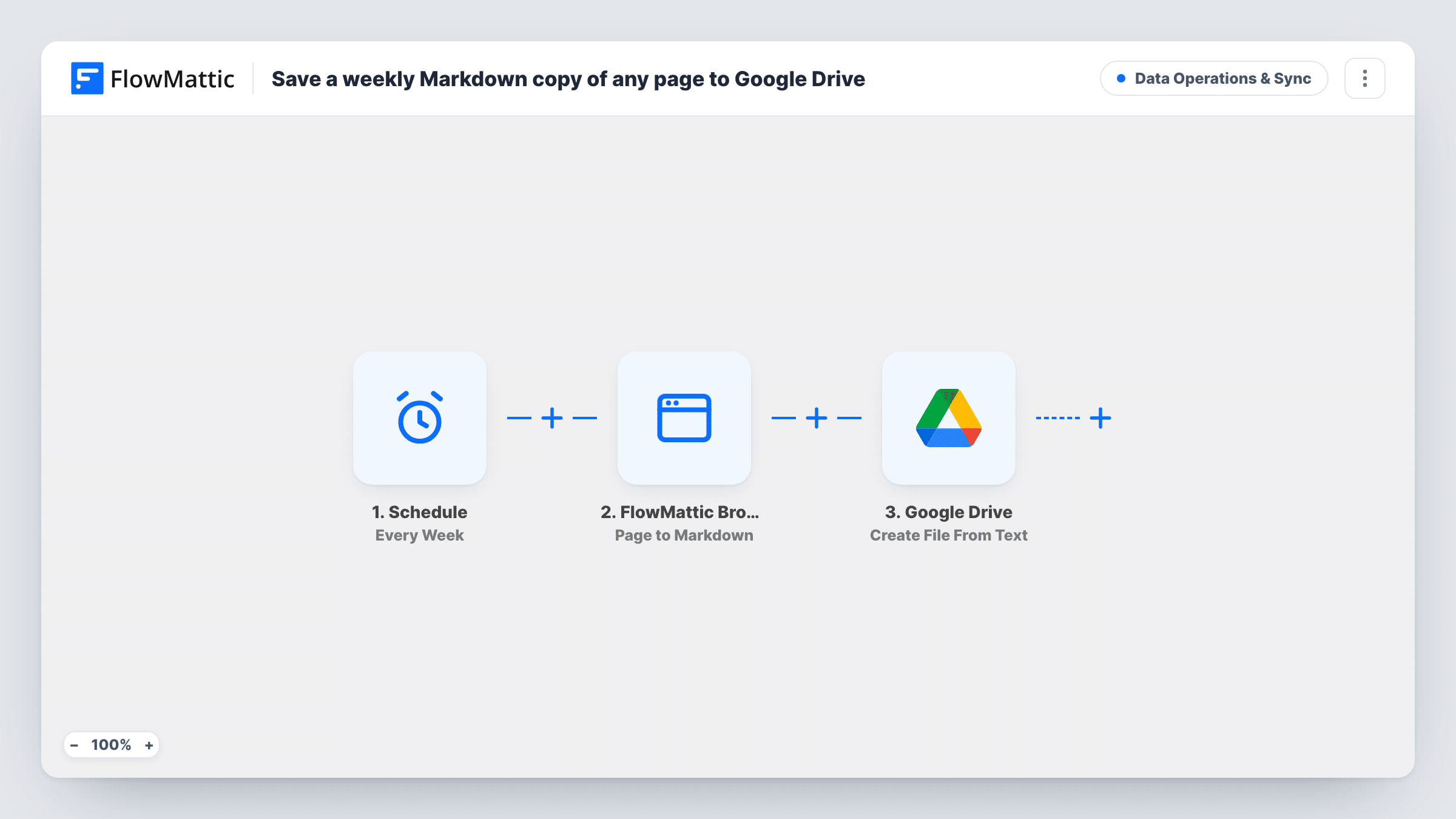
Every week, FlowMattic Browser converts a web page you choose into clean Markdown and Google Drive saves it as a new text file, building a dated archive of how that page reads over time.
 Schedule
 FlowMattic Browser
 Google Drive
3 steps Setup ~5 min Used on 2.6k sites Data Ops Free to import
What this workflow does
Pages you care about change without notice. A competitor edits their pricing, a supplier rewrites their terms, a partner updates a feature list. If you only look when you remember, you can't tell what it said last month. This workflow keeps a weekly text copy of one page in your Google Drive.
A Schedule trigger runs the workflow once a week. FlowMattic Browser loads the page in a headless browser and converts it to Markdown, which keeps headings, lists and links as plain text. The template points at a placeholder pricing page on example.com, so swap in the page you want to track.
Google Drive then creates a new file from that Markdown text. Every week's file carries the same name as imported, "Pricing page — weekly copy", so you tell versions apart by their created date in Drive. Older copies are not replaced; each run adds another file. FlowMattic Browser needs Cloudflare Browser Rendering credentials in FlowMattic Settings.
Tracking a competitor's pricing page
A weekly Markdown copy of the competitor's plans page lets you compare any two weeks side by side when someone asks when their prices changed.
Keeping a record of supplier terms
Save the supplier's shipping or returns policy every week, so you have the wording that applied on a given date if a dispute comes up.
Feeding a research folder for AI tools
Markdown copies of a documentation page collect in one Drive folder, ready to give to an AI assistant that reads plain text.
How this workflow runs
What happens at each step once the workflow is on, and what you need before you import it.
 Schedule Every Week
Starts a run once every week. No event on your site is needed, so the copy is taken whether or not the page has changed.
- FlowMattic Browser Page to Markdown
Opens the page in a headless browser and returns its content as clean Markdown. Replace the placeholder example.com pricing URL with the page you want to keep copies of.
- Google Drive Create File From Text
Creates a new Google Drive file whose text is the Markdown from the previous step, named "Pricing page — weekly copy". The file goes to the Google account you connect for this step.
What you need
- FlowMatticCore
- Google Drive AccountAccount
After importing, map your own data. To keep the template universal, not every step is pre-filled. Open each step in the builder and connect your accounts and fields (channels, lists, sheets, recipients) before you switch the workflow on.
Make it yours
Changes worth making after you import it.
- Add a Date/Time Formatter step before Google Drive and put today's date in the file name, so each weekly copy has a name you can sort by.
- Tracking several pages? Duplicate the Browser and Google Drive steps for each URL and give each file its own name, all in the same weekly run.
- Change the Schedule trigger to Every Day if the page changes often and a weekly snapshot would miss edits.
Questions about this workflow
Does it save a copy only when the page has changed?
No. Every weekly run saves a new file, even if the page is the same as last week. Compare the files to spot changes.
Does each run overwrite last week's Google Drive file?
No. Create File From Text adds a new file every time. As imported they all share one name, so add a date to the name if you want them easy to tell apart.
Can it copy a page that needs a login?
No. The headless browser opens the URL without your sign-in, so it captures what a logged-out visitor would see.
Why Markdown instead of a screenshot or PDF?
Markdown is plain text with the page structure kept, so it is easy to read, search and compare between weeks, and it takes little space in Drive.
More Data Operations & Sync workflows
Other ready-to-import templates from the same category.








Import this workflow into your WordPress site
Download the JSON, import it from the Workflows screen and connect your accounts. Every run stays on your server, with no per-task fees.
30-day money-back guarantee Unlimited workflows and runs Self-hosted