

Archive your repository release pages into Supabase Storage
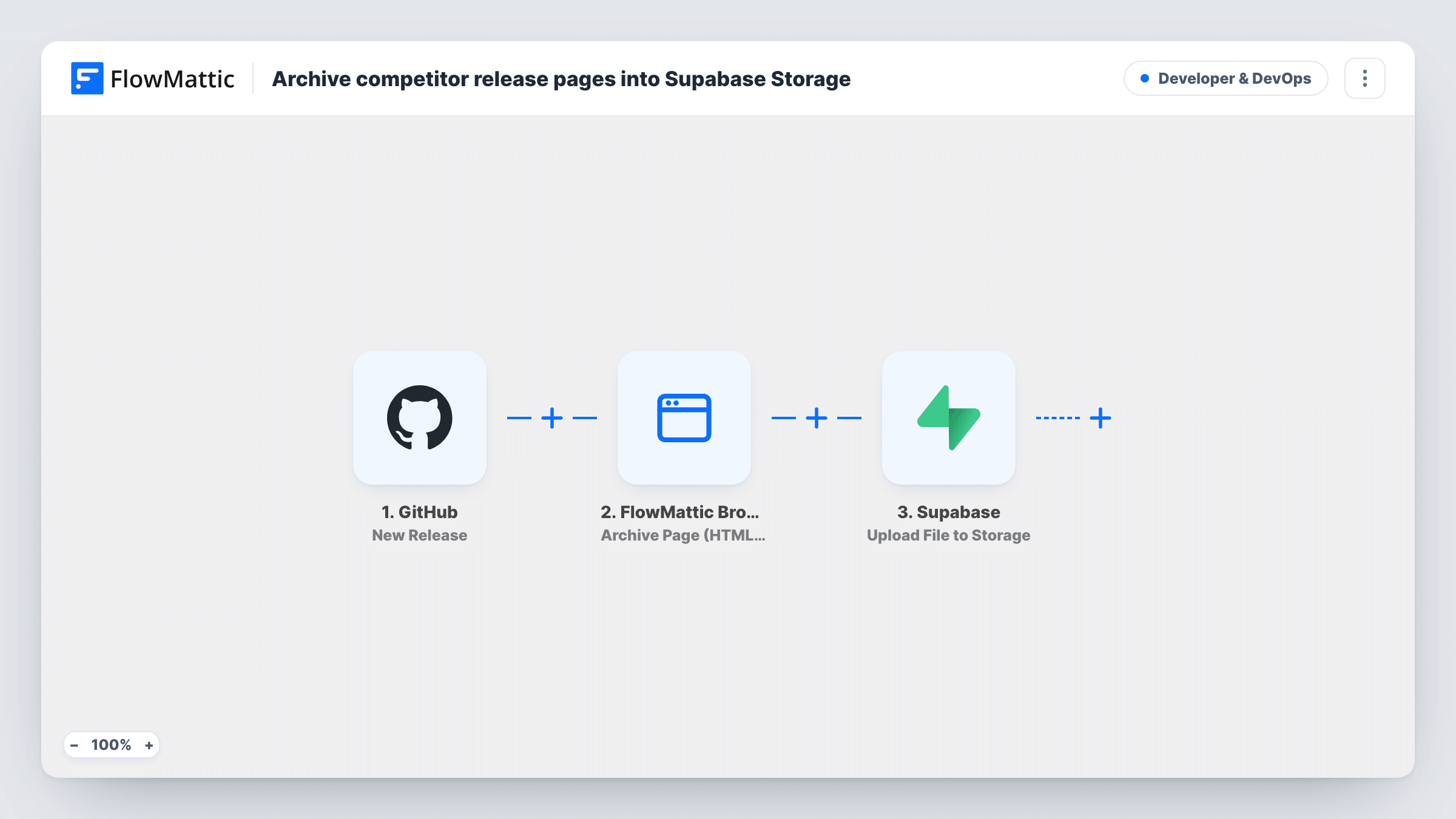
Each new GitHub release has its release page captured by FlowMattic Browser as a full-page screenshot and HTML copy, and the screenshot is uploaded to Supabase Storage under the release tag.
 GitHub
 FlowMattic Browser
 Supabase
3 steps Setup ~5 min Used on 2.9k sites Developer & DevOps Free to import
What this workflow does
Release notes get edited after the fact, and a release can be deleted. If you need to show what a release page said on the day it shipped, for customers, auditors or your own changelog history, a captured copy is more dependable than the live page. This workflow keeps that copy for each release in your Supabase project.
The GitHub New Release trigger starts a run for a release in the connected repository and passes the release's web address and tag name.
FlowMattic Browser then runs Archive Page (HTML + PNG). It opens the release page in a headless browser and saves a full-page PNG screenshot and the rendered HTML on your WordPress site. It needs Cloudflare Browser Rendering credentials in FlowMattic's settings, and it views the page without a GitHub login, so releases in private repositories can't be captured this way. The template's filename value isn't used by this action; the saved files are named from the page's host and a timestamp.
Finally, Supabase uploads the screenshot to a Storage bucket named research, at releases/ followed by the tag name and .png. Only the PNG goes to Supabase; the HTML copy stays on your site. Create the bucket first, or change the bucket name to one you already use.
Audit trail for regulated software
A medical software team keeps a screenshot of every release page in Supabase Storage as a record of what was announced for each version.
Changelog history for an open-source project
Maintainers keep a picture of each release page, so they can show the original notes even after the text has been edited on GitHub.
Release gallery in an internal tool
A product team's dashboard, built on Supabase, lists the stored release screenshots by tag so support staff can see what shipped when.
How this workflow runs
What happens at each step once the workflow is on, and what you need before you import it.
 GitHub New Release
Starts a run for a release in the connected GitHub repository. The release's web page address and tag name are passed to the Browser and Supabase steps.
- FlowMattic Browser Archive Page (HTML + PNG)
Opens the public release page in a headless browser and saves a full-page PNG and the HTML to your site. It needs Cloudflare Browser Rendering set up in FlowMattic, and it can't see private repositories.
- Supabase Upload File to Storage
Uploads the release screenshot to the Supabase Storage bucket research, at releases/ plus the tag name and .png, as an image/png file. The bucket must exist in your project before the first run.
What you need
- FlowMatticCore
- GitHub AccountAccount
- Supabase AccountAccount
After importing, map your own data. To keep the template universal, not every step is pre-filled. Open each step in the builder and connect your accounts and fields (channels, lists, sheets, recipients) before you switch the workflow on.
Make it yours
Changes worth making after you import it.
- Add a second Upload File to Storage step after the first that sends the HTML copy from the Browser step, with a .html path and a text/html content type, if you want both files in Supabase.
- If edited releases also start runs, put a Filter between the GitHub trigger and the Archive Page step that continues only when the action is published. A test release shows which field carries the action.
Questions about this workflow
Does this archive releases from private GitHub repositories?
No. FlowMattic Browser opens the release page as a visitor who isn't signed in to GitHub, so it can't see a private repository's releases. Use it on public repositories.
Do I need to create the research bucket in Supabase Storage first?
Yes. The upload step writes to a bucket called research. Create it in your Supabase project, or change the bucket name in the step to one you already have.
Is the release page's HTML stored in Supabase too?
Not as imported. Archive Page saves both a PNG and an HTML file on your WordPress site, but only the screenshot is uploaded to Supabase. Add a second upload step to send the HTML.
What happens when the same GitHub release tag runs twice?
Both runs upload to the same path, releases/ plus the tag name and .png. How Supabase treats a file that already exists at that path decides the result, so check Task History for its response.
More Developer & DevOps workflows
Other ready-to-import templates from the same category.






Import this workflow into your WordPress site
Download the JSON, import it from the Workflows screen and connect your accounts. Every run stays on your server, with no per-task fees.
30-day money-back guarantee Unlimited workflows and runs Self-hosted