

Route new issues by label to the right team channel
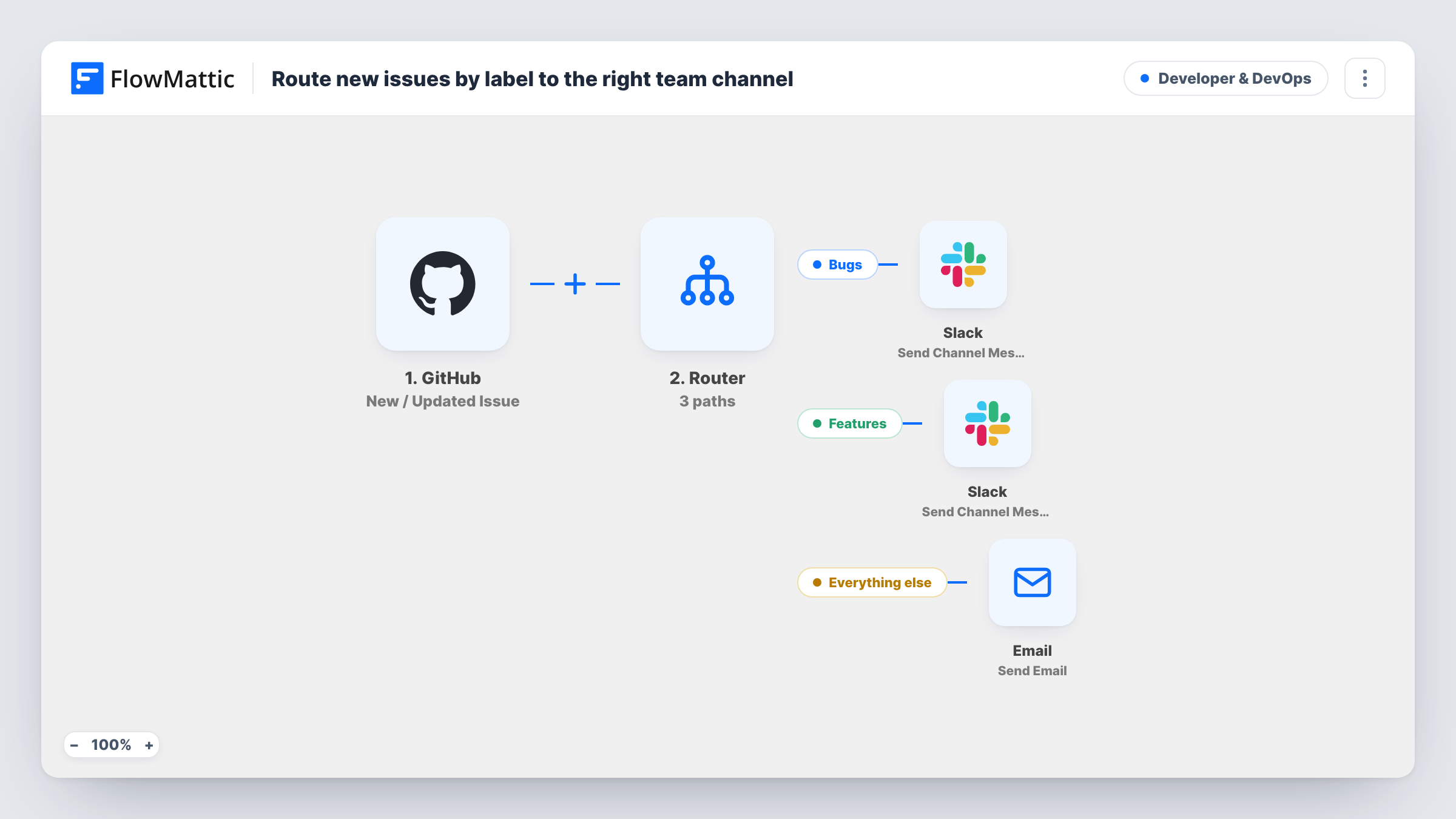
When a GitHub issue is opened, a Router reads its first label: labels containing bug post to your bugs Slack channel, labels containing feature post to your features channel, and other issues aren’t posted.
 GitHub
 Filter
 Router
 Slack
Slack5 steps Setup ~8 min Used on 1.5k sites Developer & DevOps Free to import
What this workflow does
Bug reports and feature requests usually belong to different people. If both land in one channel, someone has to sort them by hand. This workflow sends each newly opened GitHub issue to the Slack channel for its type, based on the label it was opened with.
The GitHub trigger, New / Updated Issue, fires on any change to issues in the repository you connect. A Filter continues only when GitHub's action is exactly opened, so the routing happens once per issue, at creation.
A Router then checks the name of the issue's first label. The Bugs route runs when that name contains bug, and the Features route when it contains feature. These checks ignore case and match part of a word, so Bug, bug-report and even debug count for the first route. An issue whose first label matches neither, or that has no label, isn't posted. Each route ends in its own Slack step with a ready-made message linking the issue number and title.
The labels must be on the issue when it is opened, for example from a GitHub issue template. A label added later doesn't route, because that update stops at the Filter. After import, pick a channel in each Slack step and test with one issue of each type.
Separate channels for bug fixers and product
A SaaS team's issue templates add bug or feature labels automatically, so bug reports reach #eng-bugs and requests reach #product-ideas without sorting.
Open-source triage by type
Maintainers send bug-labelled issues to a channel the core developers watch and feature requests to a community channel for discussion.
Agency client repositories
An agency routes client bugs to the developers' channel and feature requests to the account manager's channel, from the same repository.
How this workflow runs
What happens at each step once the workflow is on, and what you need before you import it.
 GitHub New / Updated Issue
Runs for issue activity in the connected GitHub repository, including new, edited and closed issues. The issue, its labels and GitHub's action pass on.
- Filter Continue If Condition Meet
Lets the run go on only when the action is exactly opened, ignoring case. Edits, closes, reopened issues and labels added later stop here.
- Router 2 paths
Checks the issue's first label name. The Bugs route runs when it contains bug and the Features route when it contains feature, both ignoring case. A first label matching neither posts nothing.
- Slack Send Channel Message
On the Bugs route, posts a message starting with Bug: and a link with the issue number and title. Choose your bugs channel after import.
- Slack Send Channel Message
On the Features route, posts a message labelled as a feature request with a link to the issue. Choose the channel your product or feature team reads after import.
What you need
- FlowMatticCore
- GitHub AccountAccount
- Slack AccountAccount
After importing, map your own data. To keep the template universal, not every step is pre-filled. Open each step in the builder and connect your accounts and fields (channels, lists, sheets, recipients) before you switch the workflow on.
Make it yours
Changes worth making after you import it.
- Set up GitHub issue templates that apply a bug or feature label, so new issues arrive already labelled and the Router has something to read.
- Keep label names distinct: the Router runs every route whose condition matches, so a first label containing both bug and feature would post in both channels.
- For a third channel, such as documentation issues, add a route to the Router that sits between the Filter and the two Slack steps, with its own first-label condition and its own Slack step.
Questions about this workflow
What happens to a GitHub issue opened without a label?
Neither route matches, so nothing is posted. The run ends after the Router, and Task History shows that no route ran.
Does the Router look at every label on the GitHub issue?
No. Both routes check the first label only. If an issue has several labels and the type label isn't first, it may not route the way you expect.
Will adding a label after the issue is opened send it to Slack?
No. Adding a label is a separate issue update, and the Filter only continues for the opened action. Labels need to be set when the issue is created.
Does the label have to be exactly bug or feature?
No. The routes check whether the label contains those words, ignoring case, so labels like Bug or feature-request also match. A label such as debug would match the Bugs route too.
More Developer & DevOps workflows
Other ready-to-import templates from the same category.



Import this workflow into your WordPress site
Download the JSON, import it from the Workflows screen and connect your accounts. Every run stays on your server, with no per-task fees.
30-day money-back guarantee Unlimited workflows and runs Self-hosted