

AI agent that turns positive reviews into shareable testimonials
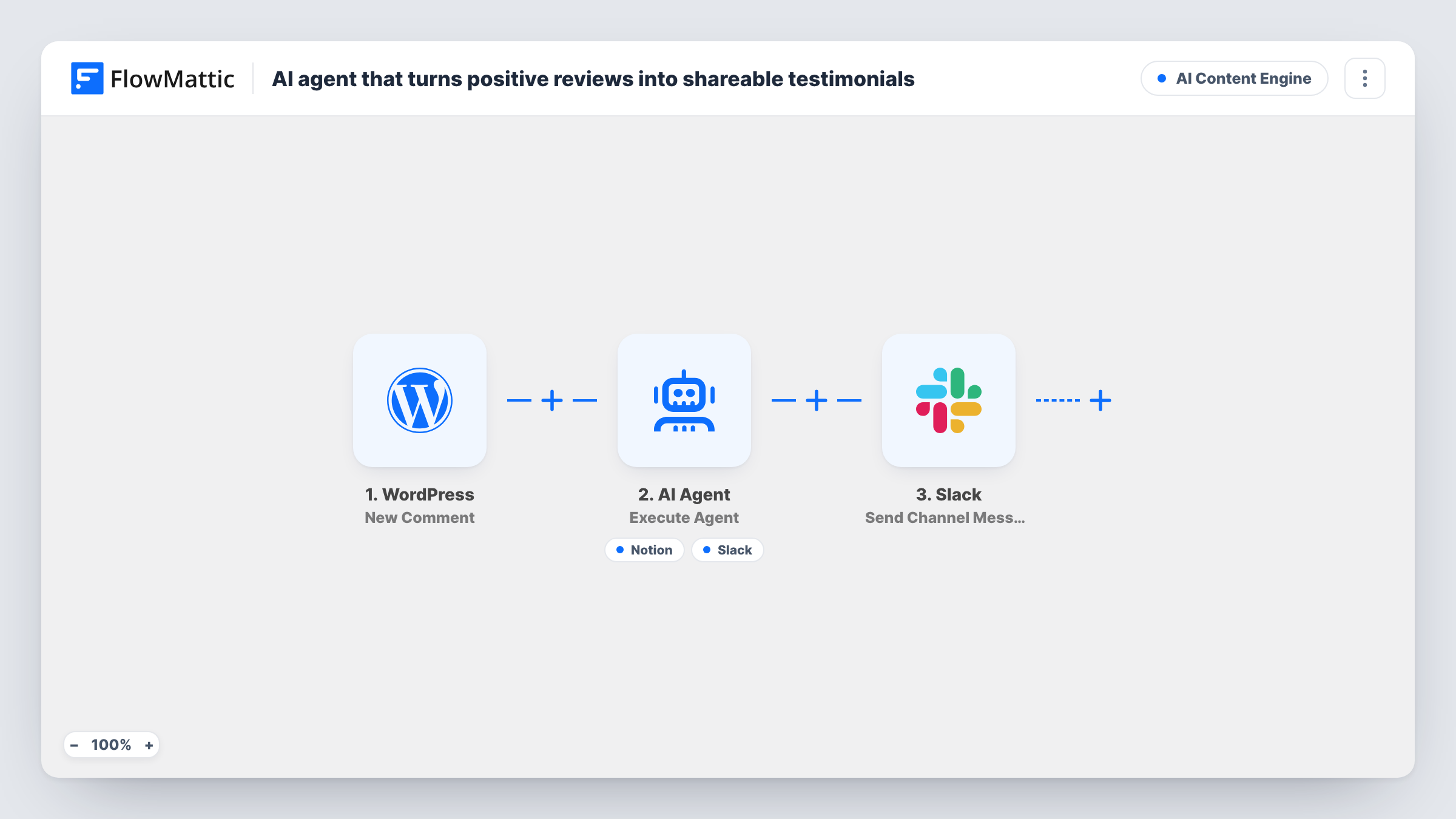
Each new WordPress comment goes to an AI agent that judges whether it is a positive review. Praise is rewritten as a short testimonial for your Notion database and marketing hears about it in Slack.
 WordPress
 AI Agent
 Notion
 Slack
Slack5 steps Setup ~8 min Used on 1.1k sites Content Ops Free to import
What this workflow does
Kind words from customers often sit in your comment section where nobody on the marketing side sees them. Collecting them as testimonials means reading every comment and copying the good ones out. This workflow passes each new comment to an AI agent that picks out the praise and files it for you.
The WordPress New Comment trigger runs whenever a comment is added. The AI Agent receives the commenter's name and what they wrote. Its instructions: if the comment is a positive review, craft a concise testimonial, save it to the Notion social-proof database and notify marketing; ignore negative or neutral ones. It can use two tools, Notion Create Database Item and a Slack message it writes for marketing.
The Notion tool is empty in the template, so connect Notion and choose the database and its properties after import. Whether a comment counts as positive is the agent's call, so review what lands in Notion before you publish anything. After the agent, a second, fixed Slack message reports that a review was processed. That one posts for every comment, positive or not. The agent uses OpenAI's GPT-4o by default.
Case study pages that collect praise
Readers leave thanks under your case studies. The agent turns the glowing ones into tidy quotes in Notion that marketing can use on landing pages.
Product blogs with an active community
Comments on release posts often include short praise. Those become testimonial drafts automatically, while questions and complaints stay out of the database.
Course or membership sites with comments enabled
Students thanking you under lessons give you social proof. Each positive comment is captured with the student's name for you to follow up on.
How this workflow runs
What happens at each step once the workflow is on, and what you need before you import it.
 WordPress New Comment
Runs when a new comment is added on your WordPress site. The commenter's name and the comment text are passed to the AI Agent.
- AI Agent Execute Agent
The AI Agent decides whether the comment is a positive review. If it is, it writes a concise testimonial, saves it and alerts marketing. Negative or neutral comments are meant to be ignored.
- Notion Create Database Item
The agent's Notion tool for adding a database item. The template leaves it unconfigured, so connect Notion and set which database and properties hold the testimonial.
- Slack Send Channel Message
The agent's Slack tool for telling marketing about a new testimonial. Its wording comes from the agent. Connect Slack and confirm the channel with a test comment.
- Slack Send Channel Message
After the agent step, posts a fixed Slack message saying a review from the commenter was processed. It runs on every comment, whatever the agent decided.
What you need
- FlowMatticCore
- AI ProviderAccount
- Notion AccountAccount
- Slack AccountAccount
After importing, map your own data. To keep the template universal, not every step is pre-filled. Open each step in the builder and connect your accounts and fields (channels, lists, sheets, recipients) before you switch the workflow on.
Make it yours
Changes worth making after you import it.
- Add a Filter after the trigger if you only want comments on certain posts, such as a case study, to reach the agent and its Slack alerts.
- Remove the final fixed Slack step if a message for every comment is too noisy. The agent's own Slack tool still announces the positive ones.
- Ask commenters for permission before you publish their words as a testimonial. The trigger provides the commenter's email, so add it to the agent's input to keep a way to reach them.
Questions about this workflow
Does every WordPress comment reach the AI agent?
Yes. There is no Filter before the agent, so each new comment is sent to it. The agent then decides whether it counts as a positive review.
Does the agent change the commenter's words?
It is asked to craft a concise testimonial, so the wording may be shortened or tidied. Compare each entry with the original comment before using it publicly.
What happens with negative or neutral comments?
The instructions tell the agent to ignore negative and neutral comments, so nothing should reach Notion for them. The fixed Slack message still posts for every comment.
Do I need a specific Notion database layout?
You need a database for the testimonials, and you choose it in the Notion tool after import. Run a test comment to confirm how the agent's text fills it.
More AI Content Engine workflows
Other ready-to-import templates from the same category.




Import this workflow into your WordPress site
Download the JSON, import it from the Workflows screen and connect your accounts. Every run stays on your server, with no per-task fees.
30-day money-back guarantee Unlimited workflows and runs Self-hosted