

AI agent that enriches new leads with firmographic details before syncing
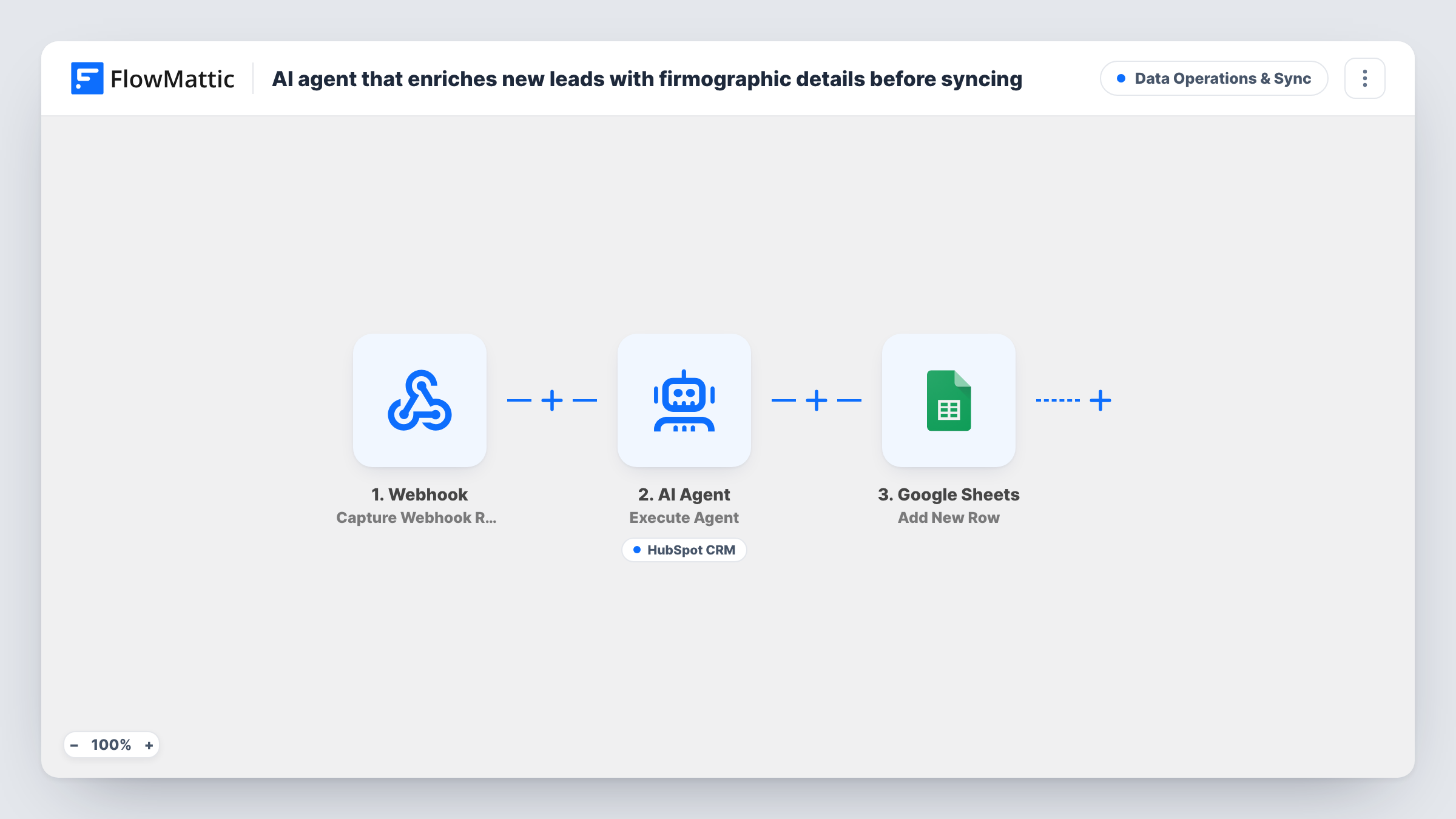
When a lead arrives at a webhook, an AI agent infers a likely industry, company size band and segment from the email domain and company name, can create the contact in HubSpot, and the run then adds a row to Google Sheets.
 Webhook
 AI Agent
 HubSpot CRM
 Google Sheets
4 steps Setup ~8 min Used on 2.2k sites Data Ops Free to import
What this workflow does
A bare lead with only an email address and a company name is hard to route. Sales wants to know roughly what kind of business it is before anyone picks up the phone. This workflow asks an AI agent to make a first guess at that profile as each lead comes in, and keeps a sheet of every lead it handled.
Your form, landing page or other app posts the lead to a FlowMattic Webhook. The AI Agent step receives the email and company from that payload. Its instructions are to infer the likely industry, company size band and segment from the email domain and company name, then create an enriched contact. The template uses GPT-4o through OpenAI.
The agent's one tool is Create Contact in HubSpot CRM. The email comes straight from the webhook, while the company and industry values are filled in by the agent. The agent decides when to call the tool, so confirm in Task History that contacts are being created. After the agent step, a Google Sheets step adds a new row for each run, with whatever data you map into it.
Treat the results as educated guesses. The agent reasons from the domain and name it is given; nothing in this flow looks the company up in a data source, so a sales rep should confirm the details before relying on them. Adding the FlowMattic Browser tool lets the agent open the company's website first, which gives it more than a name to reason from.
Routing demo requests by industry
Demo requests post to the webhook with an email and company. HubSpot gets the contact with a guessed industry, so you can build a view that sends retail leads to one rep and software leads to another.
Profiling event or webinar sign-ups
Registrations from an event platform post their details to the webhook. The sheet becomes a list of attendees with a rough industry and size next to each, ready for follow-up planning.
Cleaning up thin leads from a partner
A partner sends leads by webhook with only an email and company name. The agent adds a first-pass profile before the contact lands in HubSpot.
How this workflow runs
What happens at each step once the workflow is on, and what you need before you import it.
 Webhook Capture Webhook Response
Gives you a unique webhook URL. Send the lead to it from your form or app, including email and company fields, then capture a sample so FlowMattic knows the payload's shape.
- AI Agent Execute Agent
Runs an AI agent on the lead's email and company with instructions to infer industry, company size band and segment, then create an enriched HubSpot contact using its tool.
- HubSpot CRM Create Contact
A tool the agent can call to create the contact in HubSpot. The email is mapped from the webhook, and the agent supplies the company and industry values. Connect your HubSpot account during setup.
- Google Sheets Add New Row
Adds a new row to the Google Sheets spreadsheet you choose after the agent finishes. Map the webhook fields and the agent's output to columns, and connect your Google account.
What you need
- FlowMatticCore
- AI ProviderAccount
- HubSpot CRM AccountAccount
- Google Sheets AccountAccount
After importing, map your own data. To keep the template universal, not every step is pre-filled. Open each step in the builder and connect your accounts and fields (channels, lists, sheets, recipients) before you switch the workflow on.
Make it yours
Changes worth making after you import it.
- Map the agent's text output into a column of the Google Sheets row so you can see its reasoning next to each lead and spot guesses that look wrong.
- Add a Filter after the trigger that skips free email domains such as gmail.com, since the agent has little to infer from them.
- Edit the system prompt to list the exact industry names and size bands your HubSpot properties accept, so the values the agent writes match your options.
- Send a test payload with a well-known company and one with a made-up name, then compare what the agent creates in HubSpot.
- Add the FlowMattic Browser tool so the agent can open the website at the lead's email domain before it picks an industry and size. The browse tool only works once Cloudflare Browser Rendering is configured in FlowMattic Settings.
Questions about this workflow
Does this look up real firmographic data for HubSpot contacts?
Not as imported. The agent infers industry, size band and segment from the email domain and company name. There is no data provider in the flow. With the FlowMattic Browser tool added it can read the company's website, but the values remain its own estimates.
What if the lead is already a contact in HubSpot CRM?
The agent's tool is Create Contact, not an update action. Test with an existing email to see how HubSpot responds, and add a lookup or switch the action if you need updates.
Which webhook fields does the agent read?
The template passes email and company from the webhook payload into the agent's input. If your source sends different field names, remap them in the agent step after capturing a sample.
Is a Google Sheets row added even if HubSpot fails?
The Google Sheets step runs after the agent step, so check Task History for runs where the agent's tool call failed and see what reached the sheet.
More Data Operations & Sync workflows
Other ready-to-import templates from the same category.





Import this workflow into your WordPress site
Download the JSON, import it from the Workflows screen and connect your accounts. Every run stays on your server, with no per-task fees.
30-day money-back guarantee Unlimited workflows and runs Self-hosted