

AI agent that tags incoming feedback records by sentiment and theme
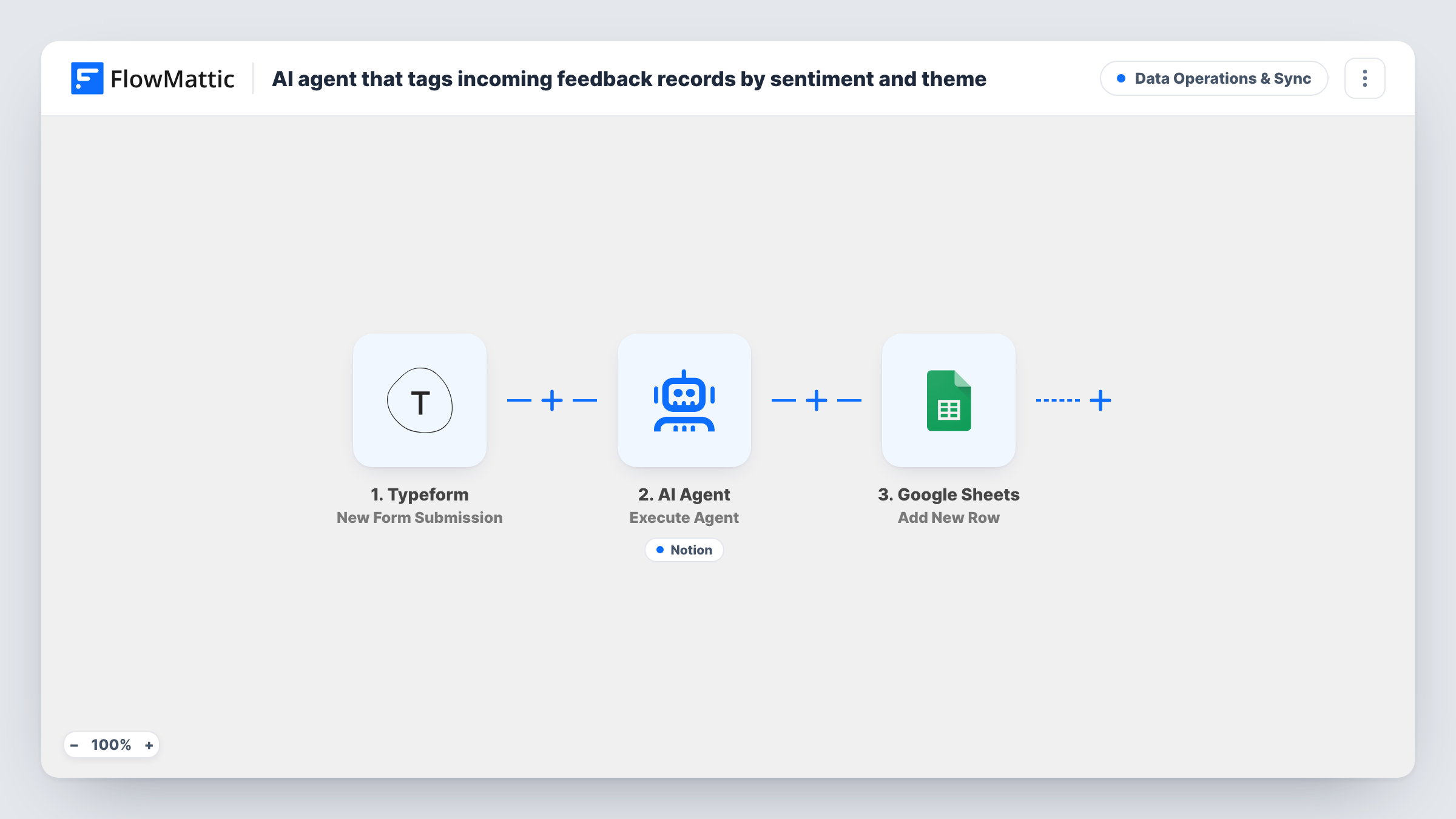
Each new Typeform feedback response goes to an AI agent that labels it positive, neutral or negative and picks one theme tag, can file it as a Notion database item, and the run then adds a row to Google Sheets.
 Typeform
 AI Agent
 Notion
 Google Sheets
4 steps Setup ~8 min Used on 2.2k sites Data Ops Free to import
What this workflow does
Open-text feedback piles up fast, and reading every response to sort it by mood and topic is slow. Without some structure you can't tell whether complaints about delivery are growing or praise for support is holding steady. This workflow tags each response as it arrives so the sorting is done before anyone reads it.
When someone submits your Typeform, FlowMattic passes the message answer to an AI Agent. Its instructions are to classify the feedback as positive, neutral or negative, pick the single best theme tag, and create a Notion database item with those fields. As shipped, the agent is set to OpenAI with the GPT-4o model.
The agent's tool is Create Database Item in Notion, and the agent fills in the item's properties. It decides when to call that tool, so confirm in Task History that items are appearing. After the agent step, a Google Sheets step adds a new row for every response, holding whichever fields you map, such as the original text and the agent's output.
The agent picks a theme on its own unless you tell it which themes exist. Listing your theme tags in the system prompt keeps the labels consistent from one response to the next.
Post-purchase survey for a shop
A Typeform sent after delivery asks how the order went. Each answer lands in Notion tagged by sentiment and a theme such as shipping or packaging, so recurring problems stand out.
Product feedback for a SaaS team
An in-app feedback link opens a Typeform. The Notion database becomes a triage board where the product team filters negative responses by theme.
Course or workshop evaluations
Attendees fill in a short Typeform after each session. The Google Sheets log lets you chart sentiment across sessions while Notion holds the tagged comments.
How this workflow runs
What happens at each step once the workflow is on, and what you need before you import it.
 Typeform New Form Submission
Runs when someone submits your Typeform. The template reads a field named message as the feedback text, so map your own open-text question to the agent's input if it differs.
- AI Agent Execute Agent
Runs an AI agent on the feedback text with instructions to classify sentiment as positive, neutral or negative, choose one theme tag, and file the result in Notion using its tool.
- Notion Create Database Item
A tool the agent can call to create an item in a Notion database, with properties filled in by the agent. Connect Notion, share the database with the integration, and test which properties get filled.
- Google Sheets Add New Row
Adds a row to your chosen Google Sheets spreadsheet for every response after the agent runs. Map the feedback text and the agent's output to columns, then connect your Google account.
What you need
- FlowMatticCore
- Typeform AccountAccount
- AI ProviderAccount
- Notion AccountAccount
- Google Sheets AccountAccount
After importing, map your own data. To keep the template universal, not every step is pre-filled. Open each step in the builder and connect your accounts and fields (channels, lists, sheets, recipients) before you switch the workflow on.
Make it yours
Changes worth making after you import it.
- Add your fixed list of theme tags to the system prompt, and match them to the options of a select property in Notion, so the agent never invents a new tag.
- Add a Router after the agent to alert someone in another app when a response is negative, while every response still reaches Notion and the sheet.
- Pass the respondent's email or an order number into the agent's input as well, so the Notion item links back to a person you can reply to.
- Submit three test responses, one clearly happy, one neutral, one angry, and check the Notion items before you share the form.
Questions about this workflow
Which Typeform answer does the AI agent read?
The template passes a field called message. Map the open-text question from your own form into the agent's user input after you connect Typeform and capture a sample response.
Do I need a specific Notion database setup?
You need a database the Notion integration can access. Adding properties for sentiment and theme gives the agent clear places to put its labels; check a test item to see how they were filled.
Why use both Notion and Google Sheets for feedback?
Notion holds the tagged items for your team to work through, and the sheet keeps a flat log of every response that is easy to count and chart. Remove either step if you need only one.
Can the sentiment labels be wrong?
Yes. The agent reads the text and makes a judgement, and sarcasm or mixed feedback can be labelled oddly. Spot-check the Notion items in the first weeks and refine the prompt.
More Data Operations & Sync workflows
Other ready-to-import templates from the same category.







Import this workflow into your WordPress site
Download the JSON, import it from the Workflows screen and connect your accounts. Every run stays on your server, with no per-task fees.
30-day money-back guarantee Unlimited workflows and runs Self-hosted