

AI agent that writes a win-back offer when a membership expires
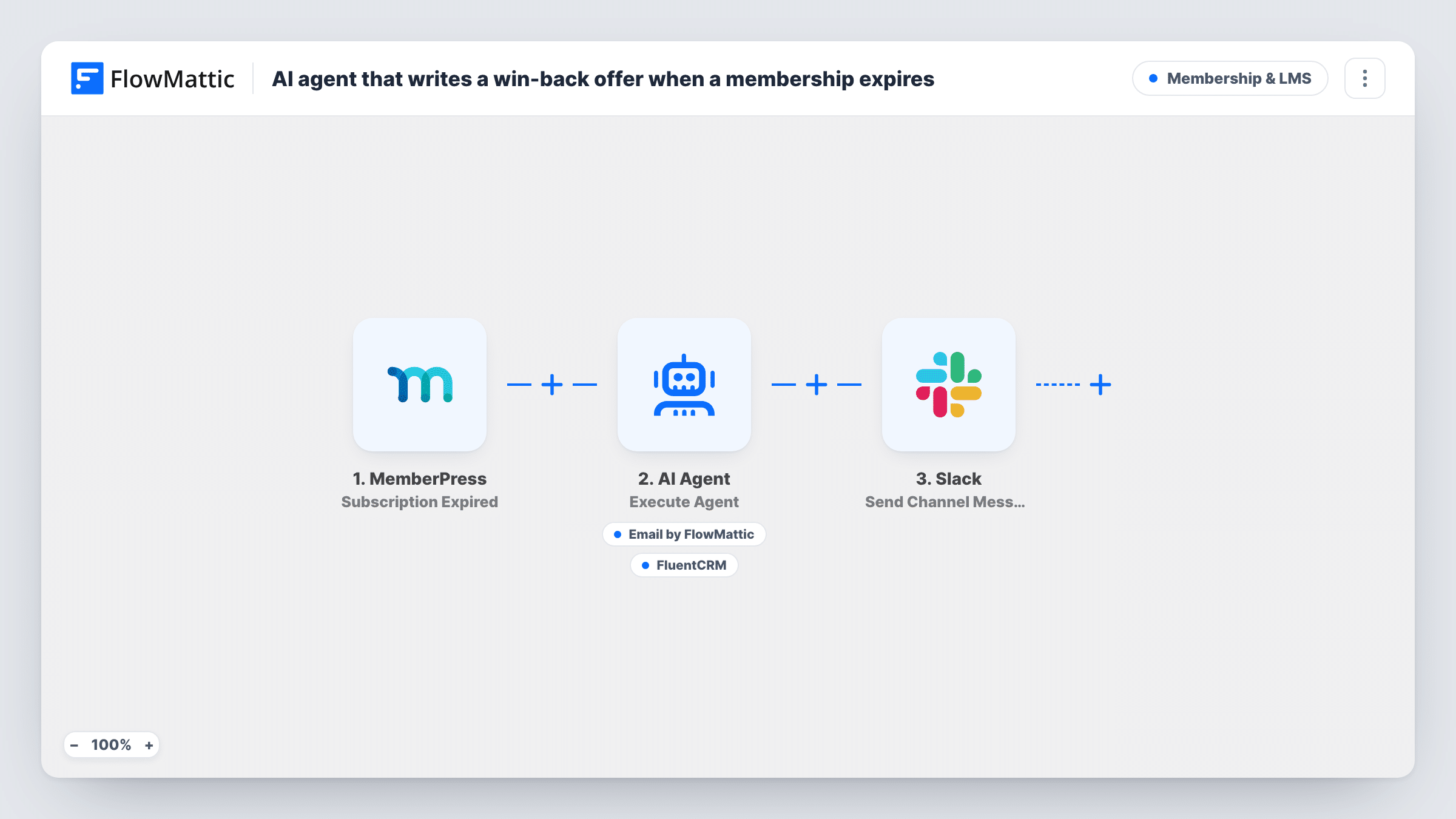
When a MemberPress subscription expires, an AI agent writes a personal win-back email to the lapsed member, sends it, tags them in FluentCRM, and a Slack message lets your team know.
 MemberPress
 AI Agent
 Email
 FluentCRM
 Slack
5 steps Setup ~8 min Used on 2.0k sites Community Free to import
What this workflow does
An expired membership is the moment a member is most likely to come back, if someone reaches out. A generic reminder is easy to ignore, and writing a personal note to each lapsed member takes time you rarely have. This workflow hands that first message to an AI agent.
It starts with the MemberPress Subscription Expired trigger, which passes the member's first name and email to an AI Agent. The agent, set to OpenAI's GPT-4o in the template, follows its instructions: write a warm win-back message with one reason to return, send it with its Email tool to the member's address, and use its FluentCRM tool to add a tag to that contact. The agent writes the subject, body and tag. A final step posts a Slack message naming the member's email.
As imported, the agent only receives the member's name and email, even though its instructions mention their plan. Once a test run shows what the MemberPress trigger passes, map the plan details into the agent's input if you want the message to refer to them. Task History shows each run, including what the agent wrote and which tools it called.
Monthly memberships that lapse quietly
A fitness site's members often let a card expire without deciding to leave. Each one gets a friendly note asking them back, and FluentCRM marks them for follow-up.
Course communities after a fixed term
An annual community membership ends. The agent writes a message reminding the member what they would miss, and your team sees each one in Slack.
Segmenting lapsed members
The FluentCRM tag shows who has had a win-back email, so you can leave them out of other campaigns or send a second message later.
How this workflow runs
What happens at each step once the workflow is on, and what you need before you import it.
 MemberPress Subscription Expired
Runs when a MemberPress subscription expires on your site. The member's first name and email are passed to the AI Agent as its input.
- AI Agent Execute Agent
The AI Agent reads the member's details and its instructions, writes a short win-back message with a reason to return, and then calls its tools. Connect your AI provider here; the template uses GPT-4o.
 Email Send Email
The agent's email tool. It sends to the expired member's email address, with a subject and body the agent writes. Check your Email settings in FlowMattic after import.
- FluentCRM Add Tags to Contact
The agent's FluentCRM tool. It adds a tag to the member's contact, and the agent chooses the tag. The member needs to exist as a FluentCRM contact for the tag to land.
- Slack Send Channel Message
Posts a Slack channel message saying a win-back was sent to the member's email. Connect your Slack workspace and check where the message lands with a test run.
What you need
- FlowMatticCore
- MemberPress PluginPlugin
- AI ProviderAccount
- FluentCRM PluginPlugin
- Slack AccountAccount
After importing, map your own data. To keep the template universal, not every step is pre-filled. Open each step in the builder and connect your accounts and fields (channels, lists, sheets, recipients) before you switch the workflow on.
Make it yours
Changes worth making after you import it.
- Replace the AI-filled tag in the FluentCRM tool with a fixed tag such as Win-back sent, so every lapsed member is tagged the same way.
- List real offers in the agent's instructions, such as a returning-member discount you actually run, so the agent never promises one you don't have.
- Check a test run for the plan details MemberPress passes, then add them to the agent's input so the message can mention the plan the member had.
- Put a Delay after the trigger if you would rather reach out a day or two after expiry instead of the same moment.
Questions about this workflow
Which AI model writes the message?
GPT-4o from OpenAI, as the template ships. Connect your own provider account in the agent step, and switch to another model there if you prefer.
Does the Slack message confirm the email was sent?
Not exactly. The Slack step runs after the agent finishes, whatever it did. Open the run in Task History to see which tools the agent called.
What if the member is not in FluentCRM?
The tag needs a contact to attach to. If your members are not synced to FluentCRM, add a Create or Update Contact tool or step before tagging.
Can I review messages before they go out?
Not as imported, since the agent sends directly. Take the Email tool off the agent, then add a Human in the Loop step and an Email step after it, so you approve each message before it goes out.
Which plugins do I need?
MemberPress and FluentCRM on the same WordPress site as FlowMattic, an AI provider account, and a Slack workspace.
More Membership & LMS workflows
Other ready-to-import templates from the same category.





Import this workflow into your WordPress site
Download the JSON, import it from the Workflows screen and connect your accounts. Every run stays on your server, with no per-task fees.
30-day money-back guarantee Unlimited workflows and runs Self-hosted