

Send a weekly progress newsletter to every active student
Once a week, this workflow fetches your subscribed FluentCRM contacts and sends each one a personal email greeting them by first name, with the week’s focus you write into the message.
 Schedule
 FluentCRM
 Iterator
 Email
Email4 steps Setup ~8 min Used on 447 sites Community Free to import
What this workflow does
A short weekly note keeps students working through a course, but sending it should not take your Monday morning. This workflow sends the same weekly email to each subscribed contact in FluentCRM, one at a time, with their first name in the greeting.
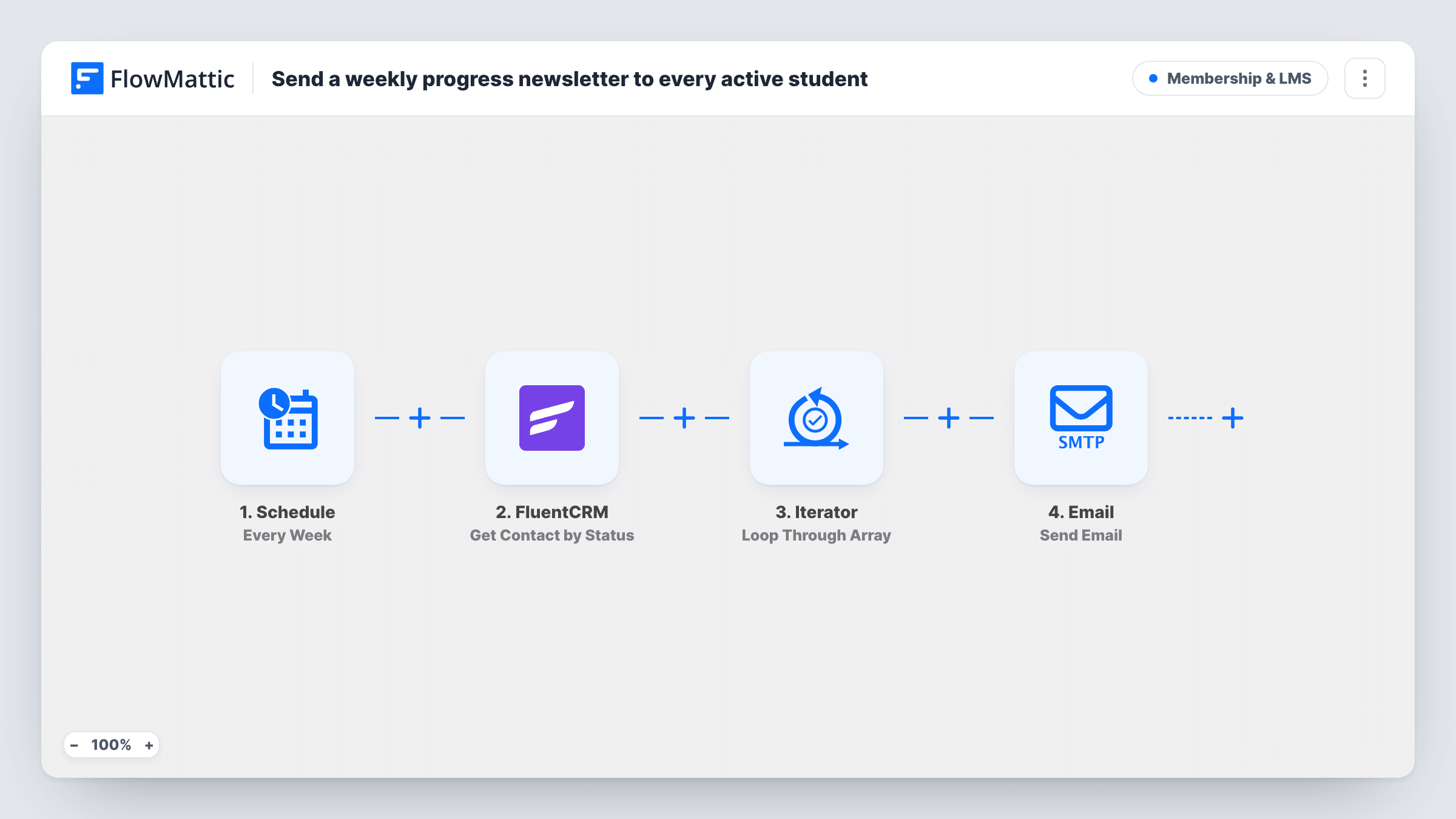
A Schedule trigger starts the run once a week. FluentCRM Get Contact by Status then fetches contacts with the Subscribed status. An Iterator loops through that list, and for each contact the Email step sends a message to their address. The template's subject is Your weekly learning digest, and the body greets the contact by first name and points them to what to focus on this week.
Be clear on what it does not do. It does not read course progress or LMS data, so every contact gets the same body text apart from the name. Edit the body each week, or before you turn the workflow on, with the content you want students to see. It sends to all subscribed contacts, so use a FluentCRM setup where those are your students.
Weekly study prompt for a cohort
A tutor keeps one cohort as subscribed contacts in FluentCRM and changes the email body each Sunday with that week's reading and exercise.
Evergreen motivation email
A course creator writes one general encouragement message and leaves it running, so students hear from them every week without a manual send.
Small coaching groups
A coach with a short list of clients uses the weekly email as a check-in, inviting replies about what they are working on.
How this workflow runs
What happens at each step once the workflow is on, and what you need before you import it.
 Schedule Every Week
Starts the workflow once a week. Adjust when it runs in the Schedule step after import, so the email arrives when your students plan their week.
- FluentCRM Get Contact by Status
Fetches FluentCRM contacts whose status is Subscribed. Their email and first name are what the email step uses. FluentCRM must be on the same site as FlowMattic.
- Iterator Loop Through Array
Loops through the contacts returned by FluentCRM and runs the next step once for each, so every contact gets their own email.
 Email Send Email
Sends an email to the current contact's address with the subject Your weekly learning digest and a body that greets them by first name. Edit both to match what you want to say.
What you need
- FlowMatticCore
- FluentCRM PluginPlugin
After importing, map your own data. To keep the template universal, not every step is pre-filled. Open each step in the builder and connect your accounts and fields (channels, lists, sheets, recipients) before you switch the workflow on.
Make it yours
Changes worth making after you import it.
- Rewrite the email body before you activate the workflow, since the template text is a short placeholder about focusing on this week.
- Add a Delay inside the loop, after the Email step, if you would rather space the emails out than send them all in one burst.
- After the first run, open Task History and compare the number of emails sent with your subscribed contact count in FluentCRM.
- Make the subject specific to each week, such as the module name, so students can find past emails in their inbox.
Questions about this workflow
Does the email show each student's course progress?
No. Only the first name changes per contact. The rest of the message is the same text for everyone, which you write in the Email step.
Who receives the email?
Contacts that FluentCRM returns for the Subscribed status, whether or not they are students. Keep that status for your learners if the email is meant only for them.
Do I need an LMS plugin?
No. The template only uses FluentCRM and the FlowMattic Email step. It works the same whether your students come from an LMS or not.
Can I change the day it sends?
The Schedule step controls when the weekly run happens. Open it after import to see its timing options and set what suits your students.
More Membership & LMS workflows
Other ready-to-import templates from the same category.




Import this workflow into your WordPress site
Download the JSON, import it from the Workflows screen and connect your accounts. Every run stays on your server, with no per-task fees.
30-day money-back guarantee Unlimited workflows and runs Self-hosted