

Win back abandoned carts with a two-step email recovery sequence
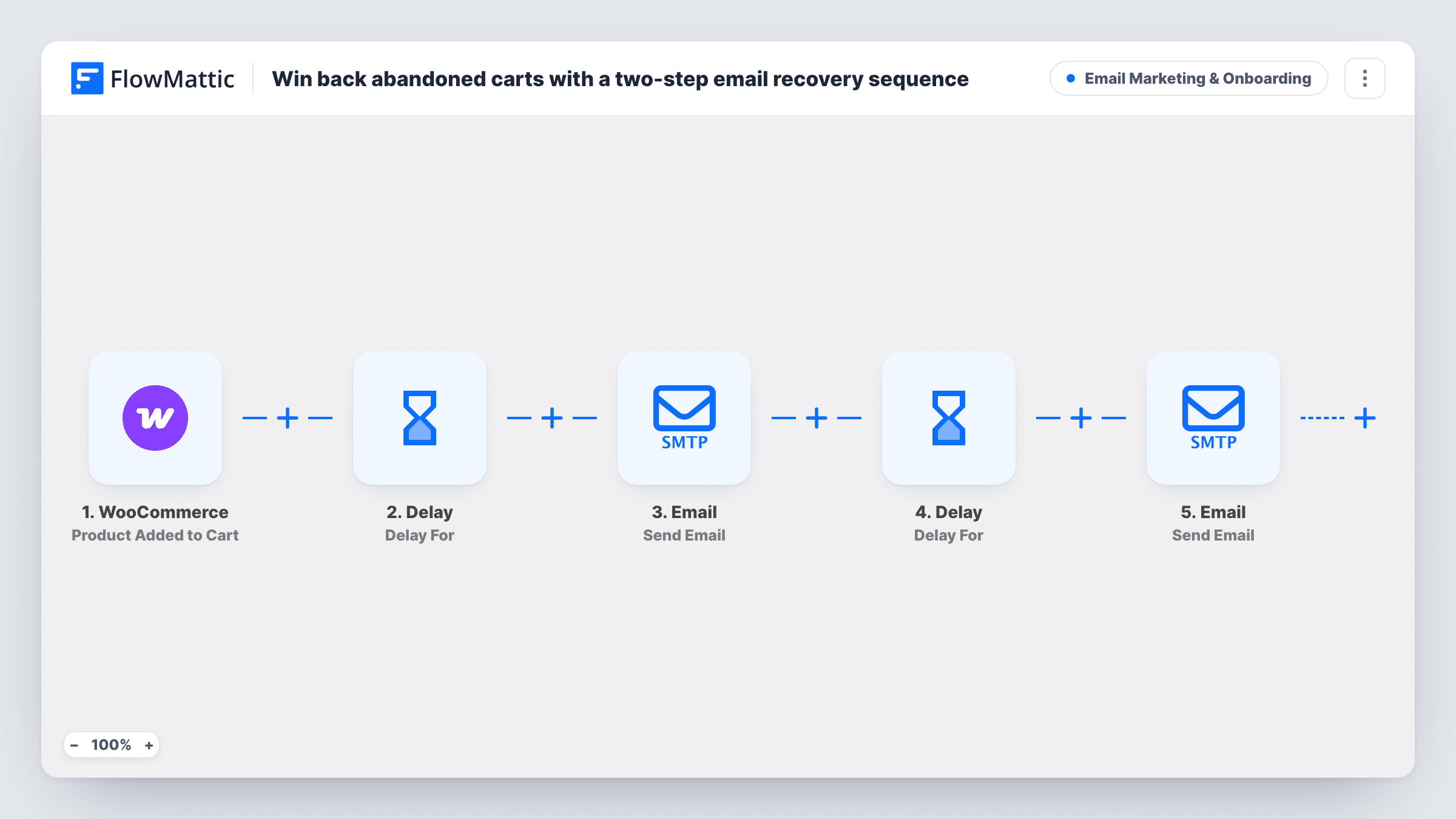
When WooCommerce reports an abandoned cart, FlowMattic waits an hour, checks the cart is still abandoned and emails a reminder, then a day later checks again and emails a SAVE10 discount code.
 WooCommerce
 Delay
Delay
 Filter
 Email
Email9 steps Setup ~12 min Used on 753 sites Marketing Free to import
What this workflow does
A cart reminder only makes sense while the cart is still waiting. This workflow spaces two emails out and checks the cart before each one, so customers who completed their order in the meantime don't get chased.
The WooCommerce trigger fires when a customer abandons their cart without completing checkout. A Delay waits one hour. Then a Check Cart Status step looks the cart up again; FlowMattic describes this action as checking whether a cart is abandoned, recovered or active. It ships unmapped, so map the cart from the trigger into it after import.
A Filter continues only when the cart is still abandoned. If so, FlowMattic's Email module sends "Forgot something?" to the customer, greeting them by name. A second Delay waits one day, the cart is checked again, and a second Filter lets only still-abandoned carts through to the last email, which offers 10% off with the code SAVE10.
The workflow doesn't create that coupon. Set up SAVE10 in WooCommerce first, or change the code in the email. Neither email includes a link back to the cart, so add your cart or shop URL to both before you turn the workflow on.
Small fashion shop
A clothing store reminds shoppers who left a jacket in their cart an hour later, and offers the discount the next day only if the cart is still waiting.
Store with higher-priced items
A furniture shop gives buyers a day to think before the SAVE10 email, and the second cart check keeps people who already ordered from receiving it.
Gift shop before holidays
A gift store uses the one-hour reminder to catch shoppers who got distracted mid-checkout during busy weeks.
How this workflow runs
What happens at each step once the workflow is on, and what you need before you import it.
 WooCommerce New Cart Abandonment
Fires when a customer abandons their WooCommerce cart without completing checkout. The cart details are passed on so the later steps can check it again.
- Delay Delay For
Waits one hour before the first check, giving the customer time to come back on their own.
- WooCommerce Check Cart Status
Checks whether the cart is abandoned, recovered or active. The step ships unmapped: map the cart from the trigger so FlowMattic knows which one to look up.
- Filter Continue If Condition Meet
Continues only if the check says the cart is still abandoned. Recovered or active carts stop here, so neither email is sent.
 Email Send Email
Emails the customer with the subject "Forgot something?", greeting them by name and saying their items are still waiting. Add a link to the cart or shop.
- Delay Delay For
Waits one more day before checking the cart a second time.
- WooCommerce Check Cart Status
Checks the cart status again. Like the first check, it ships unmapped, so map the same cart from the trigger into it.
- Filter Continue If Condition Meet
Lets the run continue only if the cart is still abandoned after the extra day. Carts that were recovered stop here and get no discount email.
- Email Send Email
Emails the customer "10% off to complete your order" with the code SAVE10. Create that coupon in WooCommerce before going live, or change the code.
What you need
- FlowMatticCore
- WooCommerce PluginPlugin
After importing, map your own data. To keep the template universal, not every step is pre-filled. Open each step in the builder and connect your accounts and fields (channels, lists, sheets, recipients) before you switch the workflow on.
Make it yours
Changes worth making after you import it.
- Create the SAVE10 coupon in WooCommerce before importing, and consider a usage limit per customer so the code isn't shared widely.
- Add your cart page URL to both emails, since the template's text tells customers their items are waiting but gives them no link.
- Shorten or lengthen the two Delays to suit your store. A store with quick, cheap purchases may want the first email sooner than an hour.
- Send a test with your own email: add an item, leave the cart, and watch Task History to see the status each check returns.
Questions about this workflow
Will a customer who completes the order still get the WooCommerce reminder emails?
Not if they finish before a check runs. Each email sits behind a cart status check and a Filter, so a cart that is no longer abandoned stops the run before the next email.
Does this workflow create the SAVE10 discount code?
No. It only mentions the code in the second email. Create a SAVE10 coupon in WooCommerce first, or edit the email to use a code you already have.
What do I need to map after importing the abandoned cart workflow?
Both Check Cart Status steps ship unmapped. Map the cart from the trigger into each one, then run a test so you can see the status and customer details they return.
Can I add a third reminder?
Yes. After the last email, add another Delay, a Check Cart Status step, a Filter on the result and a third email, following the same pattern as the first two.
More Email Marketing & Onboarding workflows
Other ready-to-import templates from the same category.





Import this workflow into your WordPress site
Download the JSON, import it from the Workflows screen and connect your accounts. Every run stays on your server, with no per-task fees.
30-day money-back guarantee Unlimited workflows and runs Self-hosted