

Add newsletter signups to FluentCRM and send a welcome email
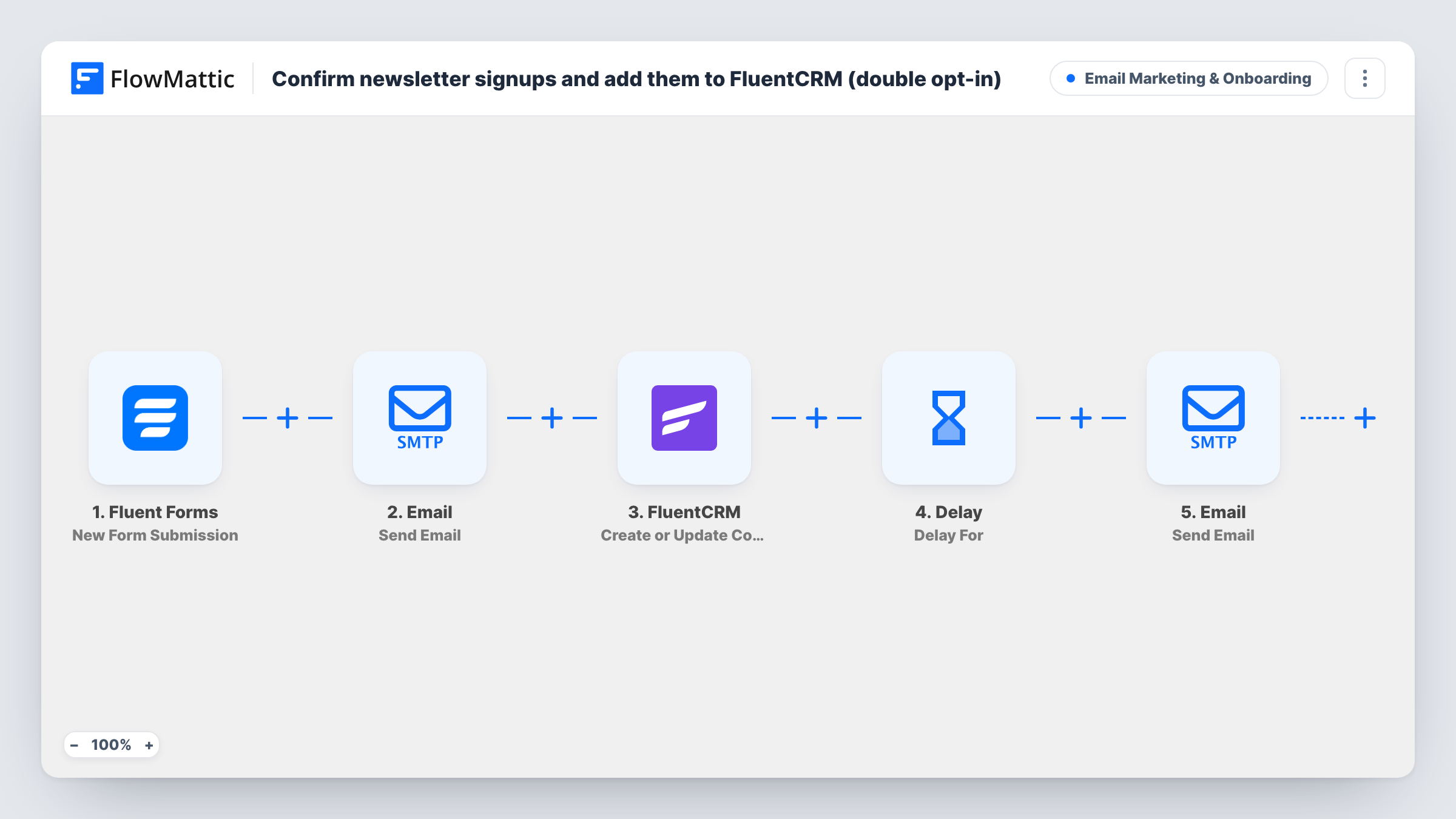
Each newsletter sign-up on your Fluent Forms form is created or updated as a FluentCRM contact by email, then FlowMattic emails the new subscriber a short welcome message using their name.
 Fluent Forms
 FluentCRM
 Email
Email3 steps Setup ~5 min Used on 1.6k sites Marketing Free to import
What this workflow does
A newsletter form on its own only collects addresses. People expect to hear something back right away, and you want them in the CRM you send from. This workflow does both from one submission: it saves the person to FluentCRM and sends them a welcome email in the same run.
The Fluent Forms trigger starts when a new submission is received. The FluentCRM Create or Update Contact step then matches by email address: a new address becomes a new contact, and an address already in FluentCRM is updated instead of duplicated. The form's email field becomes the contact's email and its name field the first name. No last name is sent.
FlowMattic's Email module then sends the welcome email to the same address. The message greets the person by name and tells them they're all set. Rewrite it with what subscribers will actually get from you, such as how often you send and what topics you cover.
The template doesn't set lists or tags, and it doesn't ask the person to confirm their address. After a test submission, open the contact in FluentCRM and check its status and lists, so you know they'll receive your newsletter campaigns.
Blog newsletter box
A food blogger's sidebar form adds each reader to FluentCRM and sends a welcome note that says when the weekly recipe email goes out.
Product update list
A software company's footer sign-up keeps customers and prospects in FluentCRM and welcomes them with a link to the changelog.
Local business mailing list
A bakery collects sign-ups at its online shop and greets each new subscriber with the days fresh bread is baked.
How this workflow runs
What happens at each step once the workflow is on, and what you need before you import it.
 Fluent Forms New Form Submission
Starts when your Fluent Forms newsletter form receives a new submission. The email and name fields are used by the next two steps.
- FluentCRM Create or Update Contact
Saves the sign-up in FluentCRM, matched on the email address: a new address becomes a contact, a known one is updated. The last name ships blank.
 Email Send Email
Emails the subscriber at the address from the form, greeting them by name and confirming they're signed up. Edit the subject and body to describe what's coming.
What you need
- FlowMatticCore
- Fluent Forms PluginPlugin
- FluentCRM PluginPlugin
After importing, map your own data. To keep the template universal, not every step is pre-filled. Open each step in the builder and connect your accounts and fields (channels, lists, sheets, recipients) before you switch the workflow on.
Make it yours
Changes worth making after you import it.
- Add FluentCRM's Add Lists to Contact action after the Create or Update Contact step, so every sign-up joins your newsletter list. The contact exists by then, so it can be added.
- If your form splits names into first and last name, map the last name into the FluentCRM step instead of leaving it blank.
- Put a link to your latest issue or best article in the welcome email, so new subscribers have something to read straight away.
- Add a consent checkbox to the form and put a Filter on it between the Fluent Forms trigger and the FluentCRM step, so only people who ticked it are saved and welcomed. The field is yours to name.
Questions about this workflow
Will a returning subscriber end up twice in FluentCRM?
No. The contact is updated, not duplicated. FluentCRM's Create or Update Contact matches by email address, so the existing contact is updated with the form's details and still receives the welcome email.
Is this a double opt-in newsletter flow?
No. Nothing asks the person to confirm their address. The contact is saved and the welcome email goes out straight after the form is submitted.
Does the new FluentCRM contact join a list or get a tag?
Not as imported. The step saves the email and first name only. Add FluentCRM's Add Lists to Contact or Add Tags to Contact action after it to place sign-ups on a list or tag them.
My Fluent Forms field names are different. What do I change?
Both action steps read fields called email and name. Remap them to your own fields in the FluentCRM step and in the Send Email step after import.
More Email Marketing & Onboarding workflows
Other ready-to-import templates from the same category.







Import this workflow into your WordPress site
Download the JSON, import it from the Workflows screen and connect your accounts. Every run stays on your server, with no per-task fees.
30-day money-back guarantee Unlimited workflows and runs Self-hosted