

Log every new pull request to Google Sheets
Every pull request opened in your GitHub repository is added as a new row in Google Sheets, giving you a running log of code review you can sort, filter and share. Updates to a pull request add nothing.
 GitHub
 Filter
 Google Sheets
3 steps Setup ~5 min Used on 1.9k sites Developer & DevOps Free to import
What this workflow does
GitHub shows open pull requests well, but a spreadsheet is easier when you want to count reviews per month, report to a client, or keep a record outside the repository. This workflow writes one row for each pull request as it is opened.
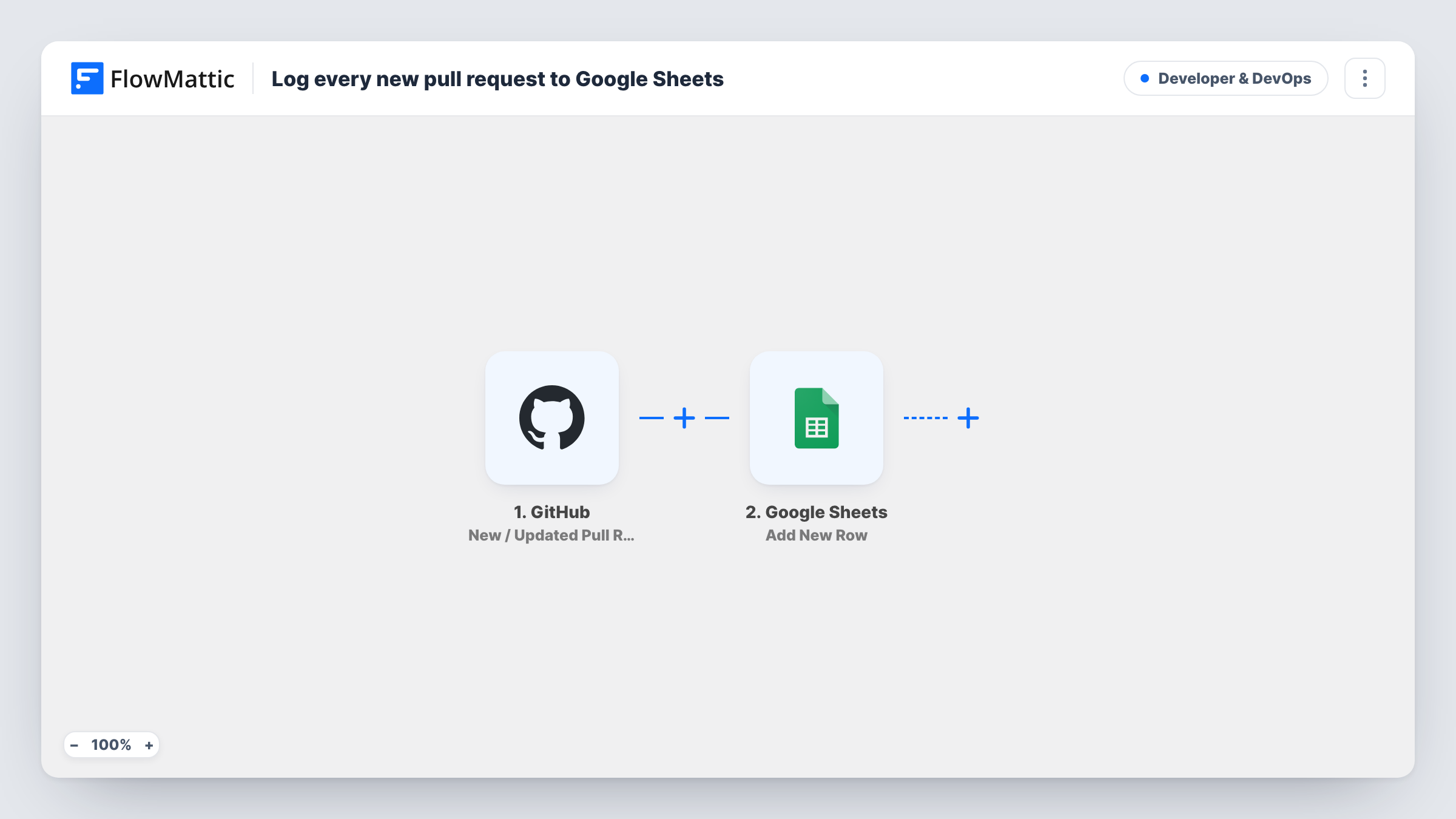
The GitHub trigger, New / Updated Pull Request, runs for pull request activity in the connected repository, including pushes of new commits, edits, closes and merges. A Filter continues only when the action GitHub reports exactly matches opened, so each pull request reaches the sheet once, when it is created. Reopened pull requests stop at the Filter too.
The Google Sheets step adds a new row. Its columns are left for you to map, so once imported, connect your Google account, choose the spreadsheet and sheet, and map the pull request fields you want, such as the number, title, author, link and the time it was opened.
The row records the pull request as it looked when opened. Later changes, like a new title or a merge, aren't written back. Open a test pull request and check Task History for the row Google Sheets added.
Monthly review reporting
An engineering manager filters the sheet by month to count how many pull requests each developer opened, for a team retrospective.
Client-facing work log
A freelance developer shares the Google Sheet with a client so they can see each pull request opened on their project without a GitHub account.
Audit trail for regulated teams
A team that must keep records of code changes keeps the sheet as a dated list of every pull request opened in the repository.
How this workflow runs
What happens at each step once the workflow is on, and what you need before you import it.
 GitHub New / Updated Pull Request
Runs on pull request activity in the connected GitHub repository: opened, edited, synchronised, closed and more. The pull request data and GitHub's action value pass to the Filter.
- Filter Continue If Condition Meet
Continues only when the action exactly matches opened, ignoring case. Every other pull request update, including reopened, ends the run here, so the sheet gets one row per new pull request.
- Google Sheets Add New Row
Adds one row to your chosen sheet. No columns are mapped in the template, so pick the spreadsheet and sheet, then map fields such as the pull request number, title, author and URL.
What you need
- FlowMatticCore
- GitHub AccountAccount
- Google Sheets AccountAccount
After importing, map your own data. To keep the template universal, not every step is pre-filled. Open each step in the builder and connect your accounts and fields (channels, lists, sheets, recipients) before you switch the workflow on.
Make it yours
Changes worth making after you import it.
- Create header columns such as Number, Title, Author, URL and Opened before mapping, so each pull request field has a clear place in the Google Sheet.
- Map the base branch into its own column, so you can filter the sheet for pull requests aimed at your main branch.
- For a second log of merges, import another copy and change the Filter to closed, then map the merged field so you can tell merges from plain closes.
Questions about this workflow
Will pushing new commits to a pull request add another row?
No. New commits, edits and closes all start the trigger, but the Filter only lets the opened action through, so the sheet gets one row per pull request.
Which pull request details go into the Google Sheet?
The ones you map. The Add New Row step ships empty, so after import you match pull request fields, such as number, title, author and link, to your columns.
Are draft pull requests logged?
If GitHub reports opening a draft with the opened action, yes, since the Filter only checks that action. Open a test draft and check Task History to confirm how it arrives.
Does the row update when the pull request is merged?
No. The workflow only adds a row when the pull request is opened. Later changes on GitHub don't touch that row.
More Developer & DevOps workflows
Other ready-to-import templates from the same category.





Import this workflow into your WordPress site
Download the JSON, import it from the Workflows screen and connect your accounts. Every run stays on your server, with no per-task fees.
30-day money-back guarantee Unlimited workflows and runs Self-hosted