

Create a HubSpot deal from a Gravity Forms quote request
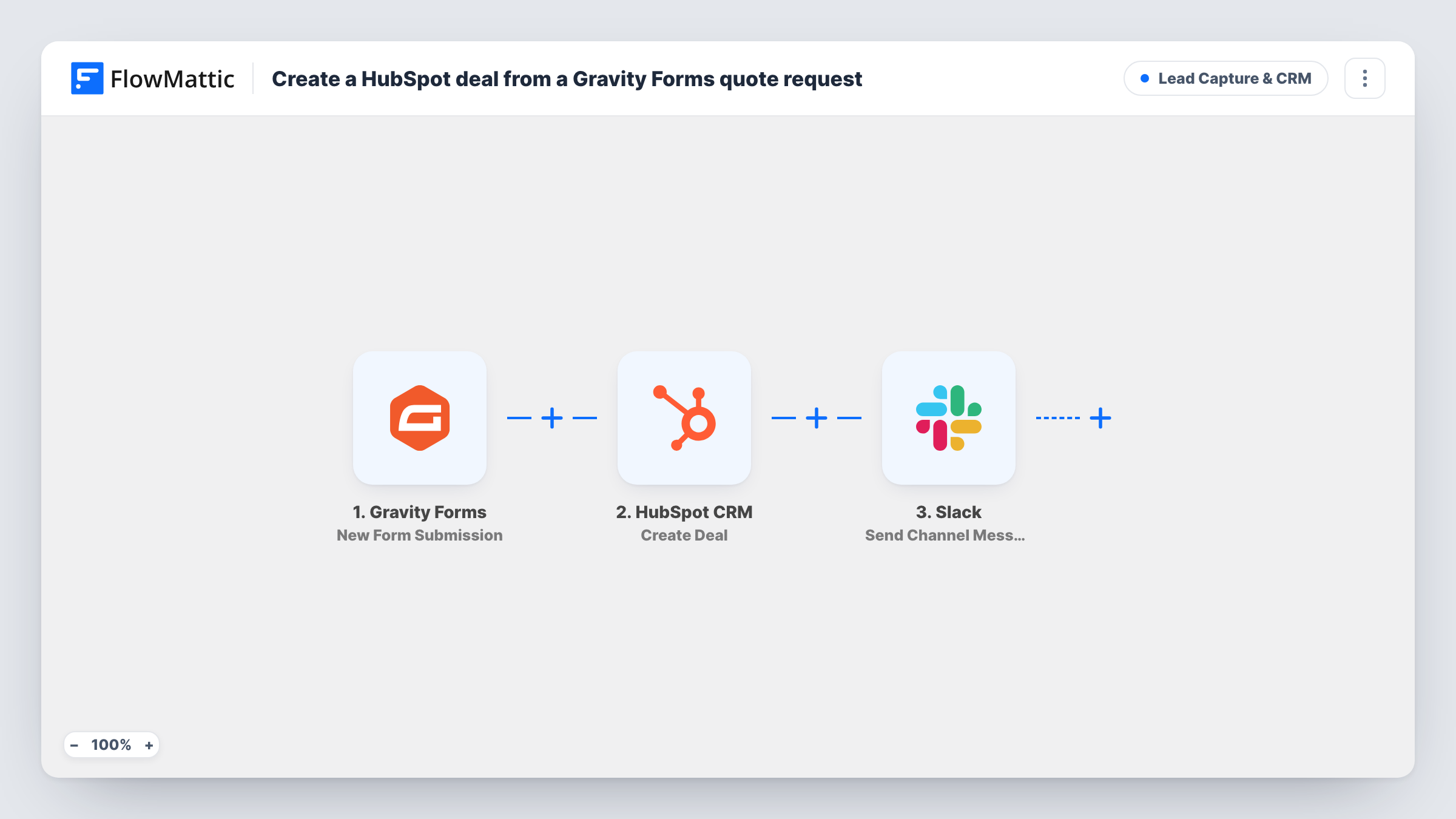
Each Gravity Forms quote request becomes a HubSpot deal named after the company, with the stated budget as the amount, and a Slack message tells your sales channel the deal exists.
 Gravity Forms
 HubSpot CRM
 Slack
3 steps Setup ~5 min Used on 3.0k sites Growth Free to import
What this workflow does
A quote form on your site collects the details a salesperson needs, but those details sit in Gravity Forms entries until someone copies them into the CRM. This workflow turns each request into a HubSpot deal and lets the team know in Slack, so the pipeline and the channel both show it without manual entry.
When a visitor sends the form, the Gravity Forms trigger passes the entry to FlowMattic. The next step creates a deal in HubSpot CRM. The template names the deal "Quote" followed by the company field from the form, and sets the deal amount from the budget field.
Finally, a message goes to a channel in Slack saying a deal was created, with the company name and the budget. Your form's field names may differ from the ones in the template, so send a test entry after import and remap the company and budget fields in both steps.
Agency project enquiries
A web agency's quote form asks for company name and budget. Each enquiry shows up as a HubSpot deal, and the account managers see it posted in their Slack channel.
B2B equipment quotes
A supplier takes quote requests for bulk orders through Gravity Forms. Sales reps work the deals in HubSpot instead of reading form emails.
Freelancer pipeline
A freelance developer uses HubSpot's deal board to track proposals. Every quote request from the portfolio site lands there with the client's budget filled in.
How this workflow runs
What happens at each step once the workflow is on, and what you need before you import it.
 Gravity Forms New Form Submission
Runs when a visitor submits your Gravity Forms quote form. The answers, including company and budget, are passed to HubSpot and Slack.
- HubSpot CRM Create Deal
Creates a deal in HubSpot named "Quote" plus the company from the form, with the amount taken from the budget field. Connect your HubSpot account and run a test to see where the new deal lands.
- Slack Send Channel Message
Sends a message to your chosen Slack channel with the company name and budget, so the team knows a new deal is in HubSpot. Edit the text if you want more of the form in it.
What you need
- FlowMatticCore
- Gravity Forms PluginPlugin
- HubSpot CRM AccountAccount
- Slack AccountAccount
After importing, map your own data. To keep the template universal, not every step is pre-filled. Open each step in the builder and connect your accounts and fields (channels, lists, sheets, recipients) before you switch the workflow on.
Make it yours
Changes worth making after you import it.
- Make the budget field a number field in Gravity Forms. A plain text answer like "around 5k" may not fit HubSpot's amount property.
- If the form handles more than quotes, put a Filter between the Gravity Forms trigger and the HubSpot step that continues only when the request type is Quote. Other entries then stop there, so they get neither a deal nor a Slack message.
- Add the visitor's email or phone from the form to the Slack message so a rep can reach out without opening HubSpot first.
Questions about this workflow
Does this create a HubSpot contact as well as the deal?
No. The only HubSpot action in this template is Create Deal, so no contact record is made by the workflow as imported.
What if the Gravity Forms budget field is left blank?
The HubSpot step sends an empty amount for that entry. Check Task History after a test to see how HubSpot handles it, or make the field required in Gravity Forms if every deal needs an amount.
Will the HubSpot deal be created for every Gravity Forms form on my site?
Set up the trigger for your quote form when you import, then send a test entry so the company and budget answers can be mapped. Check Task History after a submission on another form to confirm it doesn't start a run.
What does the Slack message about the HubSpot deal say?
It says a new deal was created, followed by the company name and the budget from the Gravity Forms entry, with a dollar sign in front of the budget. Change the wording or add more form fields in the Send Channel Message step after import.
More Lead Capture & CRM workflows
Other ready-to-import templates from the same category.





Import this workflow into your WordPress site
Download the JSON, import it from the Workflows screen and connect your accounts. Every run stays on your server, with no per-task fees.
30-day money-back guarantee Unlimited workflows and runs Self-hosted