

Add a row to an Airtable hiring base for every new Conversus.pro application
Every new application that Conversus.pro sends to FlowMattic becomes a new record in your Airtable hiring base, giving your team one table of candidates to sort, review and move along.
 Conversus.pro
 Airtable
2 steps Setup ~5 min Used on 1.4k sites Free to import
What this workflow does
Plenty of hiring teams track candidates in Airtable, because a base can hold stages, interview notes and owners in whatever shape the team likes. The hard part is getting applicants in without retyping them. This workflow adds a record to your hiring base for each application Conversus.pro receives.
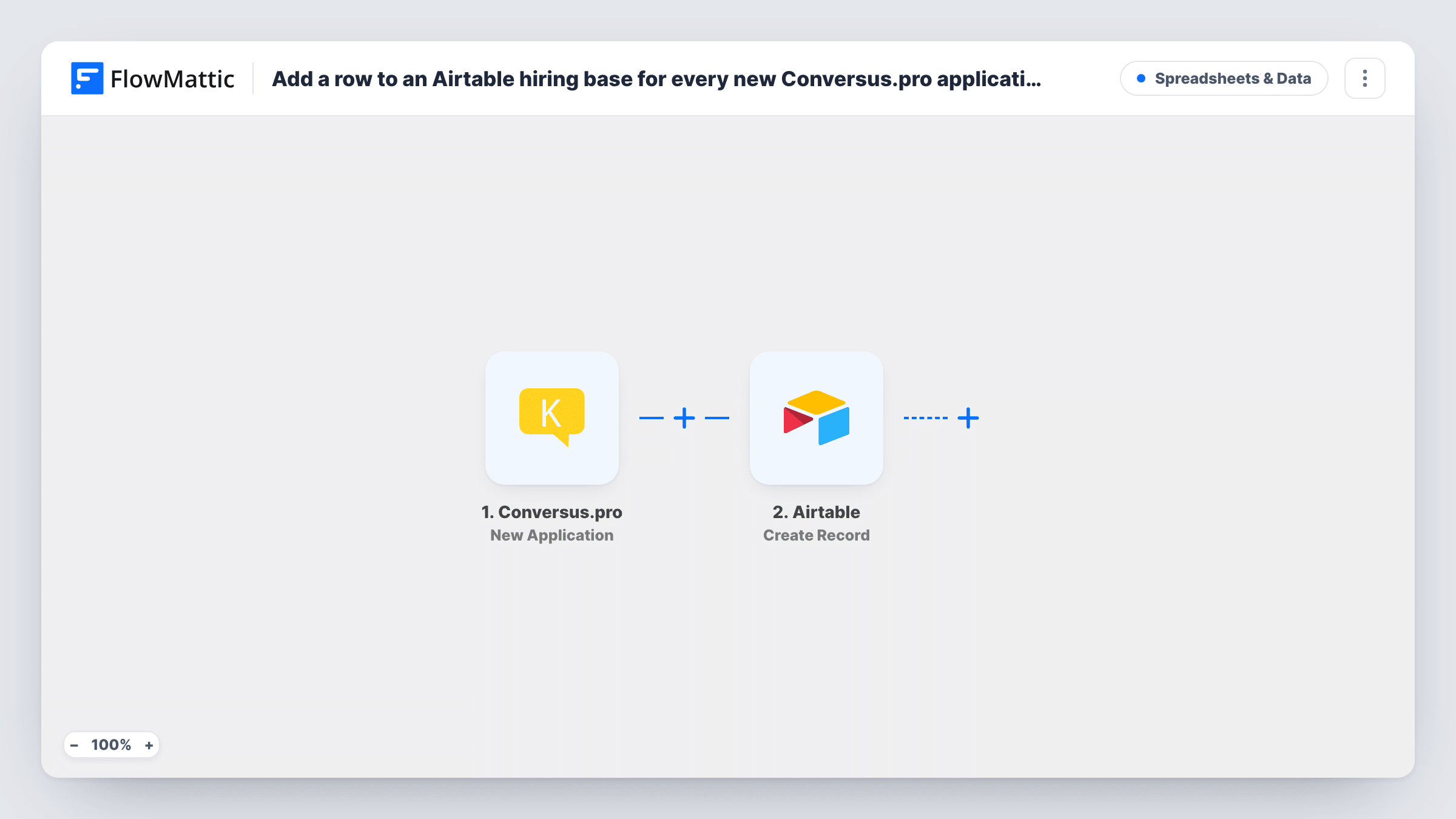
The Conversus.pro trigger picks up each application that Conversus.pro posts to the URL FlowMattic gives you. FlowMattic passes that data to Airtable, where Create Record adds a row to the base and table you pick. You choose which application values fill which Airtable fields.
From there the record is yours to work with in Airtable: add a stage field, assign a reviewer, or build views per role. The workflow only creates records. It does not update a record when an application changes, and an applicant who applies twice gets two records. Task History shows each run and the data that came in.
Kanban board of candidates
Your Airtable base has a stage field shown as a Kanban view. Each new applicant arrives as a card you can drag from New to Screening to Interview.
Shared review for hiring managers
Hiring managers comment on records in Airtable instead of forwarding emails, and a view per role shows only their candidates.
Hiring reports
With every application stored as a record, you can group and count applicants by any field you mapped, using Airtable's own views.
How this workflow runs
What happens at each step once the workflow is on, and what you need before you import it.
 Conversus.pro New Application
Runs whenever a new Conversus.pro application arrives at the trigger's URL. Every value in that payload can be mapped into Airtable.
- Airtable Create Record
Adds one Airtable record per application, in the base and table you set. Map the Conversus.pro application data to your Airtable fields, then connect your Airtable account.
What you need
- FlowMatticCore
- Conversus.pro AccountAccount
- Airtable AccountAccount
After importing, map your own data. To keep the template universal, not every step is pre-filled. Open each step in the builder and connect your accounts and fields (channels, lists, sheets, recipients) before you switch the workflow on.
Make it yours
Changes worth making after you import it.
- Add a single-select Stage field in Airtable with New as its default, so every incoming application starts in the same column of your board.
- Send a test application after import, then check the run in Task History to see which values Conversus.pro provides before you map them.
- Add a Slack Send Channel Message step after Airtable if recruiters also want a ping in chat when a record is added.
Questions about this workflow
Do I need to build the Airtable hiring base first?
Yes. Create the base and table with the fields you want, then pick them in the Create Record step after import. The workflow fills fields; it does not design the table.
What if the same candidate applies twice through Conversus.pro?
Each application creates its own Airtable record, so you would see two. Airtable's search or a grouped view helps spot repeat applicants.
Does a change in Conversus.pro update the Airtable record?
No. The trigger is for new applications only, and the Airtable step only creates records.
Can I attach the candidate's CV to the record?
That depends on what Conversus.pro sends. If the application data includes a file link, you can map it into an Airtable field. Check a test run to see.
More Spreadsheets & Data workflows
Other ready-to-import templates from the same category.





Import this workflow into your WordPress site
Download the JSON, import it from the Workflows screen and connect your accounts. Every run stays on your server, with no per-task fees.
30-day money-back guarantee Unlimited workflows and runs Self-hosted