

When a story is deleted in Brizy Cloud, remove it from an Airtable database
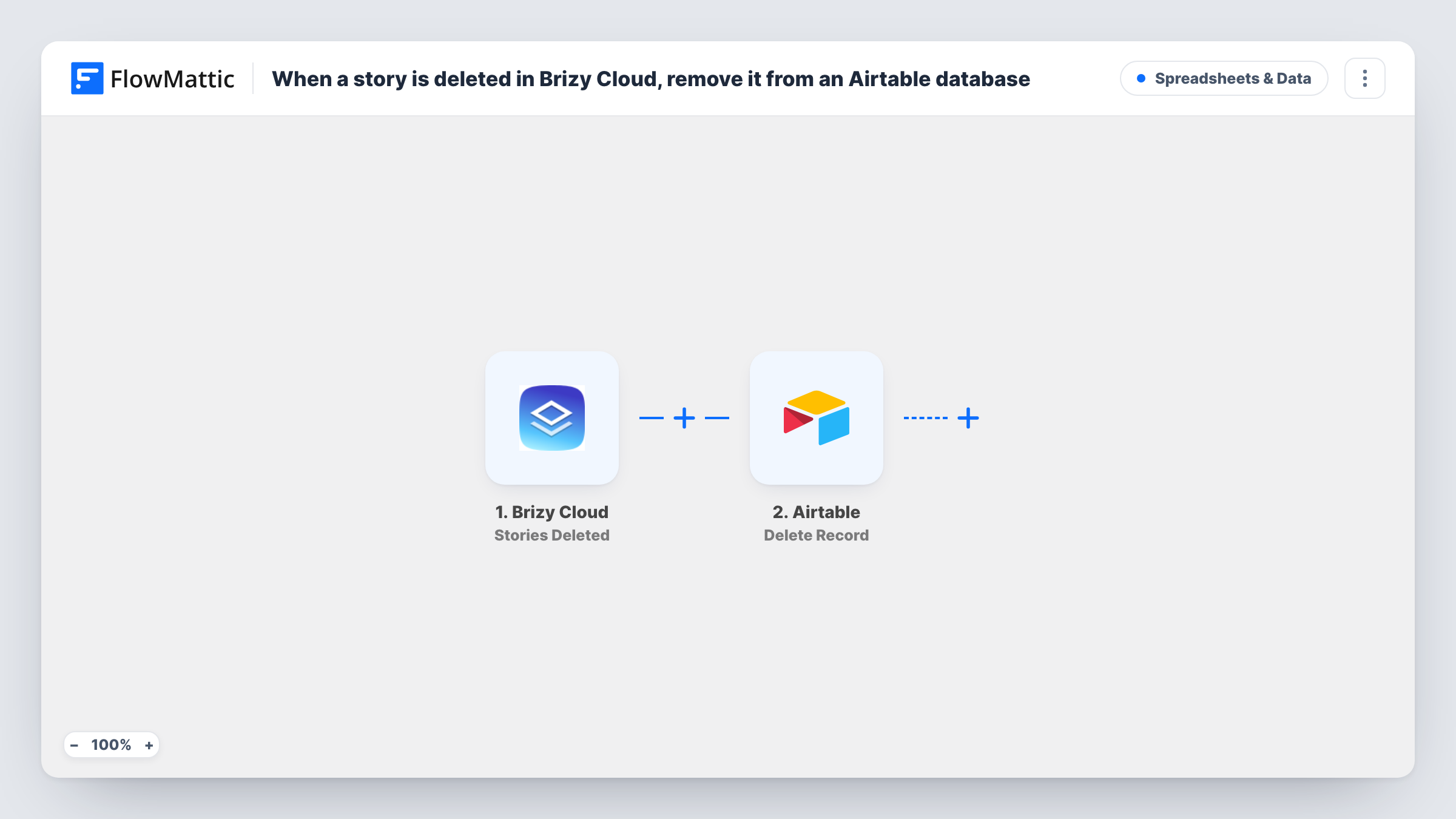
When a story is deleted in Brizy Cloud, FlowMattic searches your Airtable base for the matching record and deletes it, but only when the search finds one, so your content table stays in step.
 Brizy Cloud
 Airtable
 Filter
4 steps Setup ~8 min Used on 2.7k sites Free to import
What this workflow does
If you track Brizy Cloud stories in Airtable, deleted stories tend to linger as records that point to nothing. This workflow cleans them up: when a story is removed in Brizy Cloud, its record is removed from Airtable too.
The Brizy Cloud Stories Deleted trigger fires when stories are deleted. The data it sends about the story, such as its ID or title, is available to map.
The Airtable Search Record step looks for records with a filter formula. It ships unmapped, so after import you pick the base and table and write a formula that compares a field, such as a Story ID column, with the value from the trigger.
A Filter then continues only when the search returned more than zero records. If nothing matched, the run stops there and nothing is deleted. When there is a match, Delete Record removes the first record the search returned. Make your formula match exactly one record, because any other matches are left in place.
Content calendar without dead entries
A social team plans Brizy stories in an Airtable calendar, and stories they scrap in Brizy Cloud disappear from the calendar too.
Agency asset inventory
An agency keeps an Airtable inventory of every client story it builds, so a story deleted from a client account is removed from the inventory.
Reporting on live stories only
A marketer's Airtable dashboard counts published stories, and deleted ones no longer inflate the numbers.
How this workflow runs
What happens at each step once the workflow is on, and what you need before you import it.
 Brizy Cloud Stories Deleted
Fires when stories are deleted in your Brizy Cloud account. The story data Brizy Cloud sends, such as its ID or title, is available to map into the search.
- Airtable Search Record
Looks up records in the Airtable table you choose, using a filter formula. Pick the base and table, then write a formula that matches the deleted story, for example by its ID.
- Filter Continue If Condition Meet
Continues only when the Airtable search found more than zero records, so a story with no matching record stops the run before anything is deleted.
- Airtable Delete Record
Deletes the first record the search returned, using its record ID. Choose the same base and table as the search step when you set it up.
What you need
- FlowMatticCore
- Brizy Cloud AccountAccount
- Airtable AccountAccount
After importing, map your own data. To keep the template universal, not every step is pre-filled. Open each step in the builder and connect your accounts and fields (channels, lists, sheets, recipients) before you switch the workflow on.
Make it yours
Changes worth making after you import it.
- Store each story's Brizy Cloud ID in its own Airtable column and match on it in the formula, since titles can repeat or change.
- Use Airtable's Update Record action in place of Delete Record if you'd rather mark the record as deleted and keep its history.
- Delete one test story in Brizy Cloud and read the trigger data in Task History before writing the formula, so you match on the right field.
- Add a Slack or email step after Delete Record if someone should hear when a record is removed.
Questions about this workflow
What happens if Airtable finds no record for the deleted Brizy story?
The Filter after the search checks the number of records found. With zero, it stops the run, so Delete Record never runs and nothing in Airtable changes.
Can several Airtable records be deleted for one story?
No. Delete Record removes the first record the search returned. If your formula matches more than one, the others stay, so match on a unique field.
Does deleting a Brizy Cloud page or popup remove Airtable records too?
No. This workflow uses the Stories Deleted trigger only. Brizy Cloud has separate deleted triggers for pages, posts and popups if you want to handle those.
Do I need to write an Airtable formula?
Yes. Search Record finds records with a filter formula, and the template leaves it empty. A simple one compares a Story ID column with the ID from the trigger.
More Spreadsheets & Data workflows
Other ready-to-import templates from the same category.




Import this workflow into your WordPress site
Download the JSON, import it from the Workflows screen and connect your accounts. Every run stays on your server, with no per-task fees.
30-day money-back guarantee Unlimited workflows and runs Self-hosted