

Add a tag in Mailchimp to the subscriber when a new row is added in a remote SQL table
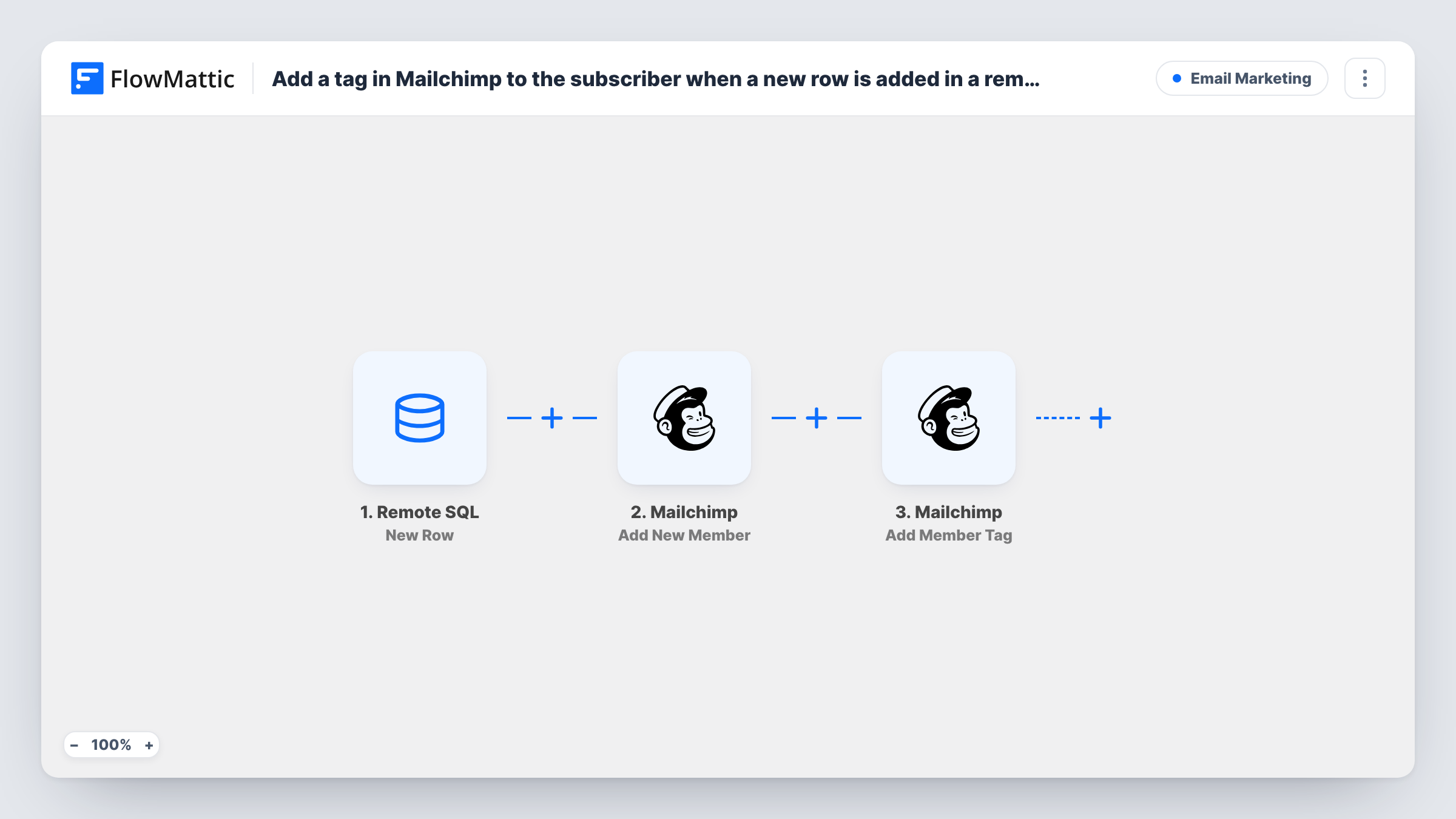
When a new row is inserted into a table in your remote MySQL database, the person is added to your Mailchimp audience, or updated if they’re already on it, and then tagged.
 Remote SQL
 Mailchimp
3 steps Setup ~5 min Used on 583 sites Free to import
What this workflow does
Plenty of customer data lives outside WordPress: a signup table in a custom app, an order database, a members table behind a booking system. If that's where new people appear, this workflow watches the table and puts each new person into Mailchimp with a tag, so your email segments stay in step with the database.
The Remote SQL New Row trigger runs when a new row is inserted into the table you select. The row's columns, such as email and name, are passed on. Updated or deleted rows don't start this trigger; it reacts to inserts only.
Step two uses Mailchimp Add New Member, which adds the person to your audience or updates them if they already exist. Step three, Add Member Tag, then tags that member. Since the member was just added or updated, they exist by the time the tag step runs, and Mailchimp creates the tag if it doesn't exist yet.
Both Mailchimp steps ship unmapped. After import, connect your database and pick the table, then choose the Mailchimp audience, map the email column and any name columns, and set the tag. Insert a test row and check Task History to see the member and tag Mailchimp returned.
Signups from a custom web app
A SaaS product stores new accounts in its own MySQL database. Each new account row adds the user to Mailchimp with a trial-user tag for onboarding emails.
Customers from an external order system
A wholesaler's order platform writes customers to a separate database. New customers are tagged as wholesale in Mailchimp so trade offers go only to them.
Event attendees from a ticketing database
A venue's ticketing system inserts a row per buyer. Each buyer joins the Mailchimp audience tagged with the event, ready for the pre-show email.
How this workflow runs
What happens at each step once the workflow is on, and what you need before you import it.
 Remote SQL New Row
Starts the workflow when a new row is inserted into the table you select in your remote MySQL database. Each column's value is available to the Mailchimp steps.
- Mailchimp Add New Member
Puts the person from the new row into your Mailchimp audience, updating their details when that email is already a member. The step ships unmapped: choose the audience and map the email column, plus name columns if you have them.
- Mailchimp Add Member Tag
Adds a tag to the member from step two. Mailchimp creates the tag if it's new. After import, set the tag name and map the same email so the right member is tagged.
What you need
- FlowMatticCore
- Remote SQL AccountAccount
- Mailchimp AccountAccount
After importing, map your own data. To keep the template universal, not every step is pre-filled. Open each step in the builder and connect your accounts and fields (channels, lists, sheets, recipients) before you switch the workflow on.
Make it yours
Changes worth making after you import it.
- Map a column such as product, plan or source into the tag name instead of a fixed value, so each person is tagged with what they signed up for.
- Put a Filter between the Remote SQL trigger and the Add New Member step that continues only when the email column is not empty. Rows without an address then stop before reaching Mailchimp.
- Use a database user with read access to just this table for the Remote SQL connection, since the trigger only needs to read new rows.
- If the table also holds people who didn't agree to marketing email, add a consent column and check it in that same Filter between the trigger and Add New Member.
Questions about this workflow
What if the email from the SQL row is already in my Mailchimp audience?
Add New Member updates the existing member instead of adding a duplicate, and the next step adds the tag to them.
Does it react when a row in the remote SQL table is edited?
No. The New Row trigger runs on inserted rows only. Remote SQL also has Updated Row and New or Updated Row triggers in FlowMattic, which need a timestamp column, if you want edits to count.
Which database can the Remote SQL trigger connect to?
A remote MySQL database that your WordPress server can reach. You enter the connection details when you set up the Remote SQL account in FlowMattic, then pick the table.
Can I tag people with more than one Mailchimp tag?
Set the tag you need in the Add Member Tag step. For a second tag, add another Add Member Tag step after it with the other tag name.
More Email Marketing workflows
Other ready-to-import templates from the same category.









Import this workflow into your WordPress site
Download the JSON, import it from the Workflows screen and connect your accounts. Every run stays on your server, with no per-task fees.
30-day money-back guarantee Unlimited workflows and runs Self-hosted