

Add MailerLite subscriber to another group when user pays for membership in Buy Me a Coffee
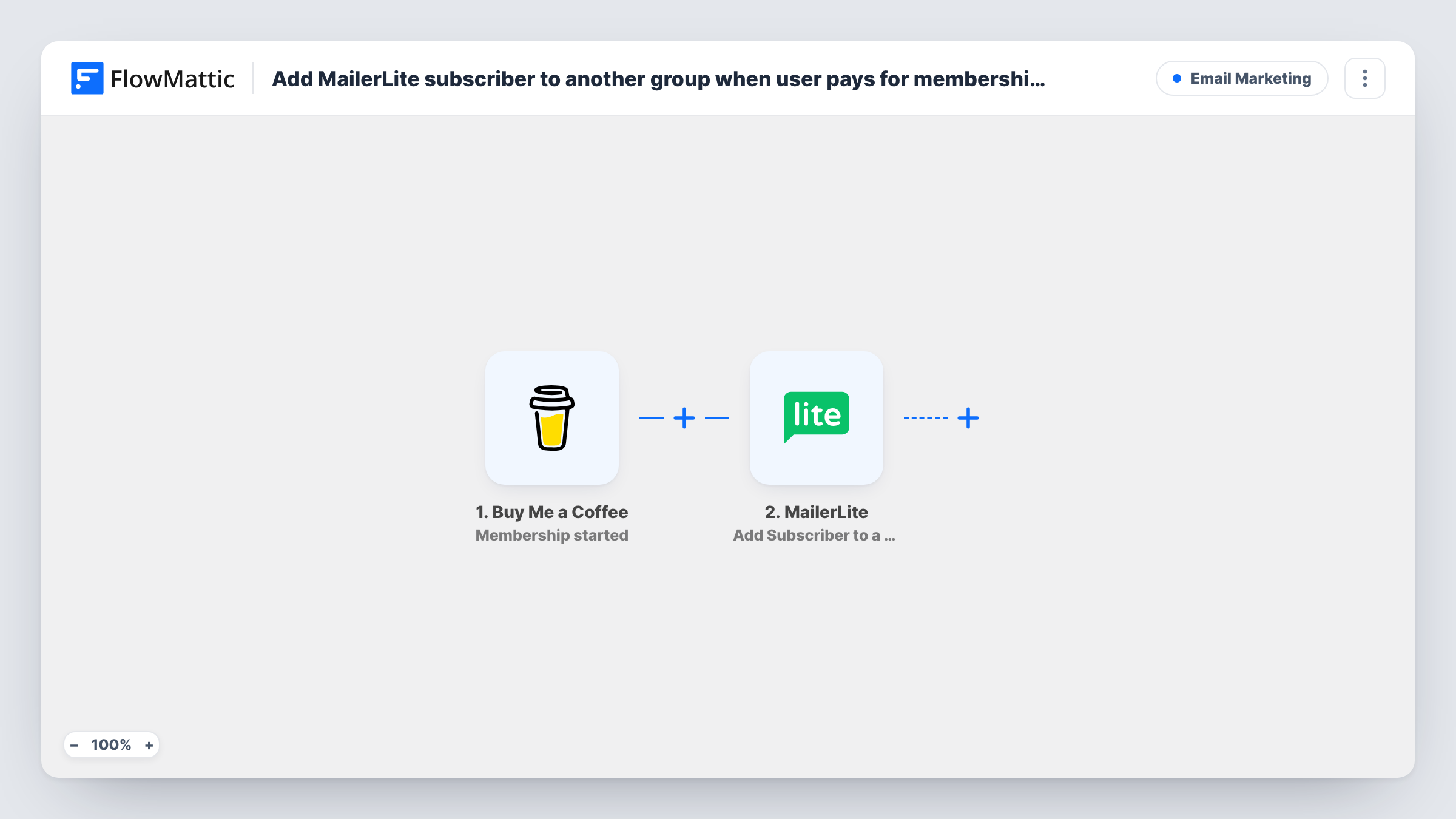
When a supporter starts a paid membership on Buy Me a Coffee, FlowMattic creates or updates them in MailerLite and then assigns them to the members group you choose.
 Buy Me a Coffee
 MailerLite
3 steps Setup ~5 min Used on 1.4k sites Free to import
What this workflow does
Creators who sell memberships on Buy Me a Coffee usually keep a broader email list in MailerLite too. Once someone pays, they should start getting member-only updates instead of just the general newsletter. This workflow moves each new member into a dedicated MailerLite group the moment their membership begins, so you never have to compare two lists by hand.
The Buy Me a Coffee trigger runs when the Membership started webhook arrives from your Buy Me a Coffee account. The supporter's details from that event are then available to the next two steps.
Neither MailerLite step has its fields mapped yet. The first one creates the subscriber, or updates them if MailerLite already has that email, so you map the supporter's email and any name or custom fields you want kept. After that, step 3 places the same person in a MailerLite group. FlowMattic describes it as working on an existing subscriber and an existing group, which is why it comes after the create-or-update step. Create the members group in MailerLite before you set it up.
Every membership start runs both steps. Run a test membership and open Task History to check what each step sent and what MailerLite answered.
Member-only posts by email
A podcaster sends bonus episode links only to the MailerLite members group, while free followers on the main list keep getting the regular show notes.
Welcome sequence for new patrons
An illustrator runs a MailerLite automation on the members group, so each new Buy Me a Coffee member gets a thank-you and a guide to their perks.
Moving followers up a tier
A writer whose readers already sit in a free-newsletter group sees them added to the paying group as soon as they start a membership, without being duplicated.
How this workflow runs
What happens at each step once the workflow is on, and what you need before you import it.
 Buy Me a Coffee Membership started
Runs each time a supporter begins a paid membership and Buy Me a Coffee fires its Membership started webhook. The new member's details from that event are passed to the MailerLite steps.
- MailerLite Create or Update Subscriber
Creates the supporter as a MailerLite subscriber, or updates the existing one with that email. The step ships unmapped: after import, map the supporter's email and any other fields you keep.
- MailerLite Add Subscriber to a Group
Assigns the subscriber from the previous step to a MailerLite group. The step ships unmapped, so choose your members group and map the subscriber from step 2, then confirm it with a test run.
What you need
- FlowMatticCore
- Buy Me a Coffee AccountAccount
- MailerLite AccountAccount
After importing, map your own data. To keep the template universal, not every step is pre-filled. Open each step in the builder and connect your accounts and fields (channels, lists, sheets, recipients) before you switch the workflow on.
Make it yours
Changes worth making after you import it.
- Create the members group in MailerLite before you configure step 3, because the Add Subscriber to a Group action expects a group that already exists.
- Add a second workflow on the Buy Me a Coffee Membership cancelled trigger with MailerLite's Delete Subscriber From Group action, so lapsed members leave the paying group.
- Map a custom field such as the membership level in the Create or Update Subscriber step if you sell several tiers, so you can segment members inside MailerLite later.
Questions about this workflow
What if the supporter is already on my MailerLite list?
Step 2 is a create-or-update action, so MailerLite updates the existing subscriber with that email instead of adding a second one. Step 3 then assigns them to the members group.
Must the members group exist in MailerLite before import?
Yes. FlowMattic describes Add Subscriber to a Group as assigning an existing subscriber to an existing group, so make the group in MailerLite before you pick it in the step.
Does a one-off coffee donation add someone to the members group?
No. The trigger only listens for Membership started. Donations, extras and wishlist payments are separate Buy Me a Coffee triggers in FlowMattic, so they don't start this workflow.
Will members be removed from the group when they cancel on Buy Me a Coffee?
Not by this workflow. It only handles new memberships. Build a second one on the Membership cancelled trigger to take people out of the group.
More Email Marketing workflows
Other ready-to-import templates from the same category.







Import this workflow into your WordPress site
Download the JSON, import it from the Workflows screen and connect your accounts. Every run stays on your server, with no per-task fees.
30-day money-back guarantee Unlimited workflows and runs Self-hosted