

Add new client to MainWP when lead received in Google Lead Forms
Each lead from a Google Ads lead form is added to MainWP as a new client, so a web agency running ads has the contact in its MainWP client list without typing it in.
 Google Lead Form
 MainWP
2 steps Setup ~5 min Used on 519 sites Free to import
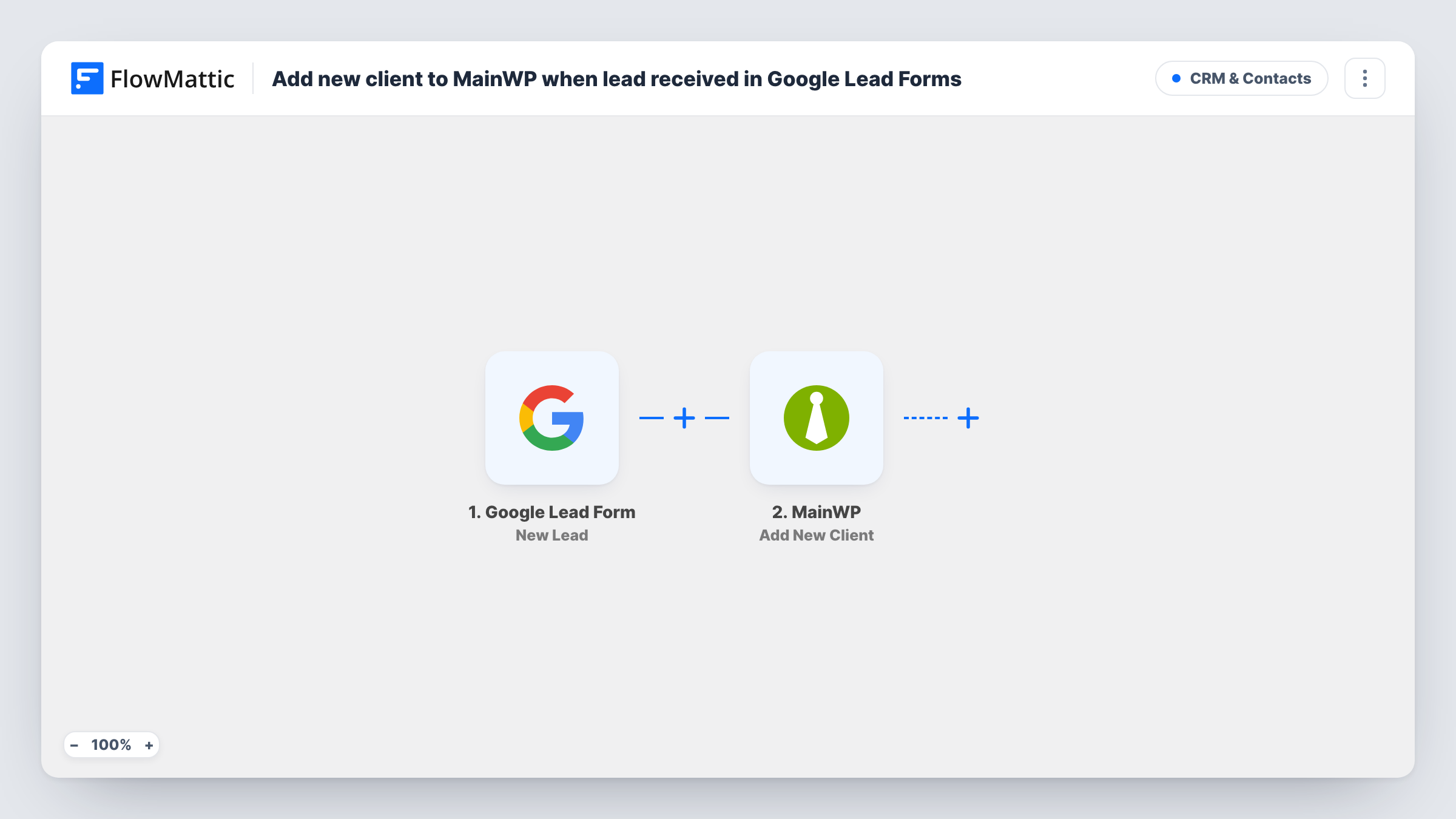
What this workflow does
Agencies that look after WordPress sites often run Google Ads with lead forms to find new work. The leads arrive in Google Ads, while the client list lives in MainWP, and someone has to copy names across. This workflow creates the MainWP client for you.
The Google Lead Form trigger fires when a new lead is created, which happens when someone fills in the form shown in your ad. The lead's answers, such as name, email and phone, come into FlowMattic. The MainWP step then adds a new client from the fields you map.
Every lead becomes a client as imported, including people who never go on to buy. If you would rather keep prospects out of the client list until they sign, add a Filter or send leads somewhere else first. Task History lists each lead received and MainWP's response, so you can spot a lead that did not make it through.
Maintenance plan campaigns
An agency runs a Google Ads campaign for WordPress care plans. Each enquiry from the lead form appears in MainWP, ready to have the client's site linked later.
Freelancer with a small site portfolio
A freelancer who manages client sites in MainWP collects new enquiries through an ad and finds them already listed as clients when it is time to quote.
Local business web packages
A studio advertises website packages to local shops. Lead details land in MainWP so the account manager has one place to start from.
How this workflow runs
What happens at each step once the workflow is on, and what you need before you import it.
 Google Lead Form New Lead
Starts a run whenever Google sends a new lead from your ad's lead form. The answers the person gave are passed on for mapping.
- MainWP Add New Client
Adds a new client in MainWP from the lead data. Map the lead's name and contact details into the client and connect MainWP after import, then check the result with a test lead.
What you need
- FlowMatticCore
- Google Lead Form AccountAccount
- MainWP AccountAccount
After importing, map your own data. To keep the template universal, not every step is pre-filled. Open each step in the builder and connect your accounts and fields (channels, lists, sheets, recipients) before you switch the workflow on.
Make it yours
Changes worth making after you import it.
- Add a Filter after the trigger that continues only when the lead's email is not empty, so incomplete leads don't create blank clients in MainWP.
- If your lead form asks which service the person wants, add a Filter that lets only certain answers through, so MainWP holds the clients you plan to manage sites for.
- Send a test lead from the Google Ads lead form setup after import, then map the captured fields and check that the client appears in MainWP.
Questions about this workflow
Does every Google lead become a MainWP client?
Yes, as imported. Each new lead runs the MainWP step. Add a Filter after the trigger if you only want some leads added.
Does this connect a website to the new MainWP client?
No. The workflow only adds the client record. Linking a site to that client is still done in MainWP when you take the work on.
What if the same person fills in the Google lead form twice?
Each lead starts its own run, so MainWP may get a second client with the same details. Task History shows each run, and you can merge or remove duplicates in MainWP.
Which Google Ads lead form fields can I map into MainWP?
The questions you added to the lead form, such as name, email and phone. Send a test lead after import to see exactly what arrives.
More CRM & Contacts workflows
Other ready-to-import templates from the same category.






Import this workflow into your WordPress site
Download the JSON, import it from the Workflows screen and connect your accounts. Every run stays on your server, with no per-task fees.
30-day money-back guarantee Unlimited workflows and runs Self-hosted