

Add FluentCart customers to a Mailchimp list when an order is paid, to start a welcome sequence
When a FluentCart order is paid, FlowMattic adds the customer to your Mailchimp audience, or updates them if they are already there, so a welcome automation you set up in Mailchimp can greet them.
 FluentCart
 Mailchimp
2 steps Setup ~5 min Used on 1.6k sites Free to import
What this workflow does
A paid order is the best moment to start talking to a new customer: how to use what they bought, what else you sell, who to contact for help. Mailchimp can send that welcome series, but only to people on the audience. This workflow puts each FluentCart buyer there as soon as their payment completes.
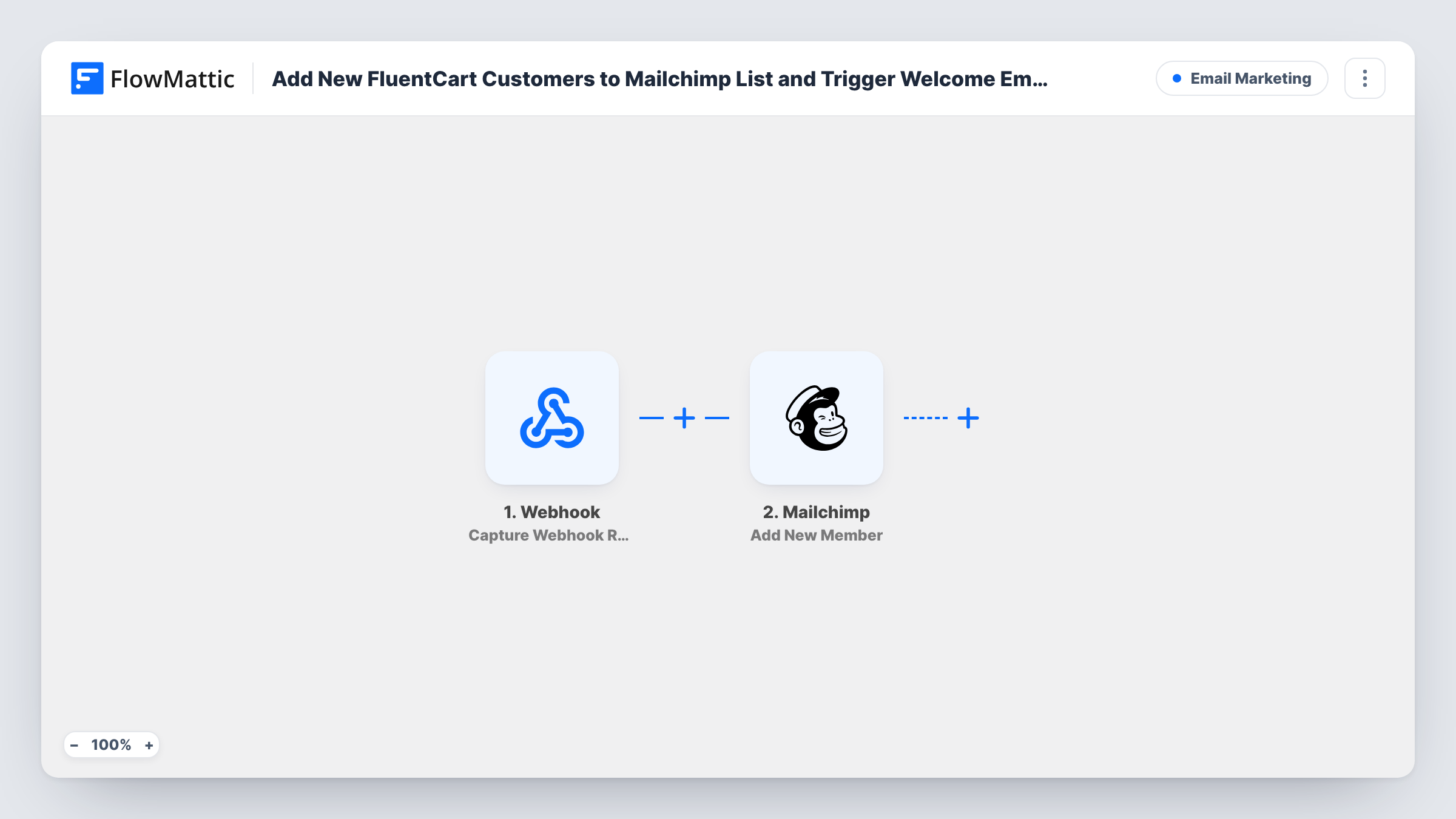
The FluentCart Order Paid trigger fires when an order's payment is completed and passes the customer and order details on. The Mailchimp Add New Member step then adds the customer to the audience you pick. FlowMattic describes this action as adding a new member, or updating them if they already exist, so a returning buyer isn't added twice.
The welcome sequence itself lives in Mailchimp. Build a customer journey or automation there that starts when someone joins the audience, or when a tag you plan to use is added. The Mailchimp step ships unmapped: connect your account, choose the audience and map the customer's email and name.
Every paid order runs the flow, including repeat purchases. Mailchimp decides whether an existing member enters your welcome series again. Make sure your checkout asks for marketing consent where the law requires it, and test with a real order in Task History.
Onboarding emails for digital products
A course creator selling through FluentCart sends new buyers a three-email Mailchimp series on getting started with the lessons.
Care instructions after a purchase
A plant shop's Mailchimp welcome journey sends watering tips a few days after a buyer joins the audience.
Customer audience kept apart from the newsletter
A small brand adds paying FluentCart customers to their own Mailchimp audience, so offers for buyers don't go to casual subscribers.
How this workflow runs
What happens at each step once the workflow is on, and what you need before you import it.
 FluentCart Order Paid
Starts a run once payment for a FluentCart order completes. The buyer's email, name and order details are passed on to the Mailchimp step.
- Mailchimp Add New Member
Adds the customer to your Mailchimp audience, or updates the existing member. The step ships unmapped: connect Mailchimp, pick the audience and map the buyer's email and name from FluentCart.
What you need
- FlowMatticCore
- FluentCart PluginPlugin
- Mailchimp AccountAccount
After importing, map your own data. To keep the template universal, not every step is pre-filled. Open each step in the builder and connect your accounts and fields (channels, lists, sheets, recipients) before you switch the workflow on.
Make it yours
Changes worth making after you import it.
- Add Mailchimp's Add Member Tag step after Add New Member with a tag such as fluentcart-customer, and start the welcome journey from that tag.
- Map the order total or product name into Mailchimp merge fields you have created, so the welcome emails can mention what the customer bought.
- If only some products should start the welcome series, put a Filter between the FluentCart trigger and the Mailchimp step on the product in the order.
Questions about this workflow
Does this workflow send the welcome emails itself?
No. It only adds or updates the customer in Mailchimp. Set up the welcome automation or customer journey in your Mailchimp account and have it start when people join the audience.
What happens when a returning FluentCart customer pays again?
The workflow runs again and Add New Member updates their existing Mailchimp record. Whether they enter the welcome series a second time is up to your Mailchimp automation settings.
Are unpaid or pending FluentCart orders added to Mailchimp?
No. The trigger fires when an order's payment is completed, so orders that never get paid don't start a run.
Do I need a separate Mailchimp audience for FluentCart buyers?
No, but it can help. You can add them to your main audience and tell them apart with a tag, or keep a dedicated audience for paying customers.
More Email Marketing workflows
Other ready-to-import templates from the same category.






Import this workflow into your WordPress site
Download the JSON, import it from the Workflows screen and connect your accounts. Every run stays on your server, with no per-task fees.
30-day money-back guarantee Unlimited workflows and runs Self-hosted