

Add new lead from Facebook Lead Ads as a learner in Graphy
Each new lead from your Facebook Lead Ads forms is created as a learner in Graphy, using their email address, so ad sign-ups have a Graphy account waiting for them.
 Facebook Lead Ads
 Graphy
2 steps Setup ~5 min Used on 2.6k sites Free to import
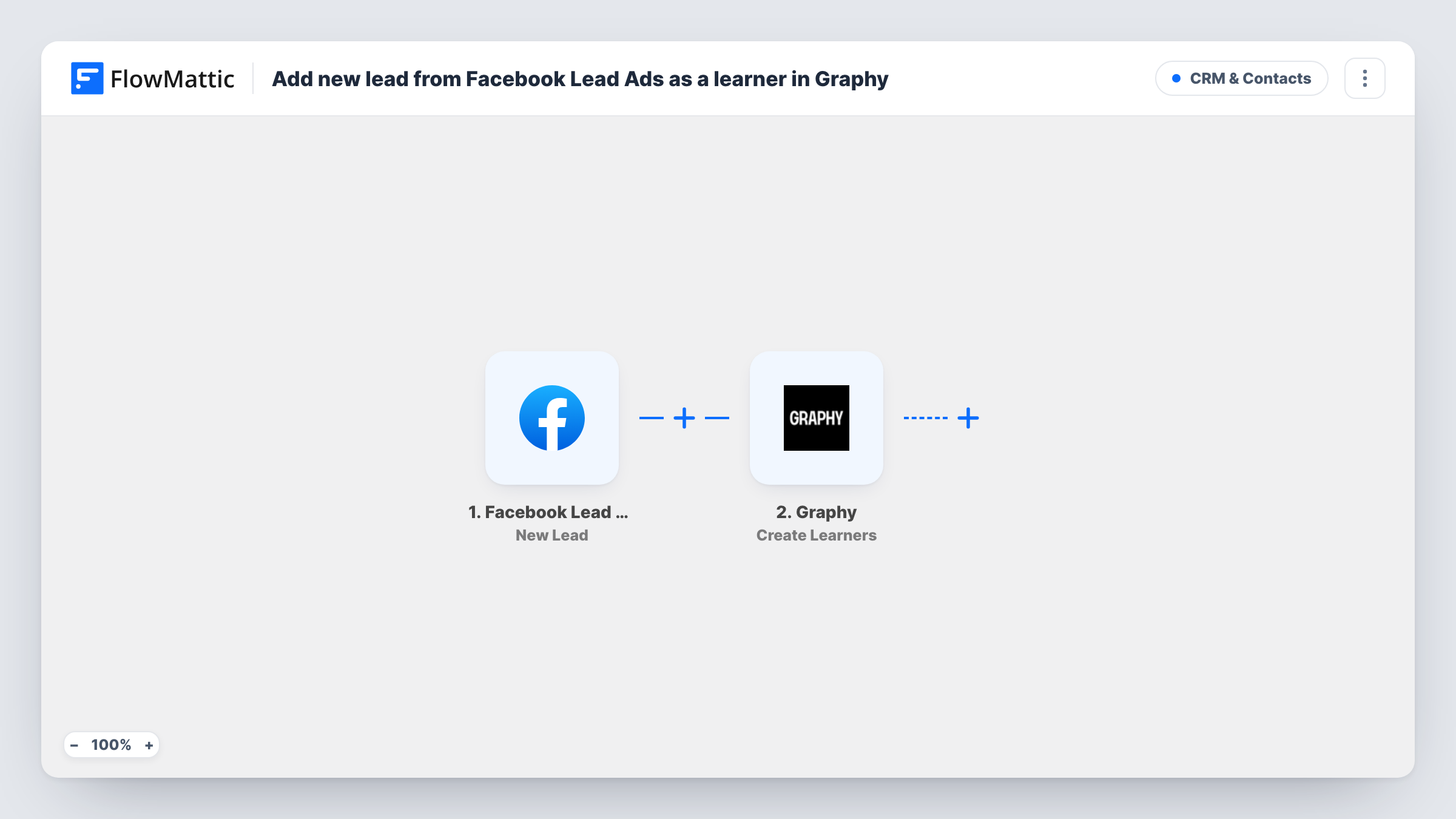
What this workflow does
Ads that promise a free lesson or a course preview collect leads inside Facebook, while your course lives on Graphy. Downloading the lead list and adding people one by one slows down the moment they are most interested. This workflow creates each lead as a Graphy learner as soon as Facebook records them.
The Facebook Lead Ads trigger fires when a new lead is created on your lead form. FlowMattic passes the answers from that form on for mapping. The Graphy step then runs Create Learners, which creates a learner by email. Map the lead's email into it, along with the name if your form asks for one.
Creating the learner is all this template does. It does not enroll them in a course. If you want that, the tips explain how to add Graphy's Enroll Learner to Course step. Task History lists each lead that came through, with Graphy's response, so you can confirm the learner was created.
Free mini-course offered in an ad
A fitness coach runs a lead ad for a free starter course. Each person who fills in the form becomes a Graphy learner, ready to be given access.
Waitlist for a cohort launch
A language school collects interest through Facebook before a new batch opens. Leads are created in Graphy so the team can enroll them when the course goes live.
Webinar sign-ups for a course creator
Lead ad sign-ups for a live class are added as Graphy learners, keeping everyone who showed interest on the platform where the class runs.
How this workflow runs
What happens at each step once the workflow is on, and what you need before you import it.
 Facebook Lead Ads New Lead
Fires when a new lead is created through your Facebook Lead Ads form. The lead's answers, including the email they gave, are passed to Graphy.
- Graphy Create Learners
Creates a learner in Graphy from the lead's email address. Map the email from Facebook here, plus any name answers, and test with a lead to confirm the learner appears.
What you need
- FlowMatticCore
- Facebook Lead Ads AccountAccount
- Graphy AccountAccount
After importing, map your own data. To keep the template universal, not every step is pre-filled. Open each step in the builder and connect your accounts and fields (channels, lists, sheets, recipients) before you switch the workflow on.
Make it yours
Changes worth making after you import it.
- Add Graphy's Enroll Learner to Course action as a third step if every lead should get a course. Run a test first to see which details from Create Learners it needs.
- Make sure your Facebook lead form asks for an email address, since Graphy creates the learner by email.
- If you run several lead forms, add a Filter after the trigger so only leads from your course campaign become Graphy learners, using a value from the test lead that names the form.
Questions about this workflow
Are Facebook leads enrolled in a Graphy course automatically?
No. The template creates the learner only. Add an Enroll Learner to Course step after Graphy if you want each lead placed in a course.
What if the lead's email already belongs to a Graphy learner?
Graphy decides how it handles an address it already has. Test with an existing learner's email and check the response in Task History before you rely on it.
Does the Graphy learner get a welcome email?
FlowMattic sends no email in this workflow. Check in Graphy what, if anything, it sends to a learner created this way.
Will older Facebook leads be added to Graphy?
No. The trigger reacts to leads created after the workflow is on. Earlier leads stay in Facebook unless you add them yourself.
More CRM & Contacts workflows
Other ready-to-import templates from the same category.





Import this workflow into your WordPress site
Download the JSON, import it from the Workflows screen and connect your accounts. Every run stays on your server, with no per-task fees.
30-day money-back guarantee Unlimited workflows and runs Self-hosted