

Add or update LeadConnector contacts from new SureForms submissions
Each SureForms submission on your WordPress site is sent to LeadConnector, which creates a contact in your sub-account or updates the one that already exists, so new leads reach your CRM without copying.
 SureForms
 LeadConnector V2
2 steps Setup ~5 min Used on 1.3k sites Free to import
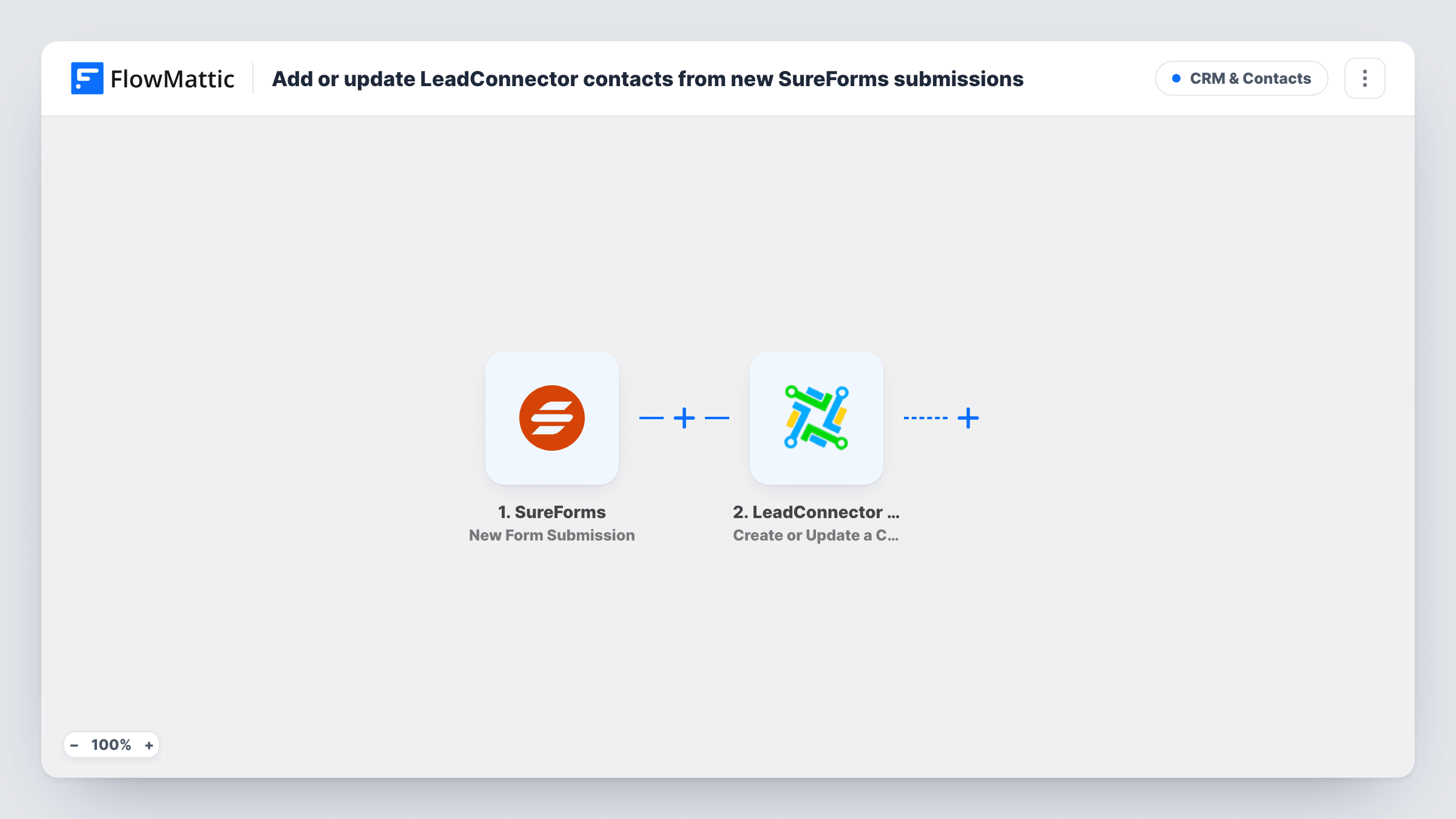
What this workflow does
SureForms is a quick way to put a form on a WordPress page, but the leads it collects stay in WordPress until someone moves them. If your follow-up runs in LeadConnector (GoHighLevel), that gap means late replies and missed people. This workflow sends each submission to your CRM the moment the form is sent.
The SureForms trigger fires when a new submission is received. FlowMattic passes the answers to LeadConnector V2, whose Create or Update a Contact action works at the sub-account level. Someone LeadConnector hasn't seen before becomes a fresh contact. If they are already there, LeadConnector updates that contact instead of making a second one.
Every submission takes the same path, as there is no Filter in the template. A visitor who fills in the form twice updates their own contact twice, and a field left blank in the second entry could replace a value you already held if you map it. Task History shows each run and the response LeadConnector returned.
Agency client sites
An agency builds a client's WordPress site with SureForms and sends every enquiry into that client's LeadConnector sub-account, where the client's pipelines and automations pick it up.
Consultation requests for a local business
A dentist's booking request form adds each patient enquiry to LeadConnector, so staff call back from the CRM instead of checking WordPress.
Returning visitors who update their details
Someone who submits a second form with a new phone number has their existing LeadConnector contact refreshed rather than duplicated.
How this workflow runs
What happens at each step once the workflow is on, and what you need before you import it.
 SureForms New Form Submission
Starts a run for each SureForms entry sent from a page on your site. All the answers become available to map in the LeadConnector step.
- LeadConnector V2 Create or Update a Contact
Creates a contact in your LeadConnector sub-account from the submission, or updates the contact if it already exists. Connect your account and map the form's answers to the contact.
What you need
- FlowMatticCore
- SureForms PluginPlugin
- LeadConnector V2 AccountAccount
After importing, map your own data. To keep the template universal, not every step is pre-filled. Open each step in the builder and connect your accounts and fields (channels, lists, sheets, recipients) before you switch the workflow on.
Make it yours
Changes worth making after you import it.
- Add LeadConnector's Add Tags to Contact action after this step to mark contacts with the form they came from, which helps you segment them later.
- Make the email field required in your SureForms form so every contact sent to LeadConnector arrives with an address.
- Send one test submission after import, then map the captured SureForms fields and run a second test to check the contact in LeadConnector.
Questions about this workflow
Will a repeat SureForms submission create a duplicate LeadConnector contact?
No. The action is Create or Update a Contact, so LeadConnector updates the existing contact. Leave optional fields unmapped if you don't want a blank answer to overwrite stored data.
Which LeadConnector sub-account receives the contact?
The action works at the sub-account level, so contacts go to the sub-account tied to the LeadConnector connection you choose in the step.
Can the new contact start a LeadConnector workflow?
Not from this template alone. Add LeadConnector's Add Contact to Workflow action after the contact step, or start the workflow from a trigger inside LeadConnector.
More CRM & Contacts workflows
Other ready-to-import templates from the same category.







Import this workflow into your WordPress site
Download the JSON, import it from the Workflows screen and connect your accounts. Every run stays on your server, with no per-task fees.
30-day money-back guarantee Unlimited workflows and runs Self-hosted