

Create a Google Docs file from every new Flipsnack order
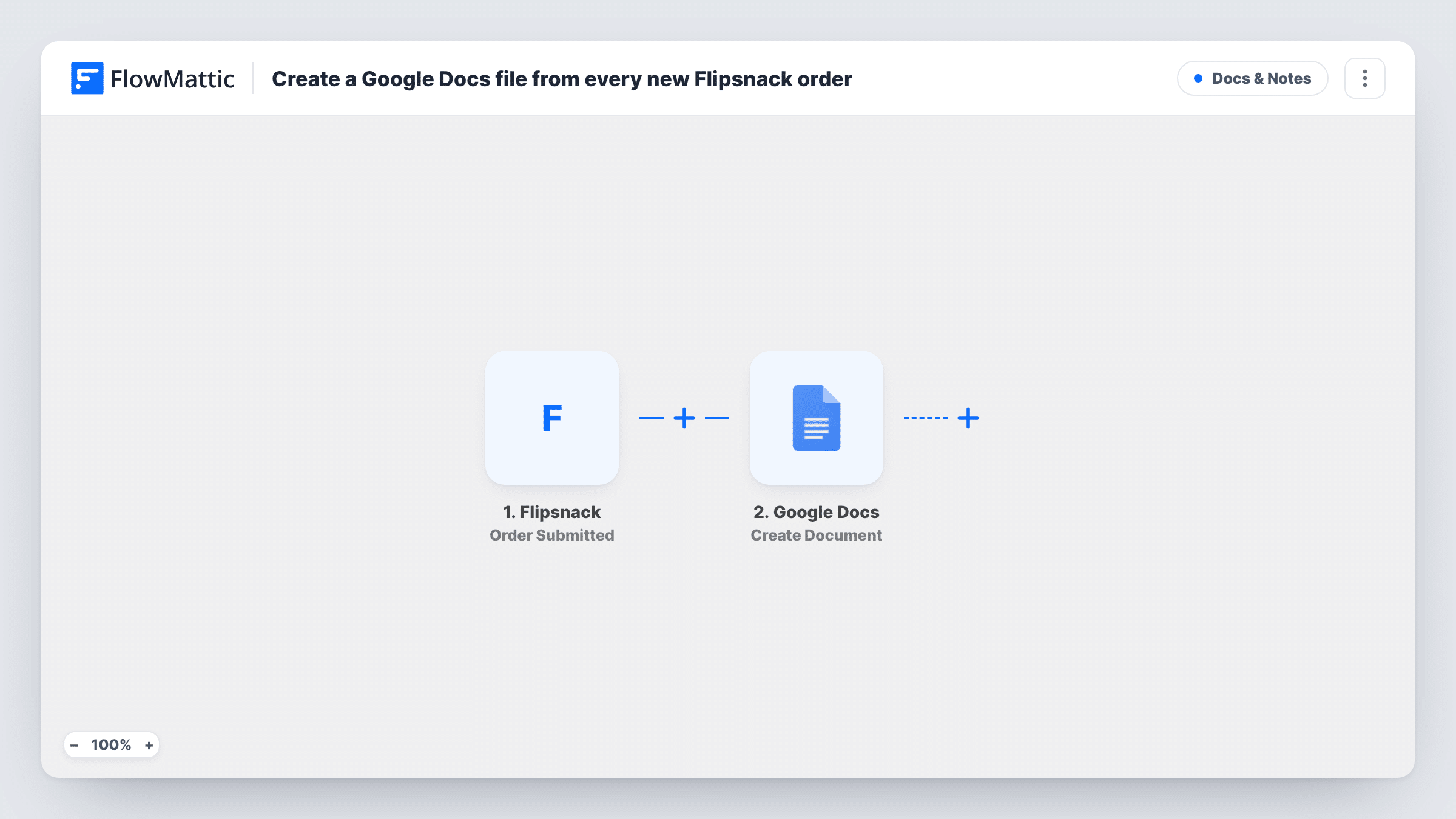
Each time a customer submits an order form in a Flipsnack interactive catalog, FlowMattic creates a new Google Docs file holding the order details you map, giving you one document per order.
 Flipsnack
 Google Docs
2 steps Setup ~5 min Used on 2.4k sites Free to import
What this workflow does
Flipsnack catalogs can take orders through a built-in order form. If you prefer to keep a written record of each order, or hand one to the person who packs it, copying the details into a document by hand is slow. This workflow creates that document for you.
The Flipsnack trigger fires when a customer submits an order form in one of your interactive catalogs. The order details from that submission are then available in the Google Docs step, where Create Document makes a new Doc in your connected Google account. You decide what the title says and what goes into the body.
One order gives one new document, and nothing else changes. The workflow doesn't send the Doc to anyone or update it later. Run a test order after import to see which details Flipsnack includes, then build the title and content from them. Every order's run also shows up in Task History.
Wholesale catalog orders
A supplier shares a Flipsnack catalog with trade buyers. Each order form becomes a Google Doc the sales team checks before confirming the order.
Packing notes for a small shop
Each Doc lists what the customer ordered, so whoever packs the parcel can open it or print it.
Order archive for bookkeeping
Keep every catalog order as a separate document, named with the date and customer, so they are easy to find at month end.
How this workflow runs
What happens at each step once the workflow is on, and what you need before you import it.
 Flipsnack Order Submitted
Runs when a customer submits an order form in your Flipsnack interactive catalog. The order details are passed on so you can use them in the document.
- Google Docs Create Document
Creates a new Google Doc in your connected Google account. Build its title and content from the Flipsnack order details, then run a test order to check the result.
What you need
- FlowMatticCore
- Flipsnack AccountAccount
- Google Docs AccountAccount
After importing, map your own data. To keep the template universal, not every step is pre-filled. Open each step in the builder and connect your accounts and fields (channels, lists, sheets, recipients) before you switch the workflow on.
Make it yours
Changes worth making after you import it.
- Put the customer's name and the order date in the Doc title, so documents sort and search well in Google Drive.
- Add a Gmail step after Google Docs to email the new document's link to whoever fulfils orders.
- Add a Google Sheets row as well if you also want a one-line summary of each order in a spreadsheet.
- Place a test order in your Flipsnack catalog after import so FlowMattic captures the order fields before you build the content.
Questions about this workflow
Where are the Flipsnack order documents saved?
In the Google account you connect to the Google Docs step. Check a test run to see where the new Doc appears in your Drive.
Does it also catch Flipsnack contact forms?
No. This template uses the Order Submitted trigger. Flipsnack also has a Contact Form Submitted trigger in FlowMattic, which you can use in a separate workflow.
Is the customer sent a copy of the Google Doc?
No. The Flipsnack order only produces a new Doc and nothing is emailed. Add a Gmail step if you want to send it to someone.
What if two orders come in at the same time?
Each order submission runs the workflow on its own, so each one gets its own Google Doc.
More Docs & Notes workflows
Other ready-to-import templates from the same category.




Import this workflow into your WordPress site
Download the JSON, import it from the Workflows screen and connect your accounts. Every run stays on your server, with no per-task fees.
30-day money-back guarantee Unlimited workflows and runs Self-hosted