

Create a Google Docs file from every new Givecloud supporter
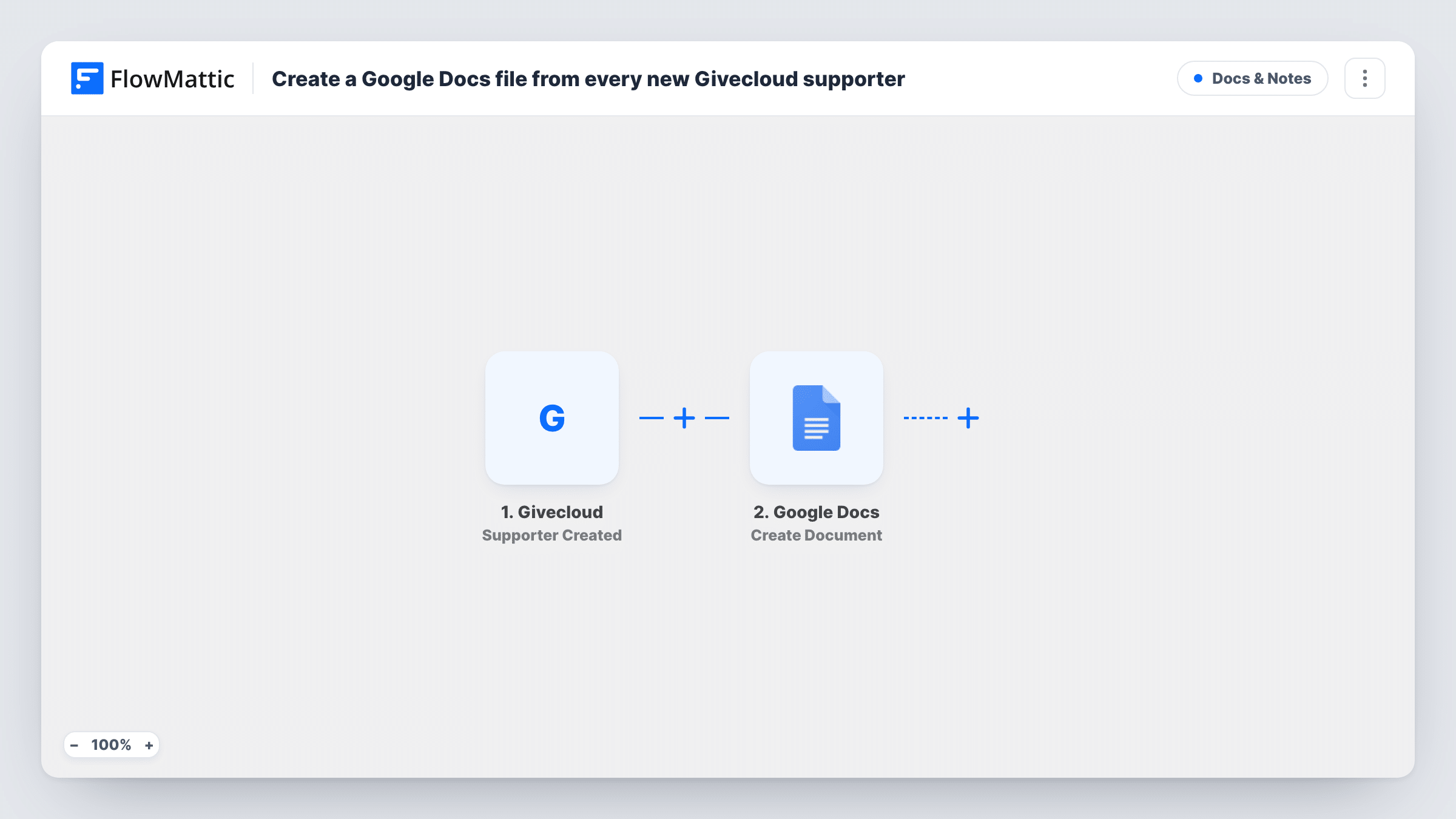
Every time a new supporter is created in Givecloud, this workflow creates a Google Docs file for them, filled with content you build from the supporter’s details.
 Givecloud
 Google Docs
2 steps Setup ~5 min Used on 2.1k sites Free to import
What this workflow does
Some nonprofits keep a written file on each supporter: notes from a call, a summary of how they first gave, or a welcome letter to adapt. Starting each one by hand means a blank document and a lot of copying. This workflow creates the document as soon as Givecloud adds the supporter.
The Givecloud trigger fires when a new supporter is created in your Givecloud account. FlowMattic passes the supporter's details to Google Docs, whose Create Document action makes a new Google Doc with optional content. You map supporter values into the step, including the optional body text if you want the file to start with something written in it. Open the step after import to see what else it asks for.
One new supporter creates one document, in the Google account you connect. The workflow does not update the document later, so gifts or edits made in Givecloud afterwards are not added to it. Task History lists each run with the supporter data received, which helps you check that every new supporter got a file.
A file for each major-gift prospect
A development officer gets a Google Doc for every new Givecloud supporter, filled with their details and ready for meeting notes and research.
Draft thank-you letters
The document starts with a short letter that includes the supporter's name, which a staff member edits and sends personally.
A paper trail for small charities
A volunteer-run charity keeps one Doc per supporter in a shared Drive, so whoever is on duty can read the history before a phone call.
How this workflow runs
What happens at each step once the workflow is on, and what you need before you import it.
 Givecloud Supporter Created
Fires when a new supporter is created in your Givecloud account. The supporter's details are passed on for use in the Google Docs step.
- Google Docs Create Document
Creates a new Google Doc in the Google account you connect. Map supporter values into the step, and add optional content built from the same details.
What you need
- FlowMatticCore
- Givecloud AccountAccount
- Google Docs AccountAccount
After importing, map your own data. To keep the template universal, not every step is pre-filled. Open each step in the builder and connect your accounts and fields (channels, lists, sheets, recipients) before you switch the workflow on.
Make it yours
Changes worth making after you import it.
- Include the supporter's name in the text you map, and check after a test run how the new Doc is named in Google Drive so the files are easy to find.
- Create a test supporter in Givecloud after import, then check the run in Task History to see which supporter values you can place in the document.
- Add a Gmail or Slack step after Google Docs to tell a staff member that a new supporter file is ready to review.
Questions about this workflow
Where are the Givecloud supporter documents saved?
They go to the Google account linked in the Create Document step. Run a test and check where the new Doc appears, then move or share it as your team needs.
Does the Google Doc update when the supporter gives again?
No. The workflow creates the document once, when the supporter is created. Later gifts or changes in Givecloud do not touch it.
Can the Google Doc start with text already in it?
Yes. Create Document accepts optional content, so you can write a starting text and fill it with Givecloud supporter values.
Will existing Givecloud supporters get documents too?
No. Only supporters created after you turn the workflow on start a run. Earlier records are not processed.
More Docs & Notes workflows
Other ready-to-import templates from the same category.






Import this workflow into your WordPress site
Download the JSON, import it from the Workflows screen and connect your accounts. Every run stays on your server, with no per-task fees.
30-day money-back guarantee Unlimited workflows and runs Self-hosted