

Create a Zoho Writer document for every new WooCommerce order
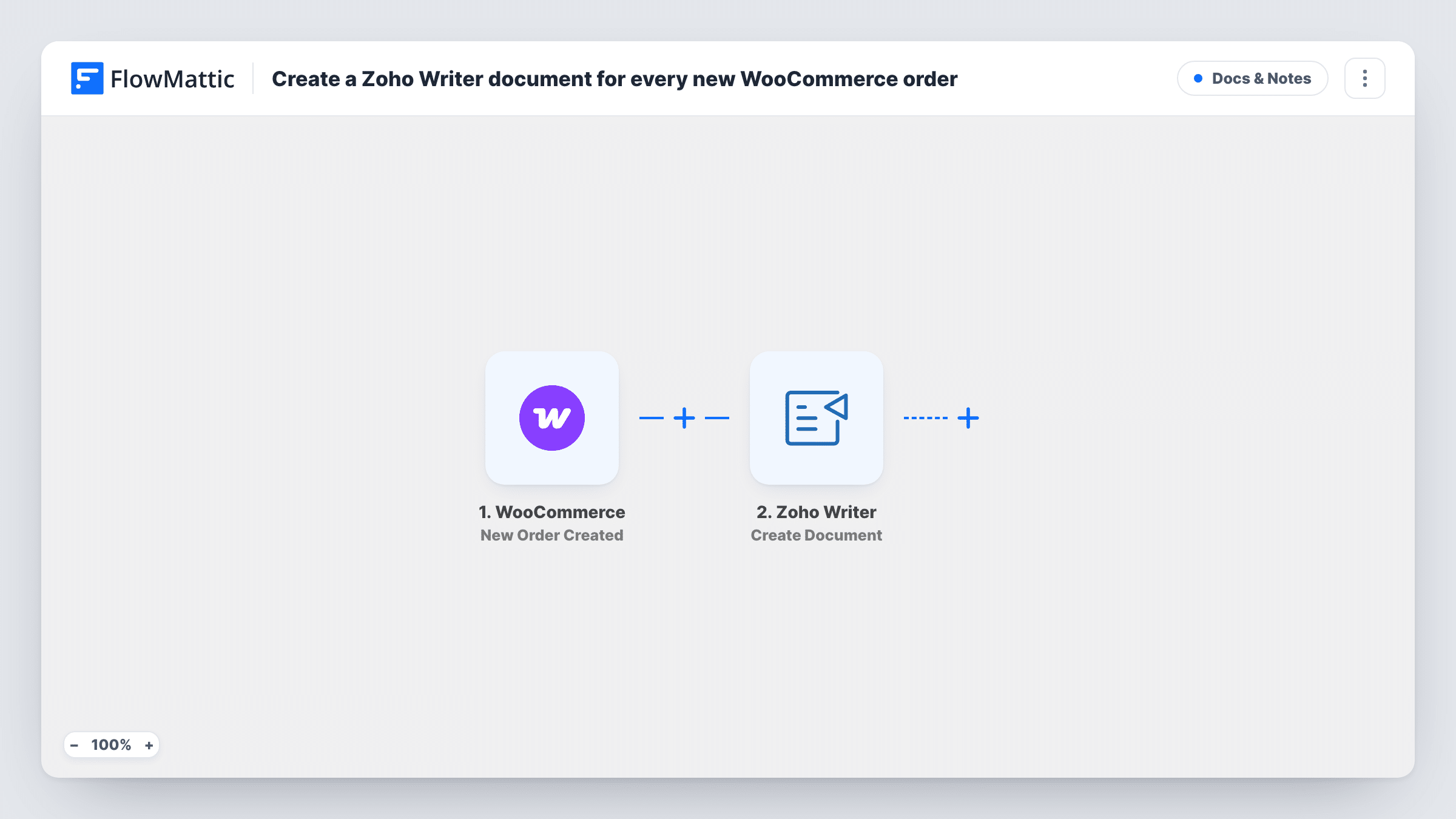
Each new WooCommerce order creates a document in Zoho Writer from HTML content you build with the order details, so you get a written record of every order in your Zoho account.
 WooCommerce
 Zoho Writer
2 steps Setup ~5 min Used on 1.5k sites Free to import
What this workflow does
Some stores need a document per order: an internal order sheet, a work brief for a custom product, or a record kept outside WordPress. Writing those by hand from the WooCommerce admin is slow. This workflow creates one in Zoho Writer for each new order.
The WooCommerce trigger fires when a new order is created, and FlowMattic receives the order's customer, items, totals and addresses. The Zoho Writer Create Document step then makes a new document from HTML content. You write that HTML in the step and drop in order values, so headings, tables and paragraphs can hold the order number, buyer and line items.
The trigger runs when the order is created, which can be before payment is complete, so unpaid orders get a document too unless you add a Filter. The workflow only creates the document; it doesn't email it to anyone or attach it to the order. Task History shows each run and Zoho Writer's response.
Work briefs for made-to-order products
A shop selling custom prints gets a Zoho Writer document per order with the buyer's choices, which the production team works from.
Order records for an accountant
Each WooCommerce order becomes a document in Zoho, so your accountant can review orders in the Zoho account they already use.
Packing notes for a warehouse
A simple HTML layout with the shipping address and item list gives the packing team a readable document for every new order.
How this workflow runs
What happens at each step once the workflow is on, and what you need before you import it.
 WooCommerce New Order Created
Runs as soon as WooCommerce creates a new order in your store. Customer, item, total and address values from the order are passed on for use in the document.
- Zoho Writer Create Document
Creates a new Zoho Writer document from the HTML content you write in this step, filled with WooCommerce order values. Connect your Zoho account and test with one order.
What you need
- FlowMatticCore
- WooCommerce PluginPlugin
- Zoho Writer AccountAccount
After importing, map your own data. To keep the template universal, not every step is pre-filled. Open each step in the builder and connect your accounts and fields (channels, lists, sheets, recipients) before you switch the workflow on.
Make it yours
Changes worth making after you import it.
- Add a Filter after the trigger that continues only when the order status is processing or completed, so documents are made for paid orders only.
- Keep the HTML simple at first, such as a heading and a short list, then check the created document in Zoho Writer before adding tables or styling.
- Place a test order after import so FlowMattic captures real WooCommerce data, then insert those values into the HTML content.
Questions about this workflow
Does the Zoho Writer document get sent to the customer?
No. The workflow only creates the document in Zoho Writer. Add another step if you want to send or share it.
Are documents made for unpaid WooCommerce orders?
Yes, as imported. New Order Created fires when the order is created, whatever its payment state. Add a Filter on the order status to change that.
How do I design the Zoho Writer document layout?
The Create Document step builds the document from HTML content. Write the HTML in the step and insert WooCommerce order values where you want them.
Is a new document created if the WooCommerce order changes later?
No. Only new orders start a run. Status changes, edits and refunds on existing orders don't create more documents.
More Docs & Notes workflows
Other ready-to-import templates from the same category.






Import this workflow into your WordPress site
Download the JSON, import it from the Workflows screen and connect your accounts. Every run stays on your server, with no per-task fees.
30-day money-back guarantee Unlimited workflows and runs Self-hosted