

Add new Bricksforge form submission to Notion database
Each time a visitor submits a Bricksforge Pro Form on your Bricks site, this workflow adds the entry as a new item in a Notion database, so your team can track and sort submissions in Notion.
 Bricksforge
 Notion
2 steps Setup ~5 min Used on 481 sites Free to import
What this workflow does
A form on your site is often the start of work: an enquiry to answer, a request to plan, an application to review. If your team organises that work in Notion, each entry has to be copied from WordPress into a database before anyone can assign it. This workflow does that copy for every submission.
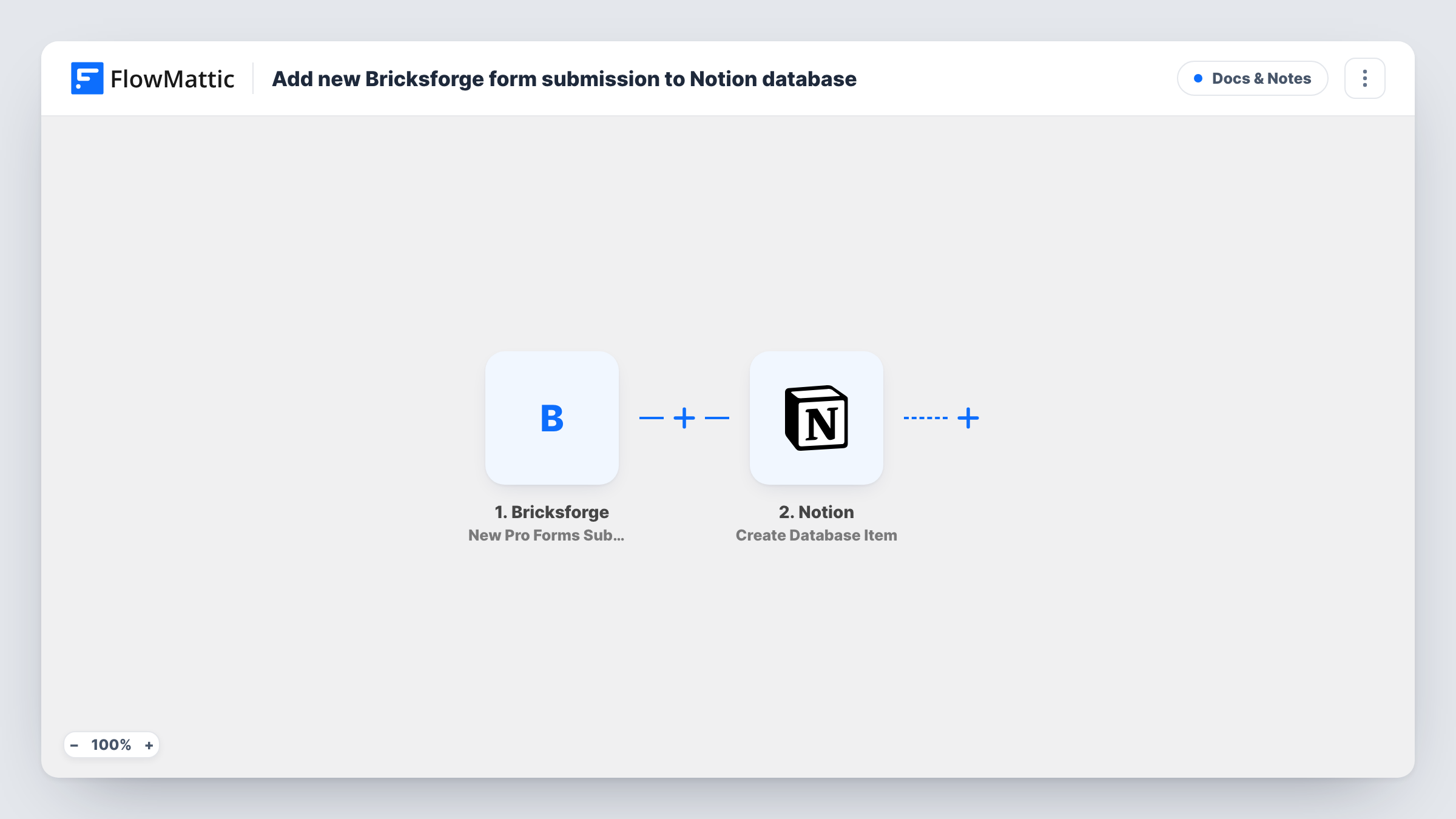
The Bricksforge trigger, New Pro Forms Submission, fires when a submission comes in from one of your Bricksforge Pro Forms. Every answer in that entry is handed to the next step. The Notion step then runs Create Database Item, which adds a new item to the database you choose, with form answers placed in its properties.
There is no Filter, so every submission becomes one Notion item, including tests and spam that get past the form. The database needs properties that suit the answers you send, so set those up in Notion first. Task History keeps each run with Notion's reply.
Project enquiries for a web studio
A Bricks site's contact form asks about budget and timeline. Each enquiry becomes an item in the studio's Notion pipeline, ready to assign and move through stages.
Content ideas from readers
Readers suggest topics through a Bricksforge form. The suggestions collect in a Notion content calendar database for the editor to review.
Internal requests on an intranet
Staff request equipment or access through a form on a company site. Every request lands in a Notion database the operations team works from.
How this workflow runs
What happens at each step once the workflow is on, and what you need before you import it.
 Bricksforge New Pro Forms Submission
Fires when a visitor submits one of your Bricksforge Pro Forms. All submitted values are passed on so you can map them into Notion.
- Notion Create Database Item
Creates a new item in your chosen Notion database from the entry. Connect Notion, share the database with the integration, and map form answers into the database properties.
What you need
- FlowMatticCore
- Bricksforge PluginPlugin
- Notion AccountAccount
After importing, map your own data. To keep the template universal, not every step is pre-filled. Open each step in the builder and connect your accounts and fields (channels, lists, sheets, recipients) before you switch the workflow on.
Make it yours
Changes worth making after you import it.
- Send a test submission after import so FlowMattic captures each Bricksforge field, then match them to Notion properties of a suitable type.
- If the site has several Bricksforge forms, add a Filter on a value that identifies this form, so only its entries reach this Notion database.
- If a person should be told about each entry too, put a Slack or email step after the Notion step with a link or summary of the new item.
Questions about this workflow
Does the Bricksforge trigger need the Bricks theme?
Yes. Bricksforge is an add-on for the Bricks theme, and its Pro Forms run on your Bricks site, the same WordPress install as FlowMattic.
Does Notion need special setup for this workflow?
The database must exist and be shared with the connected Notion integration, so FlowMattic can add items to it. Create the properties you plan to fill before mapping.
What if a visitor submits the Bricksforge form twice?
Each submission is a new run, so Notion gets two items. The workflow doesn't check for an existing entry.
Are Bricksforge file uploads copied to Notion?
Not as files. Check what a test submission captures for the upload field, and map a link into a text or URL property if one is there.
More Docs & Notes workflows
Other ready-to-import templates from the same category.





Import this workflow into your WordPress site
Download the JSON, import it from the Workflows screen and connect your accounts. Every run stays on your server, with no per-task fees.
30-day money-back guarantee Unlimited workflows and runs Self-hosted