

Create a HubSpot CRM contact when a message is created in Carrot quest
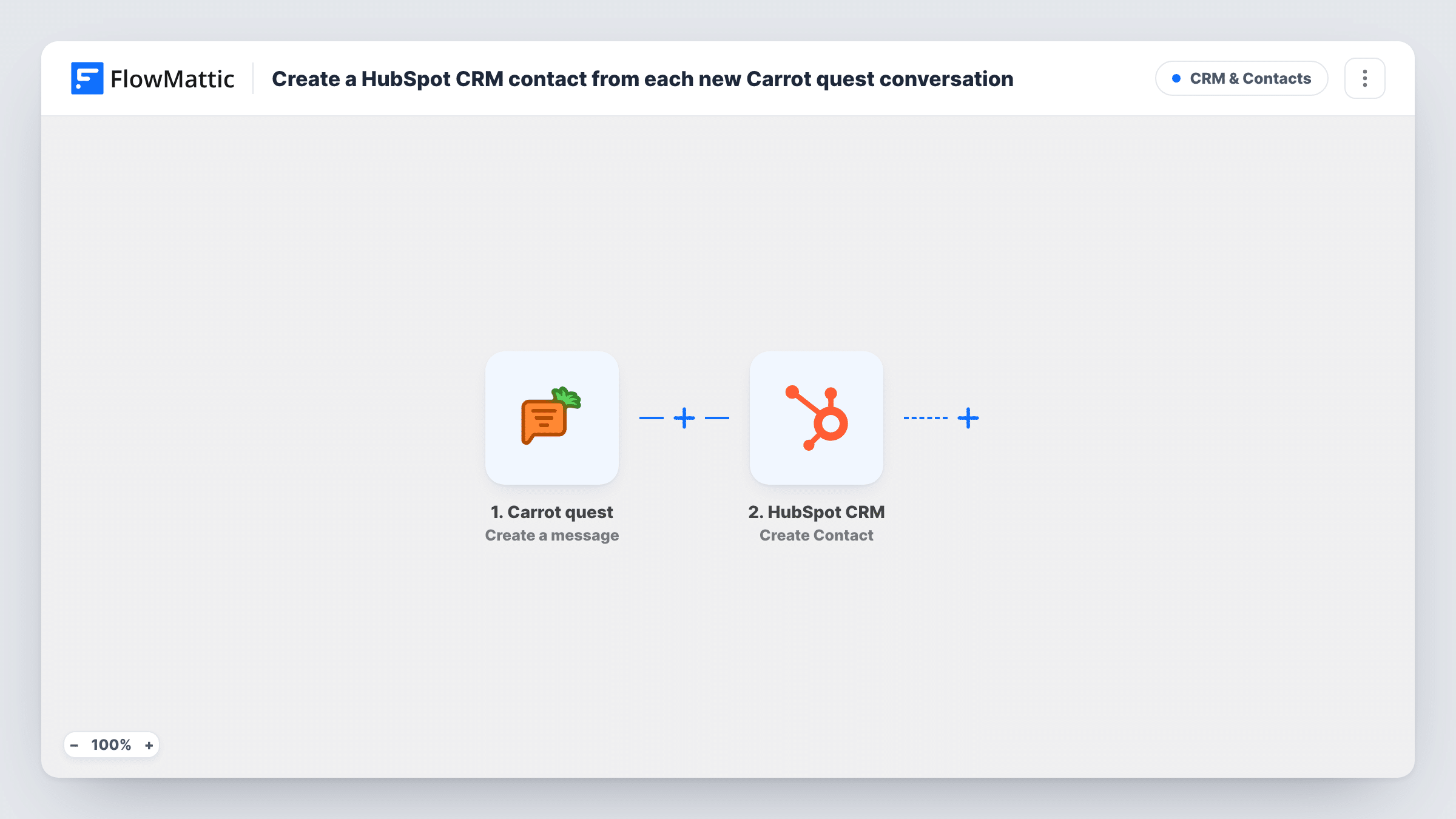
Each time a message is created in Carrot quest, FlowMattic creates a contact in HubSpot CRM from the details you map, so chat activity reaches your CRM.
 Carrot quest
 HubSpot CRM
2 steps Setup ~5 min Used on 1.1k sites Free to import
What this workflow does
Chat conversations often hold the first real contact details a visitor shares. When those stay in the chat tool, sales works from an incomplete CRM. This workflow passes Carrot quest message events to HubSpot and creates a contact from them.
The Carrot quest trigger, Create a message, is the only Carrot quest trigger in FlowMattic. FlowMattic describes it as firing when a template or a message is created, so expect a run for each new message, not just once per visitor. The HubSpot CRM step, Create Contact, then makes a new contact. It ships unmapped: after import you map the email and any name or company details from the Carrot quest data.
Because runs repeat with every message, the same person can reach the HubSpot step many times. A second attempt for an email HubSpot already holds may be turned down by HubSpot, and the run's Task History entry records what HubSpot replied. Before you turn the workflow on, send a test message and look at the trigger data to see which visitor fields Carrot quest includes.
Chat leads for a sales team
A SaaS company chats with trial visitors in Carrot quest, and visitors who share an email in the conversation appear as HubSpot contacts for follow-up.
Support chats tied to CRM records
An online store answers order questions in Carrot quest and keeps a HubSpot contact for each customer who writes in.
Agency enquiries from the website
A design agency's site chat collects project enquiries, and the person behind each new message is created in HubSpot for the account team.
How this workflow runs
What happens at each step once the workflow is on, and what you need before you import it.
 Carrot quest Create a message
Starts the workflow when a template or a message is created in Carrot quest. The message data is passed on; check a test run to see which visitor details, such as email, it carries.
- HubSpot CRM Create Contact
Adds a new contact record to HubSpot CRM. The step ships unmapped, so after import map the visitor's email and any name or company fields from the Carrot quest data.
What you need
- FlowMatticCore
- Carrot quest AccountAccount
- HubSpot CRM AccountAccount
After importing, map your own data. To keep the template universal, not every step is pre-filled. Open each step in the builder and connect your accounts and fields (channels, lists, sheets, recipients) before you switch the workflow on.
Make it yours
Changes worth making after you import it.
- Put a Filter between the Carrot quest trigger and the HubSpot step that continues only when the visitor email is not empty, so messages without an address don't reach HubSpot.
- Add a second condition to that Filter that checks the message comes from the visitor, if the trigger data shows who sent it, so agent replies and templates are left out.
- Add a Slack step after the HubSpot step so sales hears about each chat contact HubSpot accepts.
- Map a fixed value such as Carrot quest into a HubSpot contact property for the lead source, so you can report on chat-sourced contacts.
Questions about this workflow
Will one Carrot quest conversation create several HubSpot contacts?
Each new message starts a run, so the HubSpot step can run many times for one person. Repeat emails may be rejected by HubSpot, and you can read each reply in Task History. A Filter between the trigger and the HubSpot step, on the visitor email or sender, cuts down the attempts.
Does the Carrot quest message carry the visitor's email?
Only if the visitor's details are in the event data. Send a test message and read the trigger output in Task History before you map the HubSpot fields.
Do templates in Carrot quest start the workflow too?
Yes. FlowMattic describes the trigger as firing when a template or a message is created, so a Filter between the trigger and the HubSpot step is the place to leave templates out.
More CRM & Contacts workflows
Other ready-to-import templates from the same category.




Import this workflow into your WordPress site
Download the JSON, import it from the Workflows screen and connect your accounts. Every run stays on your server, with no per-task fees.
30-day money-back guarantee Unlimited workflows and runs Self-hosted