

Create a new post in WordPress for new Youtube videos in specific channel
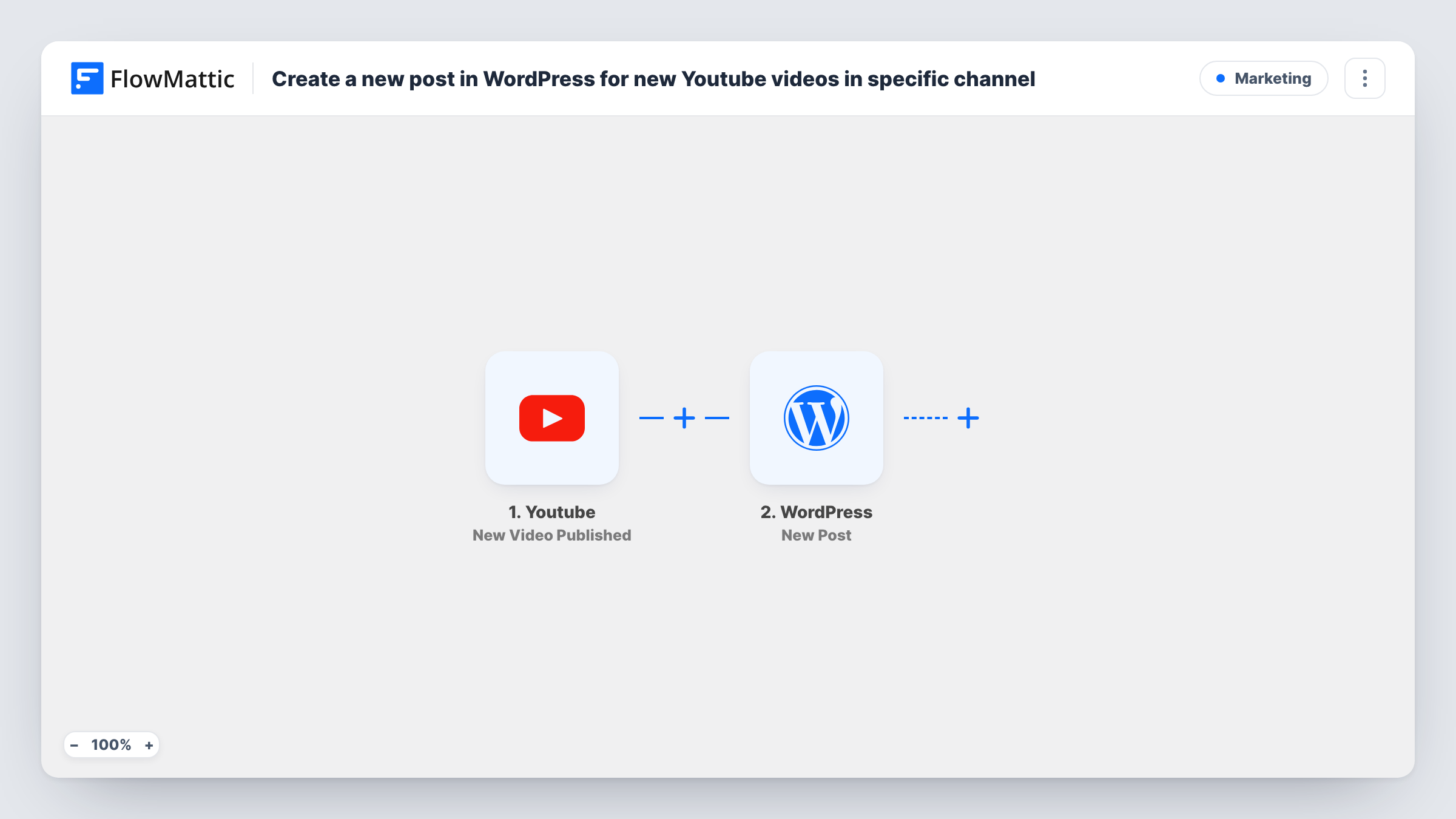
When a new video goes live on the YouTube channel you specify, this workflow creates a WordPress post on your site from that video’s details, so your blog keeps pace with your uploads.
 Youtube
 WordPress
2 steps Setup ~5 min Used on 1.4k sites Free to import
What this workflow does
Publishing on YouTube and keeping your own site current are two separate chores. Each upload means opening WordPress, copying the title and description, pasting the link and saving a post. This workflow does that copying for you when a video is published on the channel you set.
The YouTube trigger watches the channel you specify and fires when a new video is published there. FlowMattic hands the video's data to the WordPress New Post action, which creates a post on the same site where FlowMattic runs. You decide which parts of the video go where in the post, for example the video title as the post title and the description and link in the content.
The post is built only from what YouTube sends with the video, so it is as long as your description. If you want more text around it, add a step between the two, such as an AI step that drafts an introduction. Run a test upload after import and open the post in WordPress before you leave the workflow on, so you can see how the mapped data looks.
Video blog that mirrors a channel
A cooking channel gets a matching recipe-page post for each new upload, so readers who find the site through search see the latest video.
Company news page
Product demos and announcements published on the company YouTube channel show up as posts on the WordPress news page without anyone copying them.
Course or tutorial archive
An instructor who publishes lessons on YouTube keeps a running list of lesson posts on the site, one post per video.
How this workflow runs
What happens at each step once the workflow is on, and what you need before you import it.
 Youtube New Video Published
Runs when a new video is published on the YouTube channel you specify after import. The video's details from YouTube are passed on for mapping.
- WordPress New Post
Adds a fresh WordPress post for the video on the site where FlowMattic runs. Map the YouTube video's data into it, such as its title for the post title and its description and link for the content, then check a test run.
What you need
- FlowMatticCore
- Youtube AccountAccount
After importing, map your own data. To keep the template universal, not every step is pre-filled. Open each step in the builder and connect your accounts and fields (channels, lists, sheets, recipients) before you switch the workflow on.
Make it yours
Changes worth making after you import it.
- Run one test after import and open the new post in WordPress, so you can confirm the title, content and link landed where you expect before turning the workflow on.
- Add a Filter after the trigger if only some videos should become posts, for example continue only when the video title contains a word you use for full episodes.
- Put an AI step between YouTube and WordPress to write a short summary from the video description, then map that summary into the post content.
Questions about this workflow
Which YouTube channel does the workflow watch?
The channel you specify in the YouTube trigger after import. Videos published on other channels don't start it.
Will my older YouTube videos become WordPress posts?
No. The trigger reacts to new videos published after the workflow is on. Older uploads need to be posted another way.
Does the post embed the video?
Only if you map the link into the post. Placing the YouTube video link on its own line in the content lets WordPress show it as an embed, which is standard WordPress behaviour for YouTube links.
Is the WordPress post published straight away?
Check the WordPress New Post step after import and send a test video through. Look at the created post in WordPress to see its status before you rely on it.
More Marketing workflows
Other ready-to-import templates from the same category.




Import this workflow into your WordPress site
Download the JSON, import it from the Workflows screen and connect your accounts. Every run stays on your server, with no per-task fees.
30-day money-back guarantee Unlimited workflows and runs Self-hosted