

Create a Zoho Billing subscription from each new WPForms signup
Each time someone submits your WPForms signup form, this workflow subscribes a customer to a plan in Zoho Billing using the details from the entry, so form signups become subscriptions without manual entry.
 WPForms
 Zoho Billing
2 steps Setup ~5 min Used on 498 sites Free to import
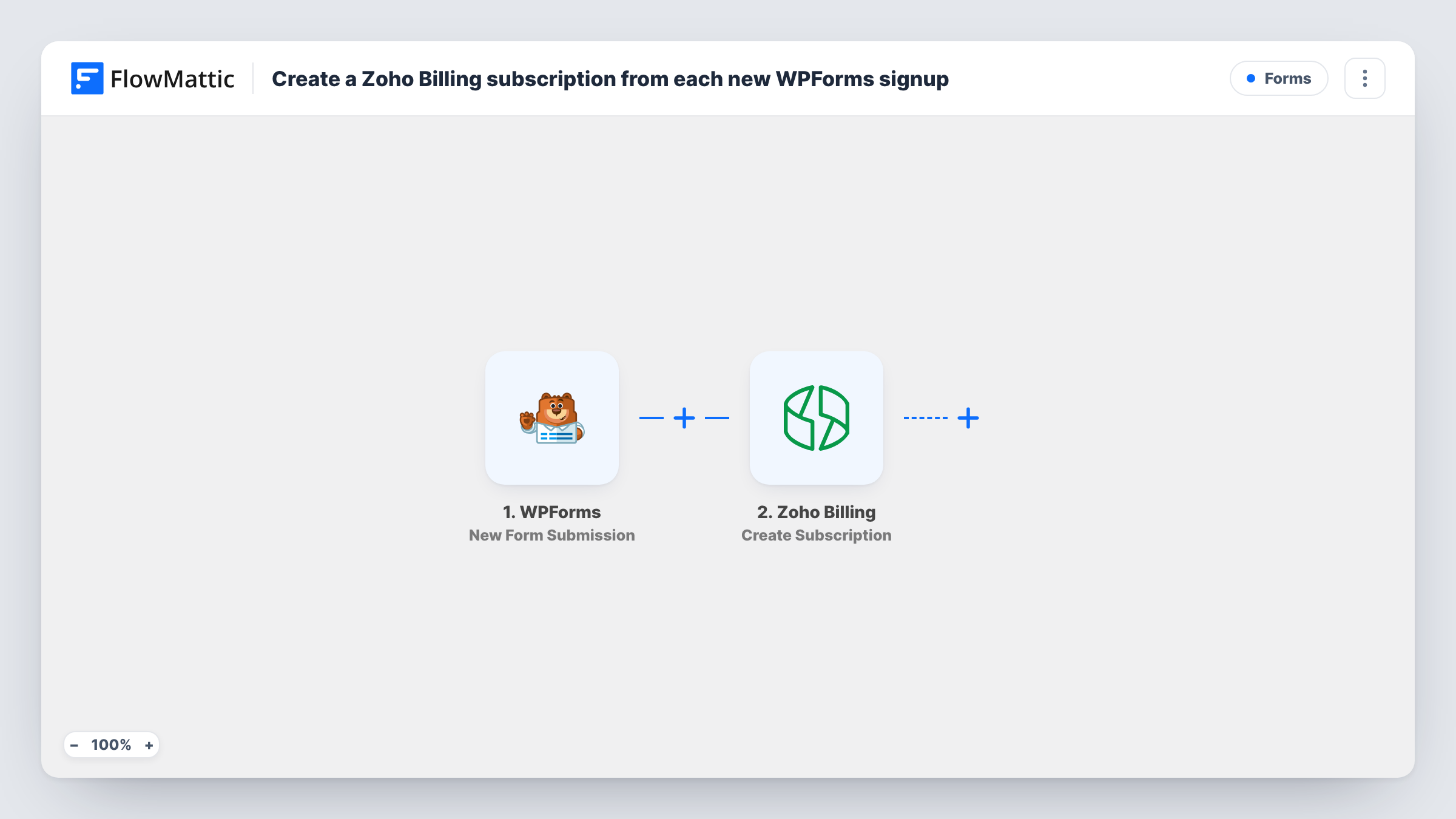
What this workflow does
A WPForms form is an easy way to take signups on your WordPress site, but if billing lives in Zoho Billing, each signup still has to be set up there by hand. This workflow passes each signup straight to Zoho Billing.
The WPForms trigger runs when a form is submitted, and every field in the entry becomes data you can map. The Zoho Billing step uses Create Subscription, which subscribes a customer to a plan. You map the signup details into the step and set the plan the subscription should use.
Every submission creates a subscription, because the template has no conditions. The form itself doesn't take a card in this flow, so check in Zoho Billing how a subscription created this way is invoiced and paid. Submit a test entry first and read the run in Task History to see which customer details the step needs and what Zoho Billing returned.
Service plans sold by invoice
Businesses sign up for a monthly maintenance plan through a WPForms form, and the subscription is created in Zoho Billing so invoices follow its schedule.
Membership signups for a club
New members complete a WPForms membership form, and each submission subscribes them to the club's membership plan in Zoho Billing.
Free trial requests
Prospects request a trial through a form, and a subscription to your trial plan is created in Zoho Billing for each request.
How this workflow runs
What happens at each step once the workflow is on, and what you need before you import it.
 WPForms New Form Submission
Starts the workflow whenever your WPForms signup form is sent. The entry's fields, such as name, email and company, are passed on for the Zoho Billing step.
- Zoho Billing Create Subscription
Subscribes a customer to a plan in Zoho Billing from the form data. Map the signup details into the step, then test to confirm the subscription and customer look right.
What you need
- FlowMatticCore
- WPForms PluginPlugin
- Zoho Billing AccountAccount
After importing, map your own data. To keep the template universal, not every step is pre-filled. Open each step in the builder and connect your accounts and fields (channels, lists, sheets, recipients) before you switch the workflow on.
Make it yours
Changes worth making after you import it.
- Put the Zoho Billing plan code in a hidden WPForms field and map it into the step, so you can switch plans by editing the form instead of the workflow.
- Add a Filter after the trigger that continues only when a terms or consent checkbox is ticked, so only confirmed signups become subscriptions.
- Add Zoho Billing's Associate Coupon step after the subscription if your form collects a promo code you want applied.
Questions about this workflow
Does the WPForms visitor have to be a Zoho Billing customer already?
The action subscribes a customer to a plan, so test with a new email and an existing one and check Task History to see how Zoho Billing handles each before going live.
Is the customer charged when the Zoho Billing subscription is created?
This workflow takes no payment through the form. Billing then follows the plan and settings in Zoho Billing, so check how a test subscription is invoiced.
Will every WPForms submission create a subscription?
Yes, as imported. Use the workflow with a dedicated signup form, or add a Filter so other forms or test entries don't create subscriptions.
Can different WPForms choices go to different Zoho Billing plans?
Yes, with a change. Add a Router that checks the plan field and give each route its own Create Subscription step.
More Forms workflows
Other ready-to-import templates from the same category.





Import this workflow into your WordPress site
Download the JSON, import it from the Workflows screen and connect your accounts. Every run stays on your server, with no per-task fees.
30-day money-back guarantee Unlimited workflows and runs Self-hosted