

Create an ActiveCampaign contact with a note for each new Closely lead
When Closely sends a lead’s contact details and email, FlowMattic creates or updates that person in ActiveCampaign and adds a note saying the lead came from Closely.
 Closely
 ActiveCampaign
3 steps Setup ~5 min Used on 1.3k sites Free to import
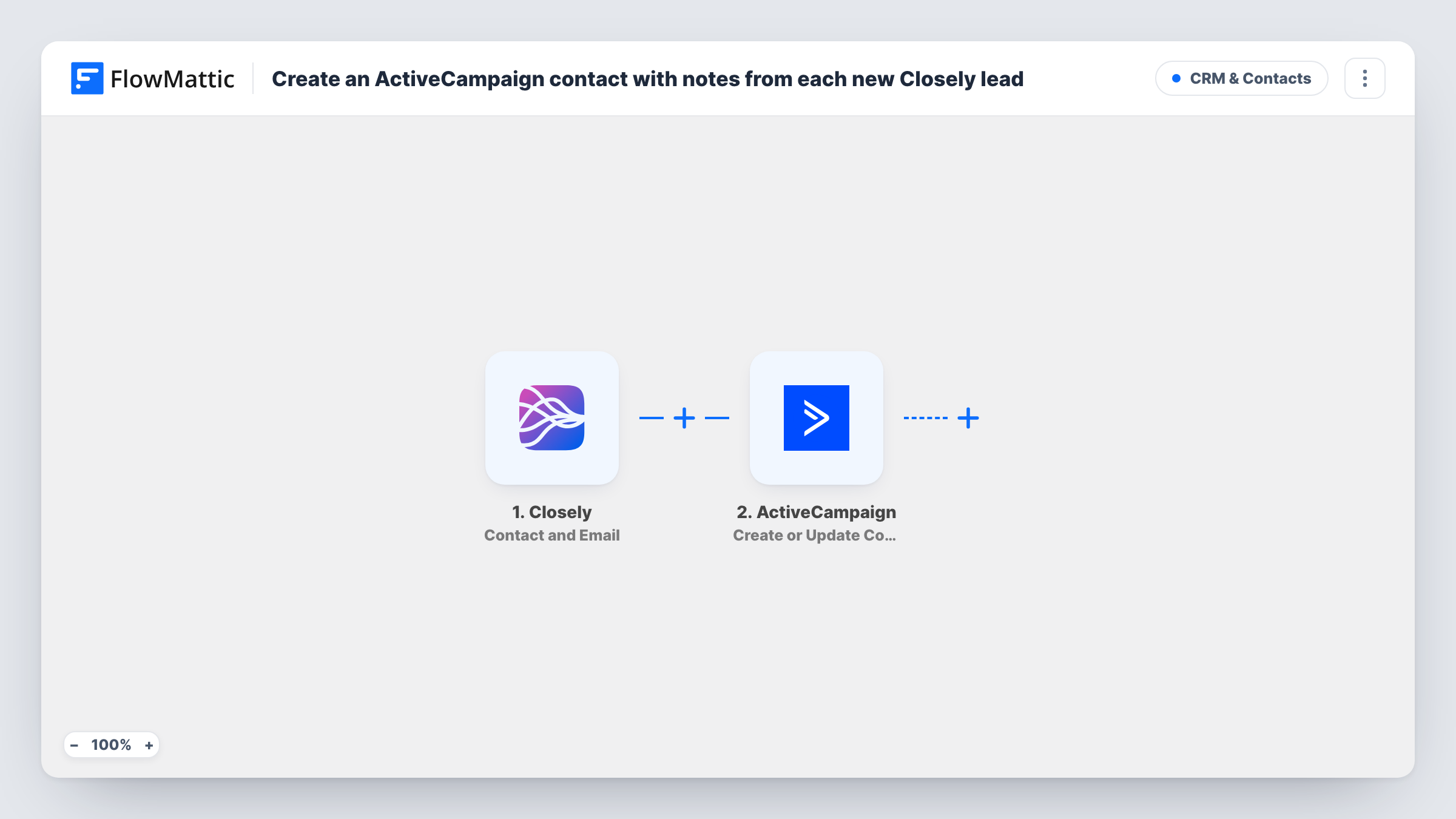
What this workflow does
Leads you find through Closely's LinkedIn outreach are only useful in your email marketing once they sit in ActiveCampaign with some record of where they came from. This workflow moves each one across and leaves a short note on the contact, so anyone opening the record later knows its source.
The Closely Contact and Email trigger starts the run. FlowMattic describes it as firing for a contact's emails and phone numbers, so it brings the lead's details once Closely has an email for them. Closely has no separate new-lead event in FlowMattic, so this trigger is the one that carries new leads.
The first ActiveCampaign step creates the contact, or updates it if the email already exists. It ships unmapped, so after import you map at least the email, plus name and phone if you want them. The second step adds a note to that same contact, using the contact ID the first step returns. The note text is preset to Lead captured from Closely. and you can change it.
If Closely sends details for the same person again, the contact is updated rather than duplicated, but a new note is added each time. You can follow both ActiveCampaign responses for every lead in Task History.
Source tracking for LinkedIn prospects
A B2B consultant runs outreach in Closely and wants every prospect in ActiveCampaign with a note that shows the contact came from LinkedIn, not the website.
Hand-off from outreach to nurture emails
A sales team prospects in Closely, then lets marketing pick up those contacts in ActiveCampaign for a newsletter or an automation.
Clean records for a shared CRM
An agency that works for several clients keeps leads deduplicated by email in ActiveCampaign, with the Closely note showing how each one arrived.
How this workflow runs
What happens at each step once the workflow is on, and what you need before you import it.
 Closely Contact and Email
Fires when Closely sends a contact's email and phone details. The lead's name, email and other contact data are passed to the ActiveCampaign steps.
- ActiveCampaign Create or Update Contact
Creates the contact in ActiveCampaign, or updates the existing one with the same email. The step ships unmapped, so map the Closely email and any name or phone fields you want.
- ActiveCampaign Add Contact Note
Adds a note to the contact from step 2, using the contact ID it returned. The note reads Lead captured from Closely. Edit the wording or map Closely data into it.
What you need
- FlowMatticCore
- Closely AccountAccount
- ActiveCampaign AccountAccount
After importing, map your own data. To keep the template universal, not every step is pre-filled. Open each step in the builder and connect your accounts and fields (channels, lists, sheets, recipients) before you switch the workflow on.
Make it yours
Changes worth making after you import it.
- Run a test and look at what the Closely trigger sends. Map any useful extra detail into the note so it says more than the source.
- Add ActiveCampaign's Add/Remove Tag From Contact step after the note, mapping the contact ID from step 2, so a tag such as closely-lead can start an automation you build in ActiveCampaign.
- Put a Filter between the Closely trigger and the Create or Update Contact step that continues only when the email is not empty, so leads with just a phone number stop before ActiveCampaign.
Questions about this workflow
What happens if the Closely lead is already an ActiveCampaign contact?
The Create or Update Contact step updates the existing contact that has the same email instead of making a second one. The note is still added to that contact.
Can the same Closely lead get several notes in ActiveCampaign?
Yes. Each run adds a new note. If Closely sends that contact's details again, another run adds a second note to the same contact.
Does a lead without an email reach ActiveCampaign?
ActiveCampaign identifies contacts by email, so a run without one may return an error from the Create or Update Contact step. Check Task History, or put a Filter on the email between the Closely trigger and the Create or Update Contact step.
Can I change the Closely note text?
Yes. Edit the note in the Add Contact Note step. You can keep the fixed text or map Closely fields into it.
More CRM & Contacts workflows
Other ready-to-import templates from the same category.




Import this workflow into your WordPress site
Download the JSON, import it from the Workflows screen and connect your accounts. Every run stays on your server, with no per-task fees.
30-day money-back guarantee Unlimited workflows and runs Self-hosted