

Create deals for new form submissions in Fluent Forms
Every Fluent Forms submission on your WordPress site creates a new deal in HubSpot CRM, so quote requests and enquiries land in your sales pipeline instead of an inbox.
 Fluent Forms
 HubSpot CRM
2 steps Setup ~5 min Used on 2.0k sites Free to import
What this workflow does
A form asking for a quote or a project brief is the start of a sale. If someone has to read the entry and create the deal in HubSpot by hand, it can wait days or slip through. This workflow opens the deal as soon as the form is sent.
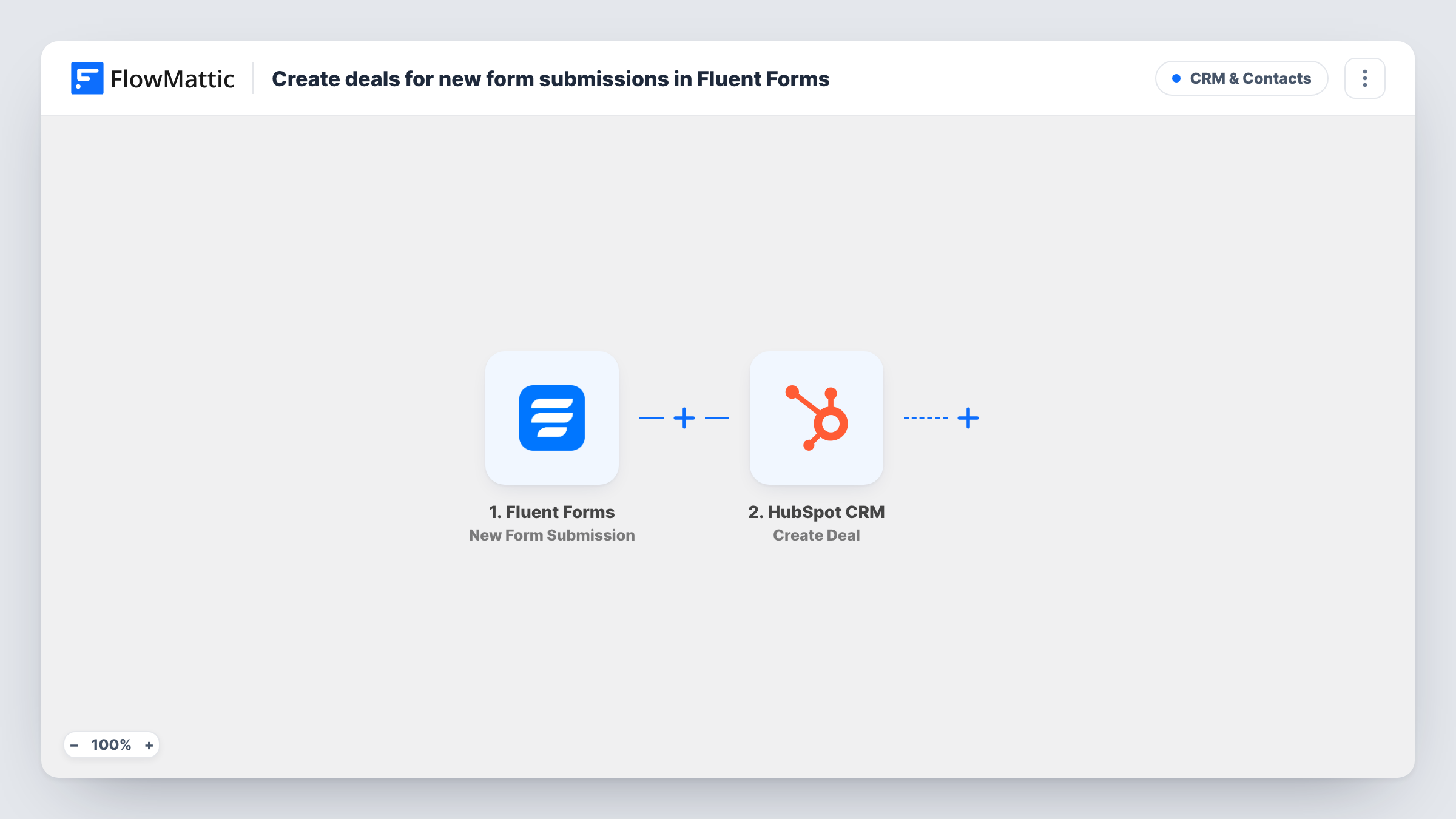
The Fluent Forms trigger runs when a new submission is received. FlowMattic sends the answers to HubSpot CRM, where Create Deal adds a deal. After import, you map the answers into the deal, for example the company or the person's name for the deal name and a budget answer for the amount.
The workflow creates a deal only. It doesn't create or look up a HubSpot contact, so as imported the deal isn't linked to the person who filled in the form. Fluent Forms still stores the entry on your site as usual, and Task History shows what HubSpot returned for each submission.
Quote request form for a service business
A landscaping company's quote form opens a HubSpot deal for each request, and the sales rep works through new deals each morning.
Project enquiries for a web agency
The agency's brief form maps the project type and budget into a deal, so the pipeline shows the value of incoming work.
Demo bookings for a software company
A demo request form on WordPress creates a deal at the first stage of the pipeline, ready for the account executive.
How this workflow runs
What happens at each step once the workflow is on, and what you need before you import it.
 Fluent Forms New Form Submission
Runs when a visitor submits a form built with Fluent Forms on your WordPress site. All answers in the entry are passed to HubSpot for mapping.
- HubSpot CRM Create Deal
Opens a fresh deal in your HubSpot CRM pipeline for the entry. Connect your HubSpot account and map the form answers into the deal, such as a name built from the company field and an amount from a budget answer.
What you need
- FlowMatticCore
- Fluent Forms PluginPlugin
- HubSpot CRM AccountAccount
After importing, map your own data. To keep the template universal, not every step is pre-filled. Open each step in the builder and connect your accounts and fields (channels, lists, sheets, recipients) before you switch the workflow on.
Make it yours
Changes worth making after you import it.
- Put the form's company or project answer in the deal name, so deals from the same source are easy to tell apart in the HubSpot pipeline.
- Add a Filter after the trigger if the form takes several kinds of enquiry and only sales requests should become deals.
- If the budget answer can contain words or symbols, make it a number field in Fluent Forms so the deal amount gets a clean value.
Questions about this workflow
Does this create a HubSpot contact for the Fluent Forms submitter?
No. Only the deal is created. Add a HubSpot contact step before Create Deal if you also want the person stored as a contact.
Is the HubSpot deal associated with a contact?
Not as imported. The deal stands on its own, and you can link it to a contact in HubSpot by hand or extend the workflow.
What if the same person submits the Fluent Forms form twice?
Two deals are created. Each submission is its own run, and Create Deal does not check for an existing deal.
Does Fluent Forms need to be on the same site as FlowMattic?
Yes. The trigger listens to Fluent Forms on the WordPress site where FlowMattic is installed.
More CRM & Contacts workflows
Other ready-to-import templates from the same category.



Import this workflow into your WordPress site
Download the JSON, import it from the Workflows screen and connect your accounts. Every run stays on your server, with no per-task fees.
30-day money-back guarantee Unlimited workflows and runs Self-hosted