

Create new project in Todoist on Stripe payment
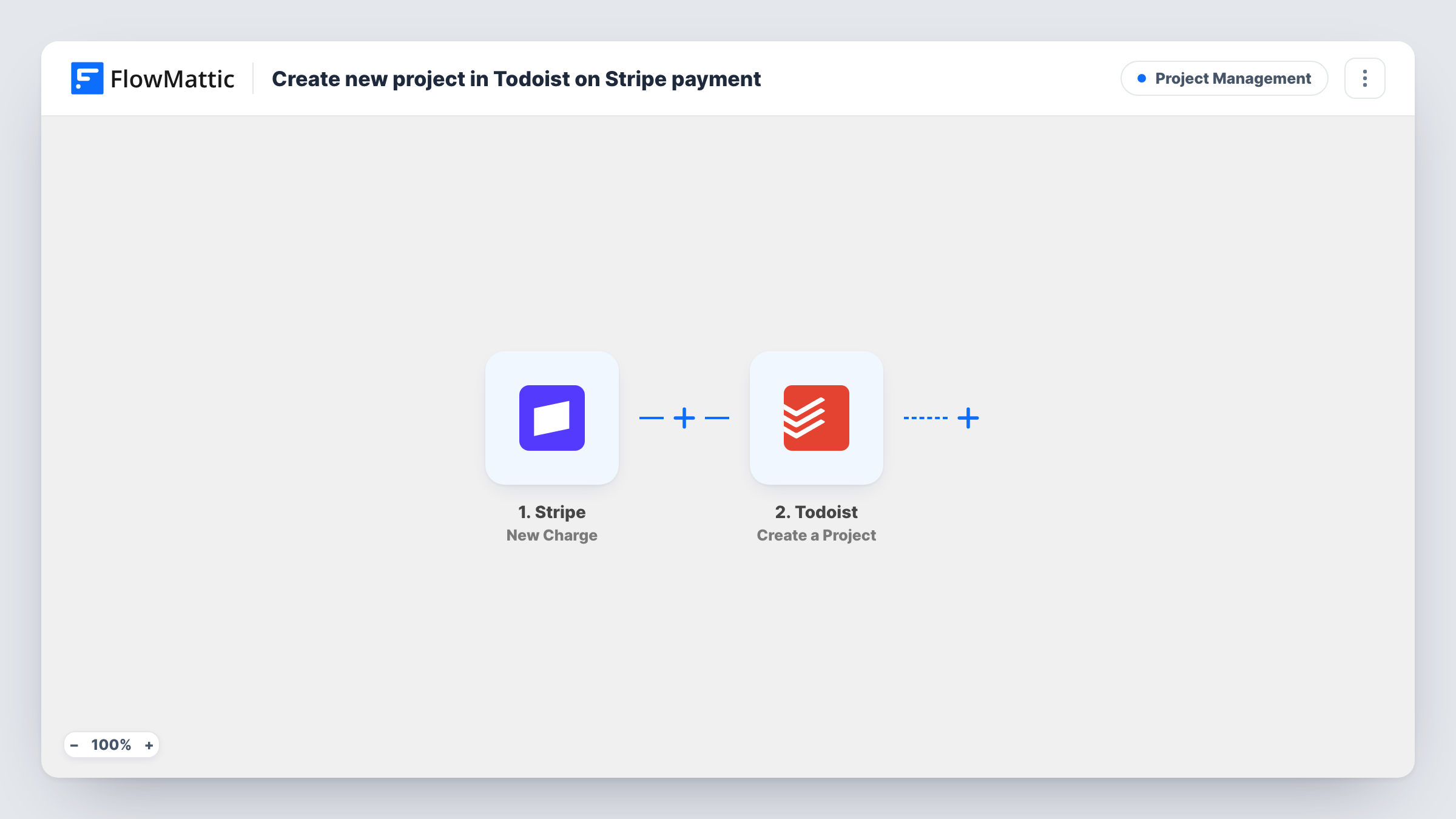
Each successful Stripe charge creates a new project in Todoist, named from the payment details you map, so work for a paying client has its own place to start from.
 Stripe
 Todoist
2 steps Setup ~5 min Used on 1.6k sites Productivity Free to import
What this workflow does
When a client pays, the next job is usually setting up a place to track the work. Doing that by hand means someone has to notice the payment first. This workflow creates a Todoist project as soon as Stripe reports a successful charge.
The Stripe trigger is New Charge, which fires whenever a new charge is created and succeeds. Details of that charge, such as the customer and the amount, become data you can map. The Todoist step then creates a new project. You build the project name from the charge data, for example the customer's name followed by the date, so you can tell projects apart.
The template creates the project only. It doesn't add tasks to it. Every successful charge produces its own project, which includes a repeat payment from an existing client and each charge from a subscription, so think about which payments should start new work. A Filter, covered in the tips, limits which charges get a project.
Freelancer taking deposits
A designer sends a Stripe payment link for a project deposit. When the client pays, a Todoist project named after them is ready to fill with tasks.
Agency onboarding after the first invoice
An agency charges a setup fee through Stripe, and the new Todoist project becomes the shared space for that client's onboarding work.
Custom orders for a maker
A furniture maker takes payment for made-to-order pieces through Stripe and gets a Todoist project per order to plan materials and build steps.
How this workflow runs
What happens at each step once the workflow is on, and what you need before you import it.
 Stripe New Charge
Fires whenever a new Stripe charge is created and is successful. The charge details, including the customer and amount, are passed on for use in the Todoist step.
- Todoist Create a Project
Creates a new project in your Todoist account. Map charge details into the project name so each client or order is easy to find, and connect Todoist when you import.
What you need
- FlowMatticCore
- Stripe AccountAccount
- Todoist AccountAccount
After importing, map your own data. To keep the template universal, not every step is pre-filled. Open each step in the builder and connect your accounts and fields (channels, lists, sheets, recipients) before you switch the workflow on.
Make it yours
Changes worth making after you import it.
- If subscription renewals also go through this Stripe account, add a Filter after the trigger that continues only for the payments that should start new work, for example by amount or description.
- Add Todoist's Create Task action after the project step and map the new project into it, so each project opens with a first task such as a kickoff call.
- Run a test charge in Stripe after import so FlowMattic captures the charge fields, then pick the ones that make a clear project name.
Questions about this workflow
Does every Stripe payment create a Todoist project?
Yes, as imported. Every successful charge runs the workflow, including repeat payments from the same customer. Add a Filter if only certain charges should start a project.
What if a Todoist project with that name already exists?
The step creates a new project each time and does not look for an existing one. A repeat customer can end up with a second project of the same name, so include something unique like the date.
Will failed Stripe payments create projects?
No. The New Charge trigger fires for charges that are created and successful, so declined payments don't start a run.
Does the Todoist project come with tasks?
No. The template only creates the project. Add a Todoist task step after it if you want tasks created at the same time.
More Project Management workflows
Other ready-to-import templates from the same category.






Import this workflow into your WordPress site
Download the JSON, import it from the Workflows screen and connect your accounts. Every run stays on your server, with no per-task fees.
30-day money-back guarantee Unlimited workflows and runs Self-hosted