

Create Google Docs from Gmail emails that match a search every day
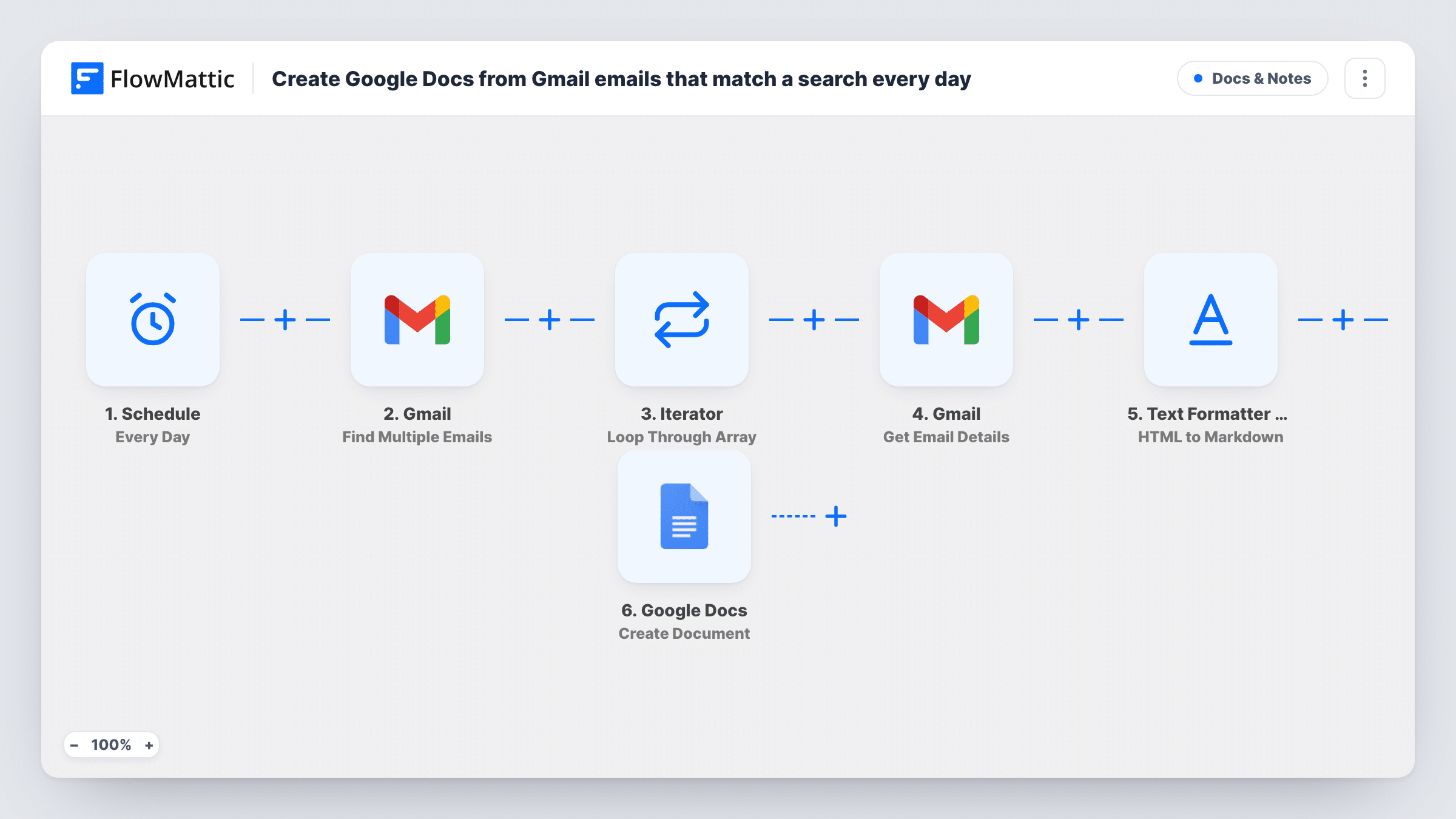
Once a day, FlowMattic searches Gmail for the emails you describe, reads each match, converts its body to Markdown and creates a Google Doc titled with the email’s subject.
 Schedule
 Gmail
Gmail
 Iterator
 Text Formatter by FlowMattic
 Google Docs
6 steps Setup ~12 min Used on 3.4k sites Free to import
What this workflow does
Some emails are worth keeping as documents: supplier briefs, client instructions, newsletters you quote from, reports that arrive by mail. Copying each one into Google Docs by hand is slow. This workflow does it on a daily timer for every email that matches a search you define.
The Schedule trigger runs every day; pick the time after import. The Gmail Find Multiple Emails step then searches your mailbox. Its search is empty in the template, so set it to the emails you want, such as messages from one sender or with a particular label. An Iterator loops through the results, and for each one the Get Email Details step loads the full message using its ID.
The Text Formatter's HTML to Markdown step converts the email's HTML body into Markdown, which strips out the layout code and keeps headings, links and lists as plain text markers. Finally, Google Docs creates a new document with the email's subject as its title and the converted text as its content. These mappings are already in place.
Nothing marks which emails were saved before, so each daily run creates a document for every email that matches the search at that moment, including ones copied on earlier days. Narrow the search to recent mail, or label each email once it is saved and leave that label out of the search.
Client brief archive
A designer keeps every email from a client's domain as a Google Doc, so project instructions sit next to the rest of the project files.
Newsletter research library
A writer saves industry newsletters with a chosen label as Docs, where they can highlight and comment on them.
Supplier updates for the team
An operations lead turns price and stock emails from suppliers into Docs that colleagues without access to the inbox can read.
How this workflow runs
What happens at each step once the workflow is on, and what you need before you import it.
 Schedule Every Day
Runs the workflow every day. The template has no time set, so choose when the daily Gmail search should happen.
- Gmail Find Multiple Emails
Searches your Gmail mailbox and returns the matching emails as a list. Nothing is configured in this step as imported, so set it up to find the emails you want to save.
- Iterator Loop Through Array
Loops through the list of matching emails and runs the next three steps once for each email, passing along its ID.
- Gmail Get Email Details
Loads the full details of the current email, including its subject and HTML body, using the message ID mapped from the Iterator.
- Text Formatter by FlowMattic HTML to Markdown
Converts the email's HTML body to Markdown text, removing the layout markup so the content is easier to read in a document.
- Google Docs Create Document
Creates a new Google Doc whose title is the email subject and whose content is the converted Markdown text. Link the Google account that should own the new documents.
What you need
- FlowMatticCore
- Gmail AccountAccount
- Google Docs AccountAccount
After importing, map your own data. To keep the template universal, not every step is pre-filled. Open each step in the builder and connect your accounts and fields (channels, lists, sheets, recipients) before you switch the workflow on.
Make it yours
Changes worth making after you import it.
- Add Gmail's Add Label to Email action after the Google Docs step, labelling each saved email, and exclude that label in your search so later runs skip emails already copied.
- If your search accepts Gmail's search operators, add one that limits results to the last day, so each run only picks up new mail.
- If the Get Email Details output includes the sender and date, add them to the document title next to the subject, so docs from the same sender are easy to sort.
- Open the first document the workflow creates to check how the Markdown text looks in Google Docs before you let it run daily.
Questions about this workflow
Will the same Gmail email become a Google Doc more than once?
Yes, if it still matches the search on the next run. The workflow doesn't remember which emails it has saved, so limit the search to recent mail or label saved emails and exclude that label.
Do attachments from the email end up in the Google Doc?
No. The document holds the email's body text converted to Markdown. Attachments are not copied.
Why convert the Gmail body to Markdown first?
Most emails are HTML with layout code. Converting to Markdown leaves the readable text, links and headings, which is what the Create Document step puts into the new doc.
Which Gmail emails does it pick up as imported?
None you have chosen yet. The Find Multiple Emails search ships empty, so set it to the sender, label or words that identify the emails you want before switching the workflow on.
More Docs & Notes workflows
Other ready-to-import templates from the same category.





Import this workflow into your WordPress site
Download the JSON, import it from the Workflows screen and connect your accounts. Every run stays on your server, with no per-task fees.
30-day money-back guarantee Unlimited workflows and runs Self-hosted