

Generate quote every day by Shopia and add post to collection in Nuelink to publish on your social media
Once a day, this workflow asks Shopia to write a quote and adds it as a new social media post to a Nuelink collection, so your queue gets fresh content without you writing it each morning.
 Schedule
 Shopia
 Nuelink
3 steps Setup ~5 min Used on 1.8k sites Free to import
What this workflow does
A daily quote is an easy way to keep a social account active, but finding or writing one every day becomes a chore. This workflow hands the writing to Shopia's AI writers and the scheduling to Nuelink, so you only set it up once.
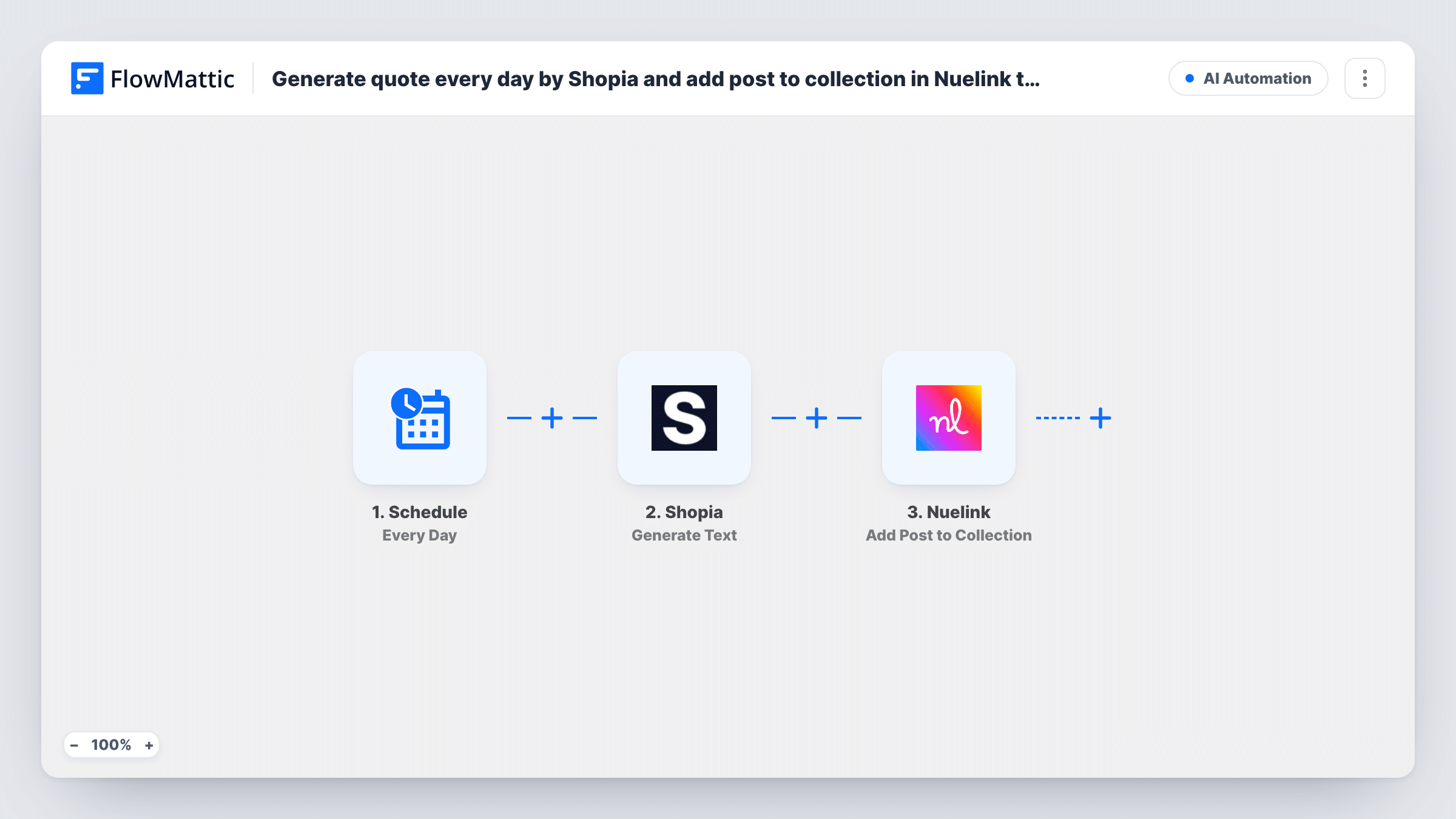
The Schedule trigger runs the workflow once every day. FlowMattic then calls Shopia with Generate Text, which returns a single generated text based on the writer and instructions you choose. That text goes to Nuelink, where Add Post to Collection adds a new social media post to the collection you pick.
Nuelink then handles the post from that collection with your own settings there. Each day's run creates one new post, and the quote is whatever Shopia returns, so review the first few before you let them go out unchecked.
Motivational account for a coach
A fitness or life coach keeps their profile posting a short quote every day while they spend their time on clients.
Brand page between bigger posts
A small business fills the gaps between product posts with a daily quote that fits its tone, set by the Shopia instructions.
Themed quote series
Ask Shopia for quotes on one topic, such as leadership or reading, so the collection builds a consistent series over the month.
How this workflow runs
What happens at each step once the workflow is on, and what you need before you import it.
 Schedule Every Day
Starts the quote workflow once each day on FlowMattic's schedule. No outside event is needed for it to run.
- Shopia Generate Text
Asks Shopia to generate one piece of text. Choose the writer and write instructions that ask for a short quote, then check the returned text in a test run.
- Nuelink Add Post to Collection
Adds the Shopia quote to your Nuelink collection as a new social media post. Connect Nuelink, pick the collection and map the generated text into the post.
What you need
- FlowMatticCore
- Shopia AccountAccount
- Nuelink AccountAccount
After importing, map your own data. To keep the template universal, not every step is pre-filled. Open each step in the builder and connect your accounts and fields (channels, lists, sheets, recipients) before you switch the workflow on.
Make it yours
Changes worth making after you import it.
- Ask Shopia for one quote only, with no intro line, so the text that reaches Nuelink is ready to post as it is.
- Test the Shopia step a few times after import and read each quote it returns before you switch the daily workflow on.
- Use a separate Nuelink collection for these quotes, so you can review or pause them without touching your other posts.
Questions about this workflow
Does Nuelink publish the Shopia quote right away?
The workflow adds the post to a Nuelink collection. When and where it is published depends on how that collection is set up in Nuelink.
Will Shopia ever return the same quote twice?
The workflow doesn't check for repeats. Each day it posts whatever Shopia returns, so vary your instructions if you notice repetition.
Can I run the Shopia quote workflow less often than daily?
Yes. Change the Schedule trigger to Every Week or another interval FlowMattic offers, and the rest of the workflow stays the same.
More AI Automation workflows
Other ready-to-import templates from the same category.








Import this workflow into your WordPress site
Download the JSON, import it from the Workflows screen and connect your accounts. Every run stays on your server, with no per-task fees.
30-day money-back guarantee Unlimited workflows and runs Self-hosted