

Generate voice narrations from new Notion database items and archive to Discord
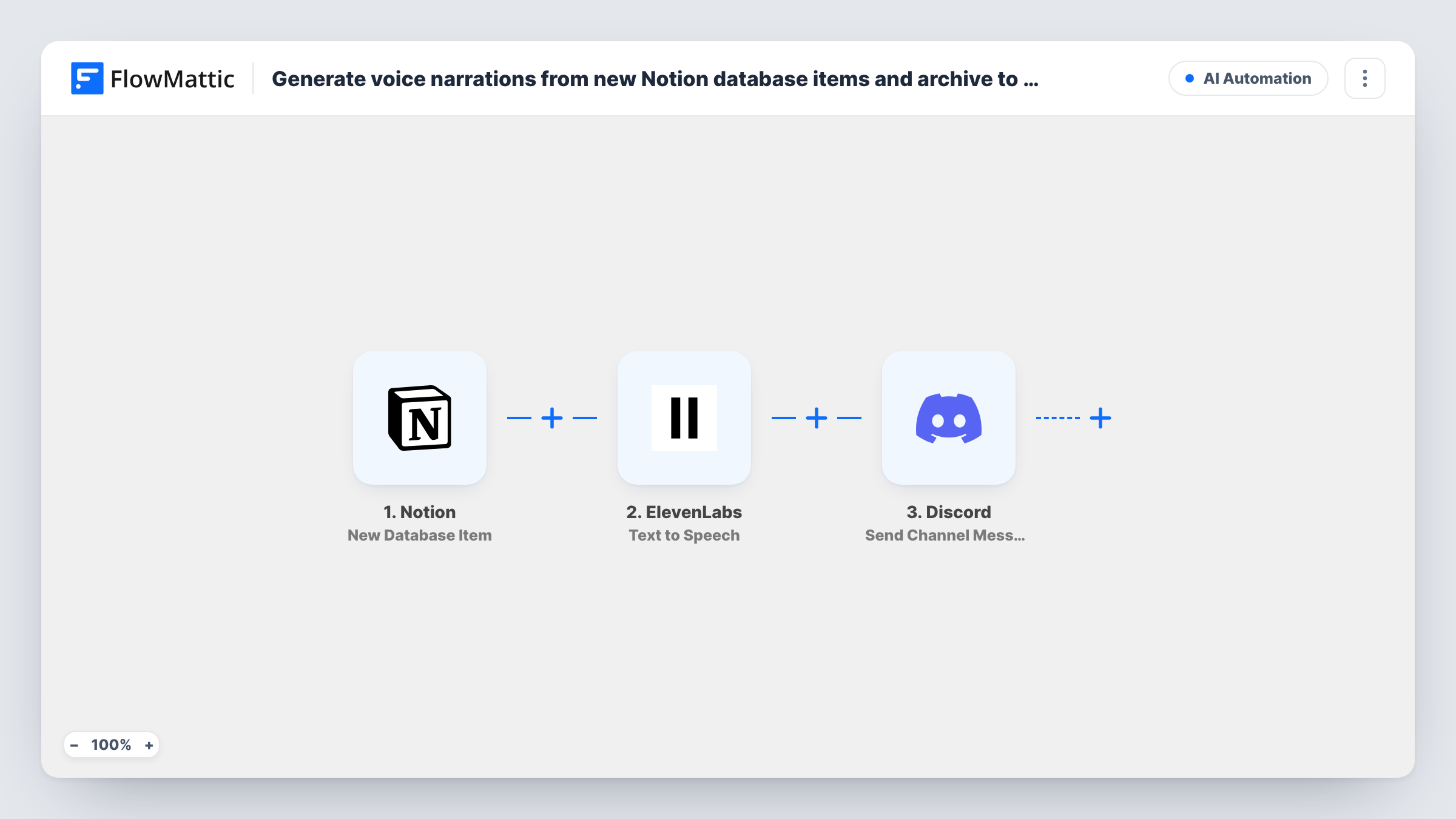
New items in a Notion database are read aloud by ElevenLabs Text to Speech, and FlowMattic then posts a message to a Discord channel so the narration and its source item are kept in one place.
 Notion
 ElevenLabs
 Discord
3 steps Setup ~5 min Used on 846 sites Free to import
What this workflow does
Written notes are easy to skim but hard to take in on the go. If your team keeps briefs, updates or scripts in a Notion database, an audio version lets people listen instead. This workflow creates that audio for each new item and posts it to Discord.
The Notion trigger fires when a new item is created in the database you connect. You map the text you want spoken, such as a summary property, into the ElevenLabs Text to Speech step, which turns it into speech with an ElevenLabs voice. The last step posts to a Discord channel, where you combine the item's title with what ElevenLabs returned.
Run a test with one new Notion item before relying on it. Task History shows what the ElevenLabs step returned, so you can confirm it gives a link or file reference you can map into the Discord message. Every new item in the database runs all three steps, so choose a database that holds only the items you want narrated.
Audio versions of weekly team updates
A manager adds the weekly update to a Notion database, and the team gets an audio version in their Discord channel to play during a commute.
Podcast or video script drafts
A creator drafts short scripts in Notion and hears each one read aloud in Discord to check the pacing before recording.
Study notes for a learning community
Course notes added to a Notion database are narrated and shared in the community's Discord study channel.
How this workflow runs
What happens at each step once the workflow is on, and what you need before you import it.
 Notion New Database Item
Starts whenever someone adds an entry to the chosen Notion database. The item's properties are passed on so you can choose the text to narrate.
- ElevenLabs Text to Speech
Converts the text you map from the Notion item into speech with ElevenLabs. Connect your ElevenLabs account, map the text, and check a test run for what the step returns.
- Discord Send Channel Message
Posts the narration notice to a Discord channel of your choice. Map the Notion item's title and the output of the ElevenLabs step into it, so each narration is labelled.
What you need
- FlowMatticCore
- Notion AccountAccount
- ElevenLabs AccountAccount
- Discord AccountAccount
After importing, map your own data. To keep the template universal, not every step is pre-filled. Open each step in the builder and connect your accounts and fields (channels, lists, sheets, recipients) before you switch the workflow on.
Make it yours
Changes worth making after you import it.
- Add a Filter after the trigger that continues only when the text property you narrate is not empty, so blank items don't call ElevenLabs.
- Narrate a short property, such as a summary you write for each item, so each clip stays easy to listen to.
- If the Notion trigger data includes the item's URL, map it into the Discord message too, so listeners can open the written version.
- Add a Google Sheets row after Discord if you also want a list of every narrated item.
Questions about this workflow
Which part of the Notion item does ElevenLabs read out?
The text you map into the Text to Speech step. Pick a property from the new database item, such as a title or a summary field you keep for this purpose.
Does the Discord message include the ElevenLabs audio?
It includes whatever you map from the ElevenLabs step. Run a test and check Task History for what that step returned, then map the link or file reference into the message.
Do edits to an existing Notion item create a new narration?
No. The trigger fires when a new item is created in the database. Changes to items that already exist don't start the workflow.
Do I need an ElevenLabs account for the Notion narrations?
Yes. The Text to Speech step runs through your own ElevenLabs account, which you connect in FlowMattic.
More AI Automation workflows
Other ready-to-import templates from the same category.







Import this workflow into your WordPress site
Download the JSON, import it from the Workflows screen and connect your accounts. Every run stays on your server, with no per-task fees.
30-day money-back guarantee Unlimited workflows and runs Self-hosted