

Log every won Nutshell lead in a Google Sheets revenue tracker
Each time a lead is marked won in Nutshell, this workflow adds a row to your Google Sheets revenue tracker with the deal details you map, giving finance and leadership a running list of closed business.
 Nutshell
 Google Sheets
2 steps Setup ~5 min Used on 2.7k sites Free to import
What this workflow does
Your CRM knows which deals closed, but the people who track revenue often work from a spreadsheet. Copying each win across by hand is easy to forget at month end. This workflow writes every won lead from Nutshell into a Google Sheets tracker as it happens.
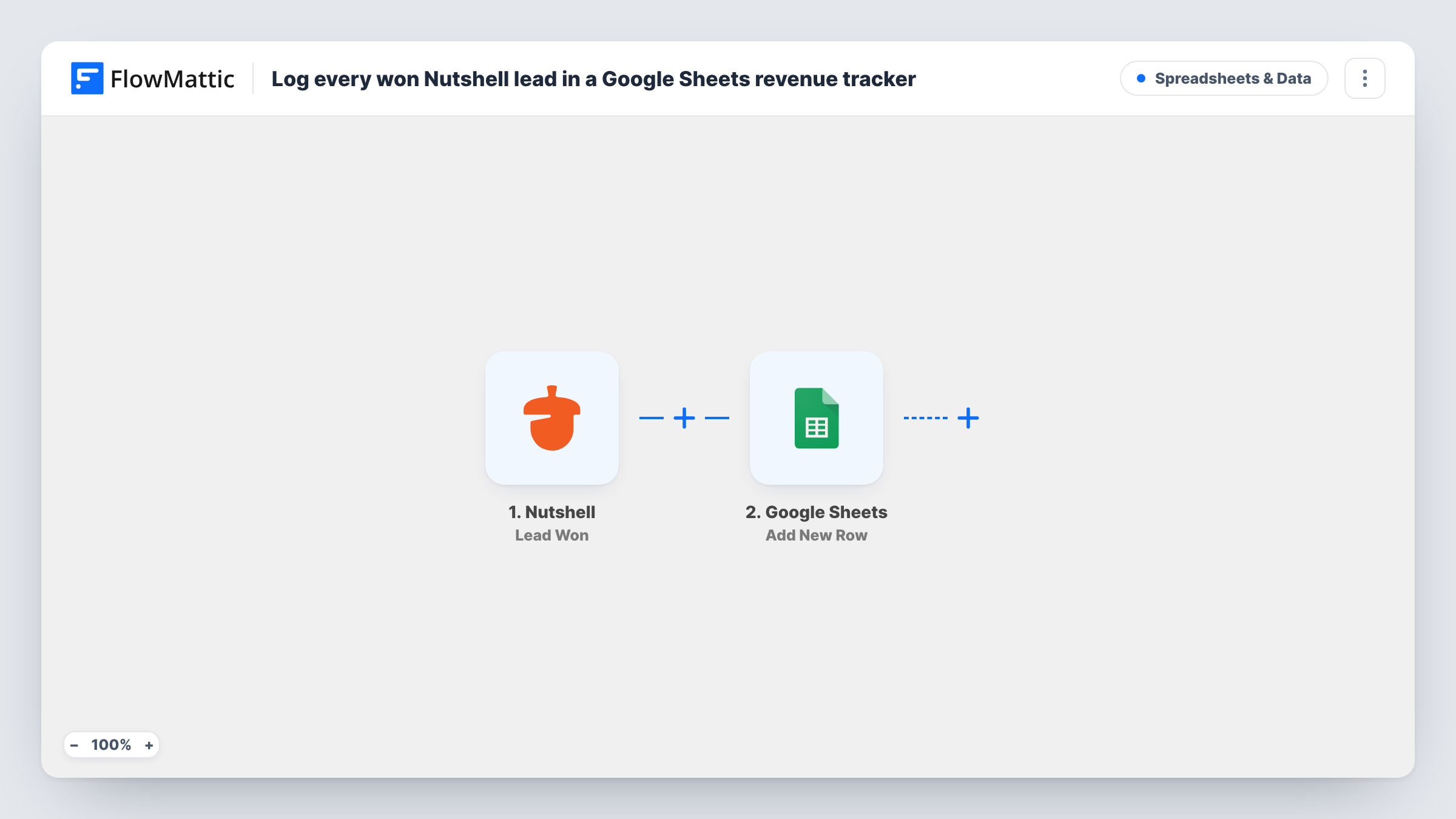
The Nutshell trigger, Lead Won, fires when a lead is won. Whatever Nutshell sends about the lead becomes a value you can map; a test win shows exactly which details arrive, including the deal value if Nutshell sends it.
The Google Sheets step adds a new row to the spreadsheet and sheet you choose, with each column filled from the lead. Totals and charts are up to you: add formulas or a pivot table on top of the rows, and they update as new wins arrive. Each Lead Won event adds its own row, and the workflow does not look in the sheet for an earlier row about the same lead. Each run, with the exact values that went into the tracker, is listed in Task History.
Monthly revenue roll-up
A sales manager adds a SUM by month on top of the rows, so the tracker shows closed revenue without exporting reports from Nutshell.
Commission tracking
If Nutshell sends the lead's owner, map it into a column. Finance can then total each rep's wins from the same sheet when commissions are due.
Sharing wins with people outside the CRM
Investors or partners without Nutshell access get view access to the sheet and see each new win as it is recorded.
How this workflow runs
What happens at each step once the workflow is on, and what you need before you import it.
 Nutshell Lead Won
Fires when a lead is marked won in Nutshell. The lead's details are passed on so you can choose what goes into each column of the tracker.
- Google Sheets Add New Row
Writes a row for the won lead into your Google Sheets revenue tracker. Pick the spreadsheet and sheet, map Nutshell values to the columns and connect your Google account.
What you need
- FlowMatticCore
- Nutshell AccountAccount
- Google Sheets AccountAccount
After importing, map your own data. To keep the template universal, not every step is pre-filled. Open each step in the builder and connect your accounts and fields (channels, lists, sheets, recipients) before you switch the workflow on.
Make it yours
Changes worth making after you import it.
- Add a date column and map the time of the win if your test run shows one, so the tracker can be grouped by month or quarter.
- If only larger deals belong in the tracker, add a Filter after the trigger on the lead value, keeping in mind that a blank value counts as 0 in number comparisons.
- Keep formulas and charts on a separate tab that reads from the rows, so new rows added by the workflow never land on top of your totals.
Questions about this workflow
Which Nutshell details can go into the revenue tracker?
Any value Nutshell sends with the Lead Won event. Mark a test lead as won, then map the values you see to your columns.
Will deals I won in Nutshell before turning this on be added?
No. Only leads won while the workflow is active are written to the sheet. Older wins need to be added to the tracker by hand.
Does the sheet need headers before I import the Nutshell workflow?
Yes. Set up the header row first, so the Google Sheets step can show you each column to map a Nutshell value into.
What if Nutshell reports the same lead as won twice?
Each Lead Won event is a separate run, and the step does not check for an existing row, so the lead would appear twice. Check for duplicates if your team reopens deals.
More Spreadsheets & Data workflows
Other ready-to-import templates from the same category.


Import this workflow into your WordPress site
Download the JSON, import it from the Workflows screen and connect your accounts. Every run stays on your server, with no per-task fees.
30-day money-back guarantee Unlimited workflows and runs Self-hosted