

Notify the maintenance team on Telegram when a new category is added to a work order
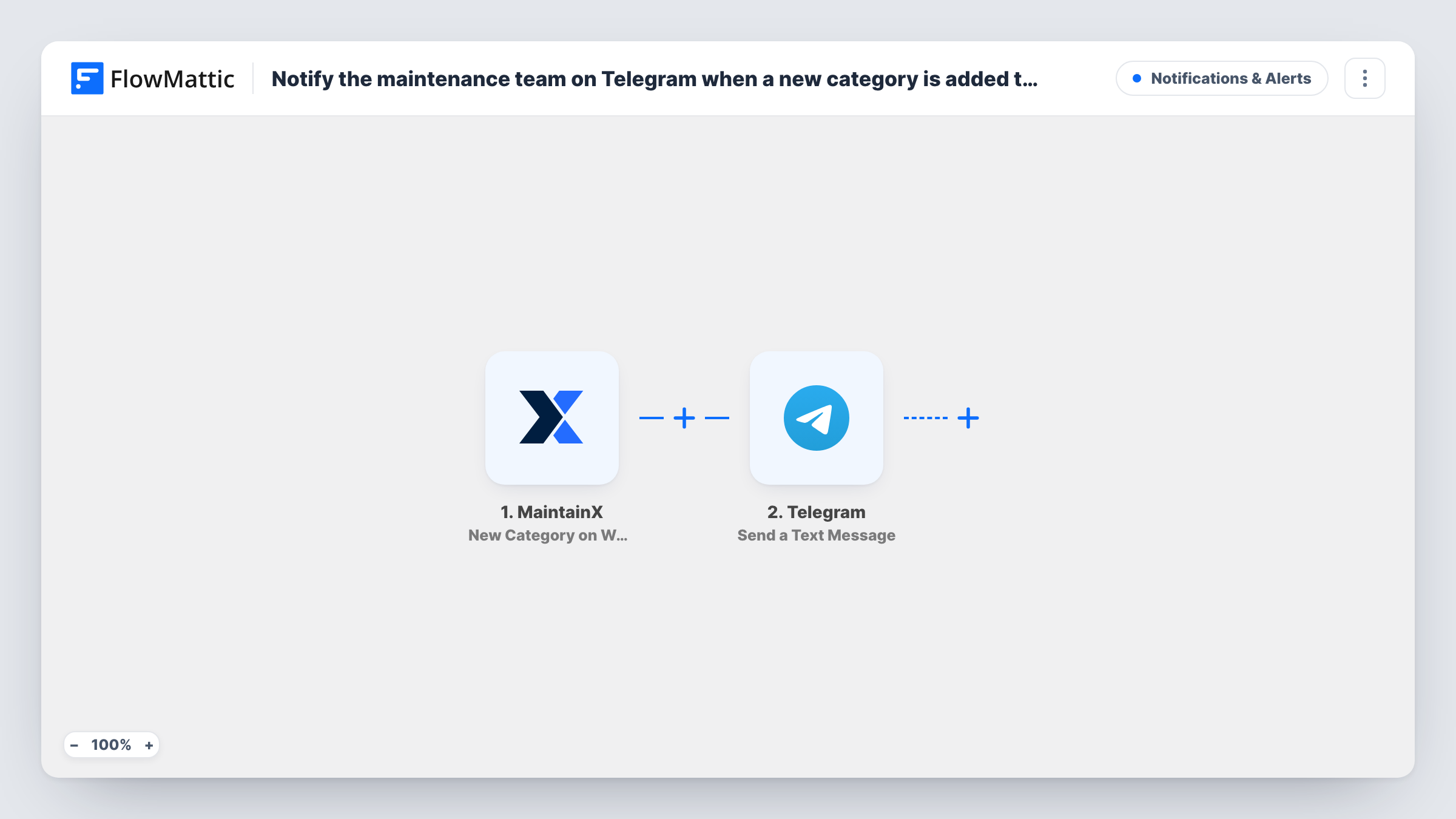
When a category is added to a MaintainX work order, this workflow sends a Telegram text message, so your maintenance team hears about the change on their phones.
 MaintainX
 Telegram
2 steps Setup ~5 min Used on 573 sites Free to import
What this workflow does
Categories in MaintainX often decide who handles a job, such as electrical, plumbing or safety. When someone adds one to a work order, the people in that trade need to know. Many crews already use Telegram on the floor, so this workflow sends the news there.
The MaintainX trigger fires when a new category is added to a work order. FlowMattic passes the work order and category details to Telegram, where Send a Text Message posts your message through your bot. You write the text and drop in values from MaintainX, and the action supports markup for simple formatting.
Every category added starts its own run, so a work order given two categories sends two messages. Nothing filters by category as imported. Task History shows each run and Telegram's response.
Safety categories flagged to the supervisor
When a work order is tagged with a safety category, the shift supervisor's Telegram group gets the message straight away.
Trade crews picking up their jobs
An electrician sees in Telegram that a work order now carries the electrical category and knows it is theirs to look at.
A running feed for a small facility
A single Telegram group shows every category change across work orders, so the team lead can follow what is being sorted.
How this workflow runs
What happens at each step once the workflow is on, and what you need before you import it.
 MaintainX New Category on Work Order
Fires when a new category is added to a work order in MaintainX. The work order and category details are passed to the Telegram step.
- Telegram Send a Text Message
Sends a text message through your Telegram bot. Write the message, map work order values into it, and choose where it goes, then send a test to check it arrives.
What you need
- FlowMatticCore
- MaintainX AccountAccount
- Telegram AccountAccount
After importing, map your own data. To keep the template universal, not every step is pre-filled. Open each step in the builder and connect your accounts and fields (channels, lists, sheets, recipients) before you switch the workflow on.
Make it yours
Changes worth making after you import it.
- Add a Filter after the trigger so only certain categories, such as Safety, send a message. Use the category value from a test run in the condition.
- Put the work order title and category at the start of the message, so the team can read the alert from a phone notification without opening Telegram.
- Your Telegram bot must be able to post where you send the message. Add it to the group first and run a test from FlowMattic.
Questions about this workflow
Does the MaintainX trigger fire when a work order is created?
Not for creation itself. It fires when a category is added. MaintainX's New Work Order trigger in FlowMattic covers new work orders.
What has to be set up in Telegram for MaintainX alerts?
A Telegram bot connected to FlowMattic, and the bot added to the chat or group that should receive the messages.
Can the Telegram message show which category was added?
Yes, if MaintainX includes it in the trigger data. Check a test run, then map the category value into the message text.
More Notifications & Alerts workflows
Other ready-to-import templates from the same category.



Import this workflow into your WordPress site
Download the JSON, import it from the Workflows screen and connect your accounts. Every run stays on your server, with no per-task fees.
30-day money-back guarantee Unlimited workflows and runs Self-hosted