

Notify the team on Slack when someone loses access to the product in DAP
When a member loses access to a product in Digital Access Pass, FlowMattic posts a message in the Slack channel you choose, so your team knows about lost access and can reach out to the member.
 Digital Access Pass ( DAP )
 Slack
2 steps Setup ~5 min Used on 787 sites Free to import
What this workflow does
A member losing access to a product in Digital Access Pass might follow a cancellation, a payment problem or the end of an access period. In each case it can be worth a human follow-up, and that only happens if someone notices. This workflow tells your team in Slack each time it happens.
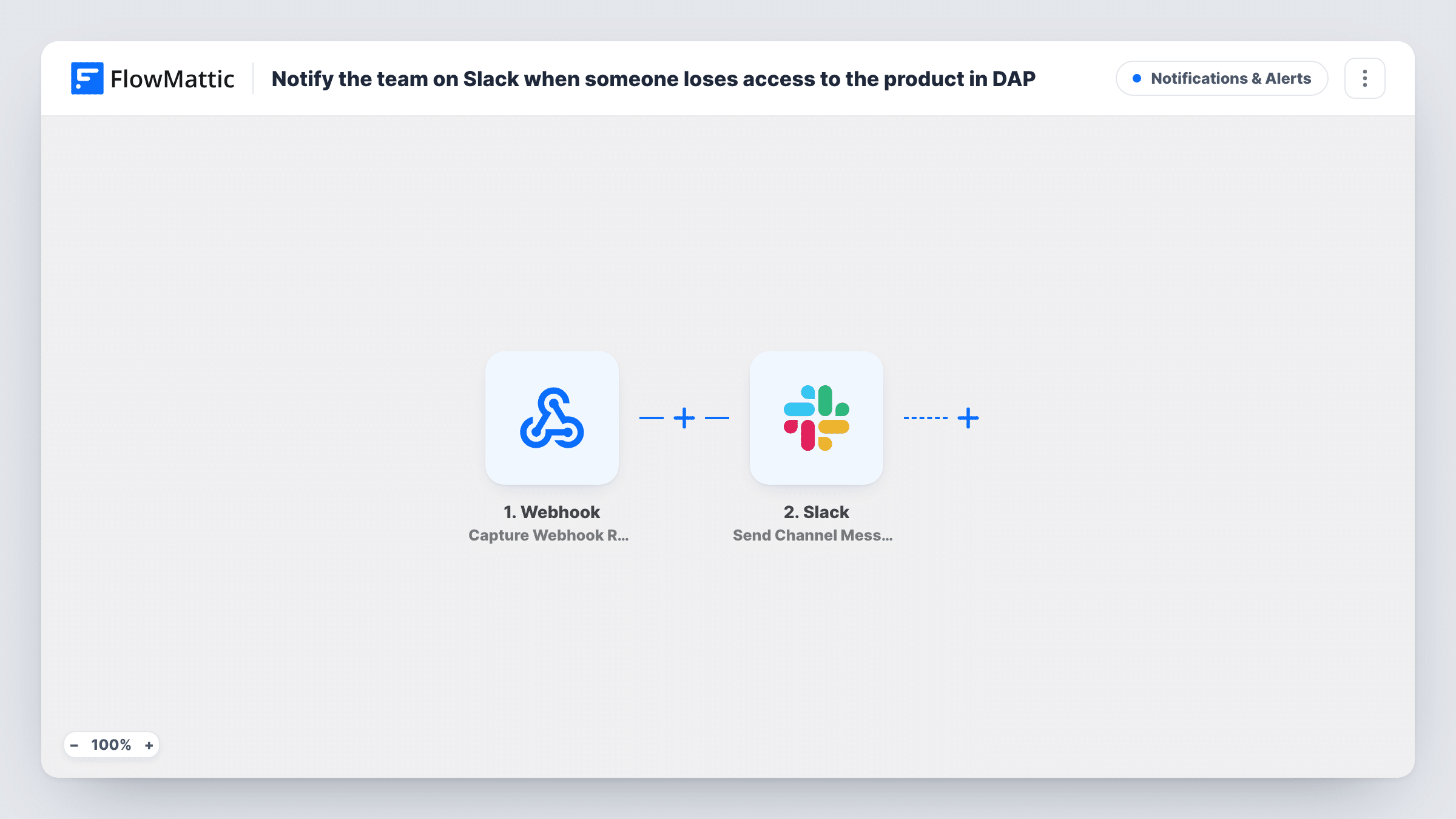
The Digital Access Pass ( DAP ) trigger fires when a user loses access to a product, and passes on the user and product details. Trigger it once with a test member after import to see which fields arrive, such as the member's name, email and the product.
The Slack step then posts a message to one channel. It ships unmapped: connect Slack, choose the channel and write the message, mapping in who lost access and to which product, so the person reading it can act without opening WordPress.
Every lost-access event posts a message, whatever the reason behind it. The trigger itself doesn't say why access ended, unless that shows in the data of a test run. Task History lists each run with the DAP data and Slack's response.
Win-back calls for a membership site
A fitness membership's support lead sees each lost member in #churn and sends a personal email offering help to rejoin.
Course access ending
An online course creator gets a Slack note when a student's access to a course product ends, and checks whether it was meant to.
Spotting payment problems
A software seller using DAP for downloads watches the channel for customers losing access unexpectedly, which can point to a billing issue to look into.
How this workflow runs
What happens at each step once the workflow is on, and what you need before you import it.
 Digital Access Pass ( DAP ) User Loses Access to Product
Fires when a member loses access to a product in Digital Access Pass. The member and product details are passed on; remove a test member's access once to see what arrives.
- Slack Send Channel Message
Posts a message about the lost access to a Slack channel. The step ships unmapped: connect Slack, pick the channel and write the text with the member's name, email and product mapped in.
What you need
- FlowMatticCore
- Digital Access Pass ( DAP ) AccountAccount
- Slack AccountAccount
After importing, map your own data. To keep the template universal, not every step is pre-filled. Open each step in the builder and connect your accounts and fields (channels, lists, sheets, recipients) before you switch the workflow on.
Make it yours
Changes worth making after you import it.
- Use a private channel for these alerts if member emails shouldn't be visible to everyone, and switch to Slack's Send Private Channel Message action for it.
- Put a Filter between the DAP trigger and the Slack step that continues only for the product you care about, so access ending on free or trial products stays out of the channel.
- Mention the member's email in the message, so whoever follows up can find them in DAP or your email tool.
Questions about this workflow
Does the Slack message say why the member lost access in DAP?
Only if the trigger data includes a reason. Check a test run in Task History; the event is about access ending, so you may need to look up the cause in DAP yourself.
Can I get a Slack alert when a member gains access as well?
Yes, in a second workflow. Digital Access Pass also has a User Receives Access to Product trigger in FlowMattic, which you can pair with the same Slack step.
Will one member losing several products send several messages?
Each product the member loses access to is its own event, so expect one Slack message for each product.
More Notifications & Alerts workflows
Other ready-to-import templates from the same category.


Import this workflow into your WordPress site
Download the JSON, import it from the Workflows screen and connect your accounts. Every run stays on your server, with no per-task fees.
30-day money-back guarantee Unlimited workflows and runs Self-hosted