

Send a Slack alert for every missed incoming TeleCMI call
Every missed incoming call on your TeleCMI number posts a message to a Slack channel, so someone on the team sees it and can call the person back.
 TeleCMI
 Slack
Slack2 steps Setup ~5 min Used on 719 sites Free to import
What this workflow does
A missed call can be a customer or a lead waiting for an answer. Phone systems record those calls, but nobody looks at the log until later. Putting each one in Slack makes it visible to the whole team while the caller is still waiting to hear back.
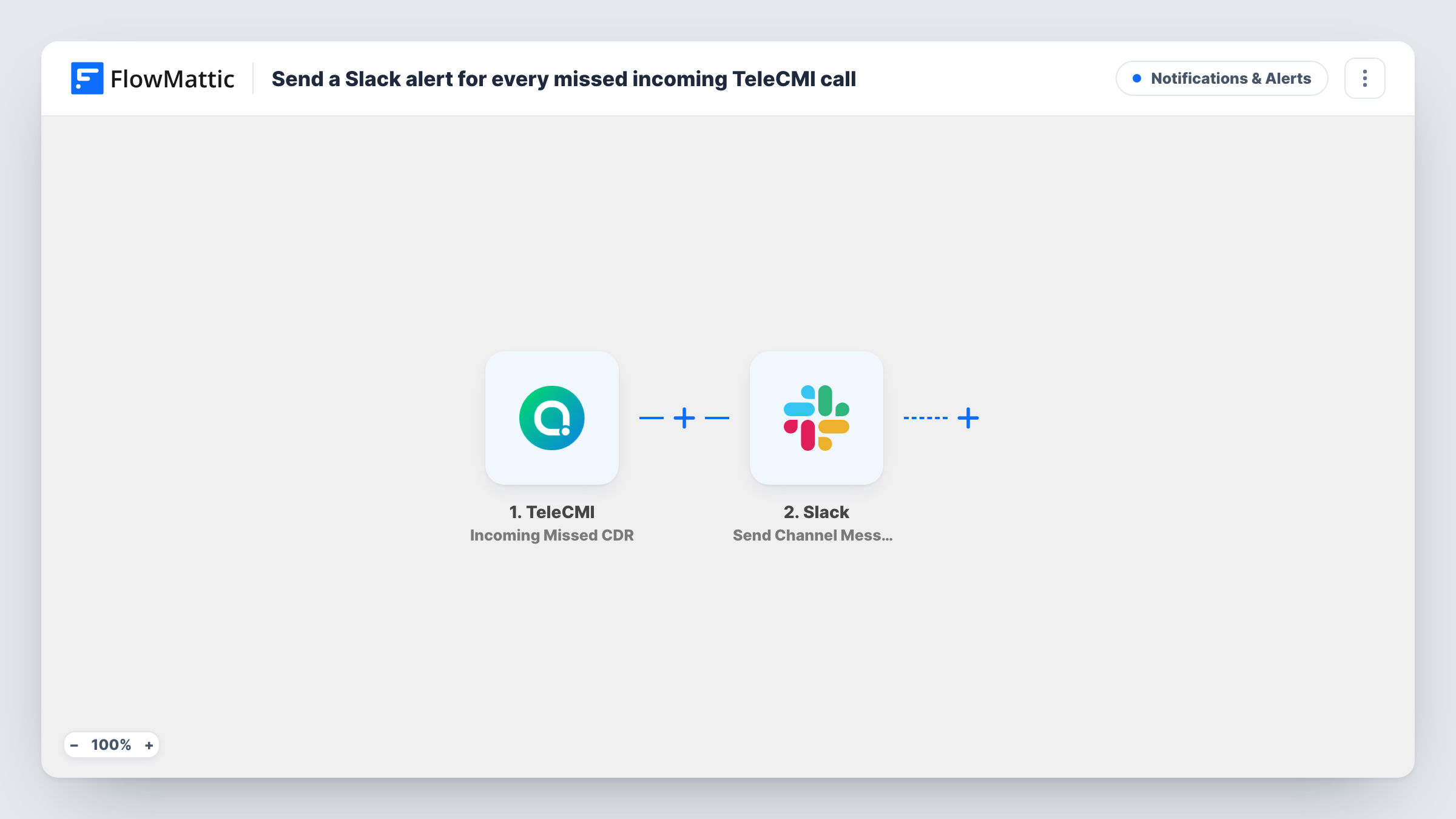
The TeleCMI trigger, Incoming Missed CDR, runs when TeleCMI records a missed incoming call. CDR stands for call detail record, the log entry TeleCMI keeps for each call. FlowMattic passes that record to the Slack Send Channel Message action, which posts your message to the channel you choose with the call details you place in it.
One missed call means one Slack message. The workflow does not change anything in TeleCMI and does not call anyone back for you; it makes sure the call is seen. Each run is kept in Task History.
Sales line callbacks
Missed calls on your TeleCMI sales number land in the sales channel, and whoever is free replies in the thread before calling the prospect back.
Support desk after a busy spell
When every agent is on a call, the TeleCMI calls that went unanswered queue up in Slack so the team can work through them once lines clear.
Small office without a receptionist
Missed calls to the office number show up in a shared Slack channel that everyone checks, instead of sitting in a call log nobody opens.
How this workflow runs
What happens at each step once the workflow is on, and what you need before you import it.
 TeleCMI Incoming Missed CDR
Runs when TeleCMI records a missed incoming call. The call detail record is passed on so you can include its details in the Slack message.
- Slack Send Channel Message
Posts a message about the missed call to your chosen Slack channel. Connect Slack, select the channel, and build the text from the details in the TeleCMI call record.
What you need
- FlowMatticCore
- TeleCMI AccountAccount
- Slack AccountAccount
After importing, map your own data. To keep the template universal, not every step is pre-filled. Open each step in the builder and connect your accounts and fields (channels, lists, sheets, recipients) before you switch the workflow on.
Make it yours
Changes worth making after you import it.
- Run a test call to your TeleCMI number and let it ring out, so FlowMattic captures a real missed-call record before you write the Slack message.
- Add a Google Sheets step after the Slack message if you also want a running log of missed calls you can review each week.
- Use a Router on the number that was called, if TeleCMI includes it, to post missed calls for sales and support lines to separate channels.
Questions about this workflow
Does a missed TeleCMI call post more than one Slack message?
Each missed-call record TeleCMI sends runs the workflow once, so you get one message per record. Check Task History if you see repeats.
Are outgoing or answered TeleCMI calls posted too?
No. The trigger is Incoming Missed CDR, so only missed incoming calls run this workflow. TeleCMI has separate triggers for other call types.
Can the Slack alert include the caller's number?
If the missed-call record carries it, yes. Test the trigger after import to see which details TeleCMI sends, then add them to the message.
Does this workflow call the person back?
No. It only posts to Slack. A team member decides who calls back and when.
More Notifications & Alerts workflows
Other ready-to-import templates from the same category.






Import this workflow into your WordPress site
Download the JSON, import it from the Workflows screen and connect your accounts. Every run stays on your server, with no per-task fees.
30-day money-back guarantee Unlimited workflows and runs Self-hosted