

Post a Discord announcement when a new GivingFuel form is published
When you publish a new form in GivingFuel, FlowMattic posts an announcement in your Discord channel, so your supporters or volunteers hear about the new campaign where they already gather.
 GivingFuel
 Discord
2 steps Setup ~5 min Used on 1.1k sites Free to import
What this workflow does
Launching a new donation or registration form usually means telling people about it in several places. If your community talks on a Discord server, the announcement there is easy to forget on launch day. This workflow posts it for you when the form goes live.
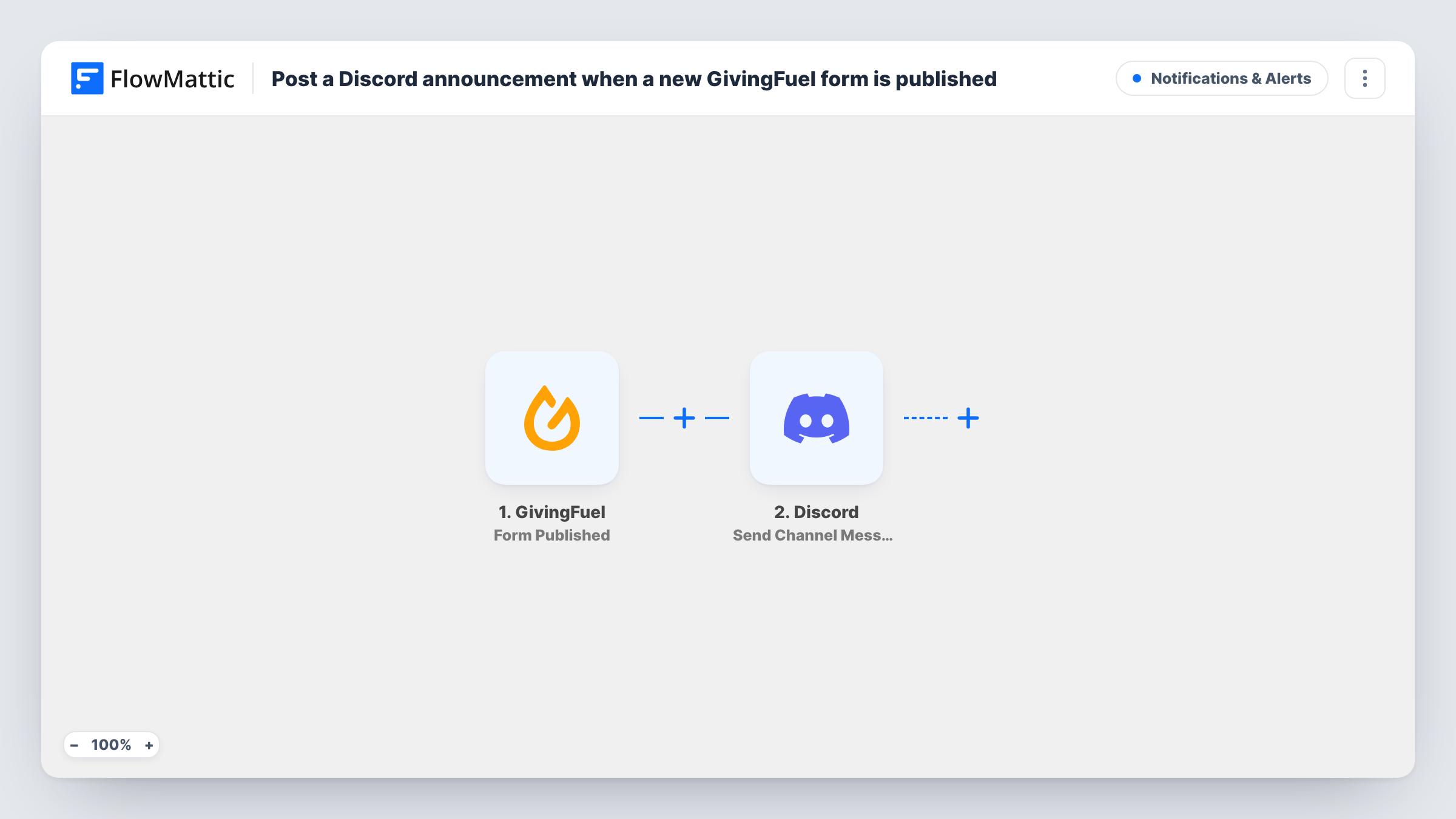
The GivingFuel trigger fires when a form is published in your account, and the form's data comes through with the event. Next, FlowMattic sends your announcement to a Discord channel of your choice. You write the announcement and can place details from the form in it, such as its name or a link, where GivingFuel provides them.
The post goes out for every form you publish, including internal or test forms, unless you add a Filter. It does not repeat when a form is edited later. Task History lists each run so you can check what was posted and when.
Launching a year-end appeal
A nonprofit publishes its December donation form in GivingFuel, and the community Discord gets an announcement carrying the form's details.
Volunteer event sign-ups
Each new registration form for a cleanup day or food drive is announced in the volunteers' Discord channel so people can sign up.
Keeping staff in the loop
A private staff channel receives a note whenever a colleague publishes a form, so nobody is surprised by a new campaign page.
How this workflow runs
What happens at each step once the workflow is on, and what you need before you import it.
 GivingFuel Form Published
Fires when a form is published in your GivingFuel account. Details of the published form are captured for the announcement.
- Discord Send Channel Message
Sends the announcement to the Discord channel you select. Connect your Discord account and write the message, adding GivingFuel form details where useful.
What you need
- FlowMatticCore
- GivingFuel AccountAccount
- Discord AccountAccount
After importing, map your own data. To keep the template universal, not every step is pre-filled. Open each step in the builder and connect your accounts and fields (channels, lists, sheets, recipients) before you switch the workflow on.
Make it yours
Changes worth making after you import it.
- Add a Filter after the trigger so only forms whose name contains a word you choose, such as Appeal, are announced, keeping test forms out of Discord.
- Publish a test form after import and look at Task History to see which GivingFuel fields, like the form's link, you can drop into the post.
- Want the news in more places? Add a second action after Discord, such as an email to your mailing list or a post in another chat app.
Questions about this workflow
Will editing a GivingFuel form post a second Discord message?
No. The trigger is Form Published, so the post goes out when a form is published, not when you change it later.
Can the Discord post include a link to the GivingFuel form?
Yes, if GivingFuel sends the link with the published form event. Run a test publish to see the available fields, then map the link into the message.
What if I publish a GivingFuel form for internal testing?
It is announced like any other, as imported. Add a Filter on the form name or another field to keep test forms out of the channel.
More Notifications & Alerts workflows
Other ready-to-import templates from the same category.



Import this workflow into your WordPress site
Download the JSON, import it from the Workflows screen and connect your accounts. Every run stays on your server, with no per-task fees.
30-day money-back guarantee Unlimited workflows and runs Self-hosted