

Post a Discord notification for every new Krisp outline generated
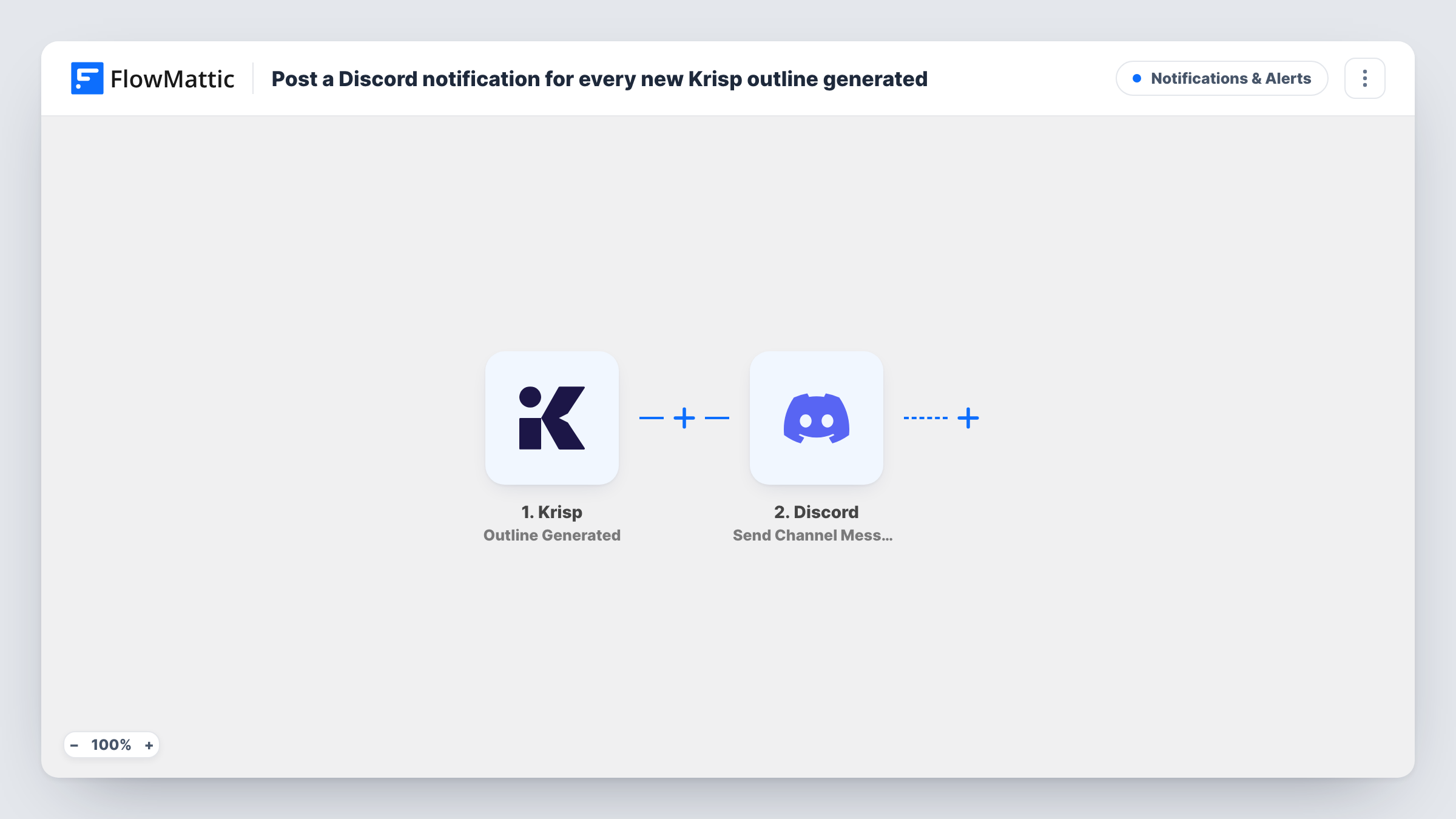
When Krisp generates an outline for one of your meetings, FlowMattic posts a message to the Discord channel you pick, carrying the outline details you map, so people who missed the call can catch up in the server.
 Krisp
 Discord
2 steps Setup ~5 min Used on 2.3k sites Free to import
What this workflow does
Teams that run on Discord often hold calls that not everyone can join. Afterwards, someone has to write up what was covered and paste it into the right channel. Krisp already produces a meeting outline, so this workflow takes that outline and posts it for you.
The Krisp trigger fires when a meeting outline is generated in Krisp. FlowMattic receives the outline data and hands it to Discord, where the Send Channel Message action posts to the channel you choose. You decide what the message says by placing Krisp fields, such as the meeting title and the outline text, into it.
Every outline Krisp generates produces a post. If some of your meetings are private, keep that in mind before pointing the workflow at a busy channel, or add a Filter. Discord limits how long a single message can be, so a very long outline may need trimming or a link instead. Task History records each run with Krisp's data and Discord's reply.
Recaps for a remote dev team
Stand-ups and planning calls happen in Krisp-enabled meetings. The outline lands in a #meeting-notes channel, so teammates in other time zones read it when they come online.
Community calls on a Discord server
You host open calls for your community. Posting the outline in an announcements channel gives members who could not attend a summary of the topics.
Client project channels
A small studio keeps one Discord channel per client project. After each client call, the Krisp outline is posted for the people working on that account.
How this workflow runs
What happens at each step once the workflow is on, and what you need before you import it.
 Krisp Outline Generated
Fires when Krisp generates an outline for a meeting. The outline and the details Krisp sends with it are then ready to use in the Discord message.
- Discord Send Channel Message
Posts a new message to the Discord channel you set. Connect Discord, choose the channel, and build the message from the Krisp outline fields you want shown.
What you need
- FlowMatticCore
- Krisp AccountAccount
- Discord AccountAccount
After importing, map your own data. To keep the template universal, not every step is pre-filled. Open each step in the builder and connect your accounts and fields (channels, lists, sheets, recipients) before you switch the workflow on.
Make it yours
Changes worth making after you import it.
- Add a Filter after the Krisp trigger so only meetings whose title contains a keyword, such as a project name, are posted in the channel.
- Use a Router to send outlines to different Discord channels by meeting title, with one Discord step per route and conditions that cannot both match.
- If you want the transcript or full notes instead, start a copy of this workflow from Krisp's Transcript Created or Notes Generated trigger.
Questions about this workflow
Which Krisp meetings are posted to Discord?
Every meeting for which Krisp generates an outline. There is no Filter as imported, so add one if some meetings should stay out of the channel.
What if the Krisp outline is too long for one Discord message?
Discord caps message length, so a long outline may be rejected and Task History will show Discord's error. Post a shorter field or trim the text before sending.
Can the Krisp outline go to a Discord thread or a direct message?
The template uses Send Channel Message, which posts to a channel. Check the Discord app's other actions in FlowMattic if you need a different destination.
More Notifications & Alerts workflows
Other ready-to-import templates from the same category.





Import this workflow into your WordPress site
Download the JSON, import it from the Workflows screen and connect your accounts. Every run stays on your server, with no per-task fees.
30-day money-back guarantee Unlimited workflows and runs Self-hosted