

Send a Slack alert when a MoreApp submission pipeline fails
When MoreApp reports that processing a form submission failed, this workflow posts a message to the Slack channel you pick, so your team knows a submission hit an error instead of finding out from a missing report.
 MoreApp
 Slack
2 steps Setup ~5 min Used on 1.9k sites Free to import
What this workflow does
After a MoreApp form is submitted, MoreApp processes it, for example sending the emails you set up for that form. When that processing hits an error, the person who filled in the form usually has no idea, and the office only notices when something expected never shows up. This workflow puts that error in front of your team in Slack.
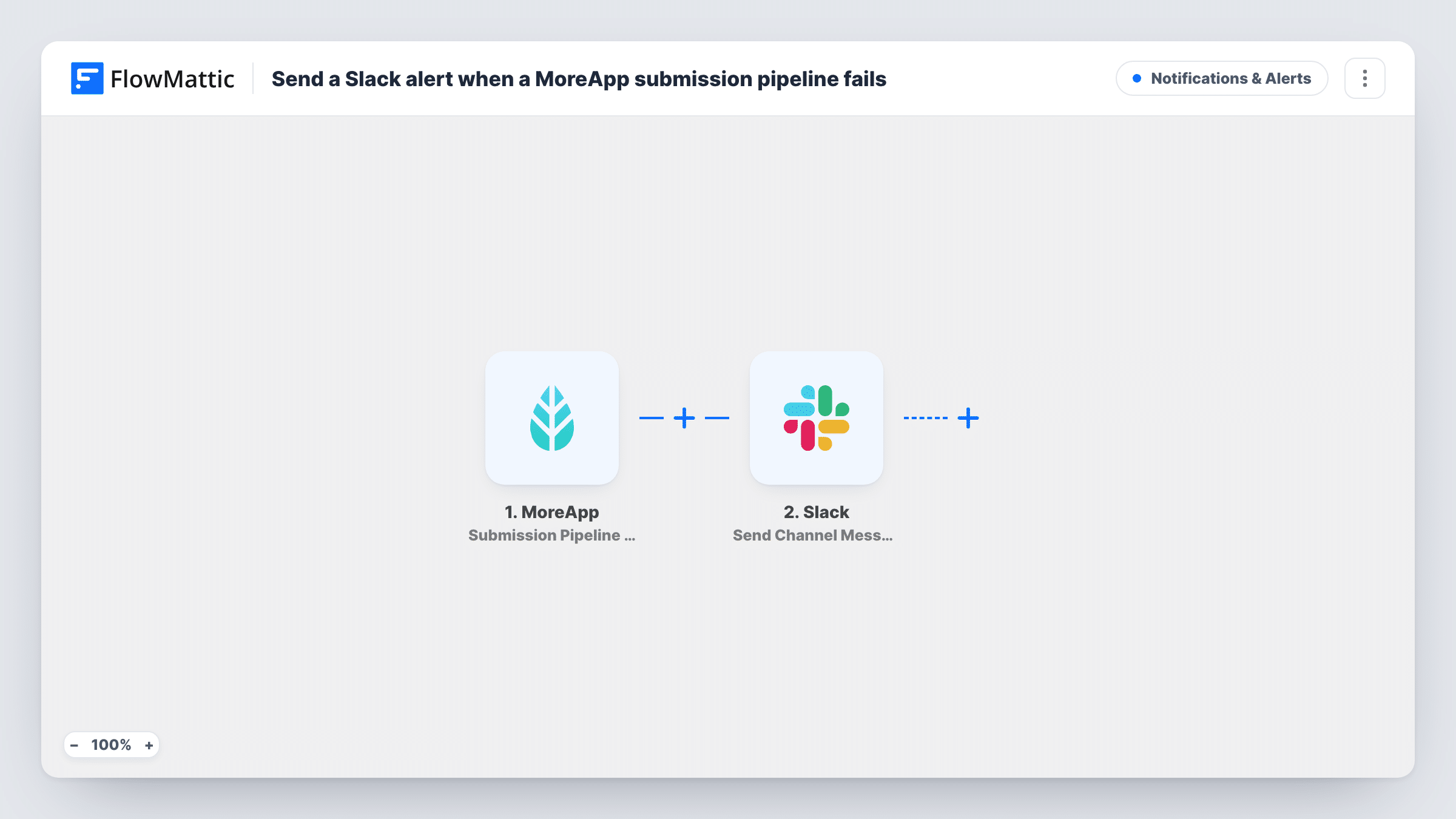
The MoreApp trigger, Submission Pipeline failed, fires when processing a submission has failed due to an error. MoreApp's own description says these failures are retried automatically. FlowMattic receives the event data and hands it to the Slack step, which posts a message to the channel you choose, with any details from the event that you map into the text.
Each failure event sends one Slack message. Nothing is filtered, so every failed pipeline your MoreApp account reports reaches the channel. Task History in FlowMattic keeps a record of each alert and what MoreApp sent.
Ops channel for field forms
Your operations team watches a #moreapp-alerts channel. A Slack post on each failed pipeline tells them to check that submission in MoreApp before a client asks where their report is.
Agency managing client forms
You build MoreApp forms for several clients. Failures post to your internal Slack, so you can look into a broken email or integration setting early.
Spotting a pattern after a form change
After editing a form's processing settings, a run of Slack alerts in one afternoon points to the change that caused the errors.
How this workflow runs
What happens at each step once the workflow is on, and what you need before you import it.
 MoreApp Submission Pipeline failed
Fires when MoreApp reports that processing a submission failed due to an error. MoreApp retries these failures on its own. The event data is passed on for use in the Slack message.
- Slack Send Channel Message
Sends the alert text to one Slack channel in your workspace. Connect your Slack workspace, pick the channel and write the text, mapping in any details from the MoreApp event that help someone find the submission.
What you need
- FlowMatticCore
- MoreApp AccountAccount
- Slack AccountAccount
After importing, map your own data. To keep the template universal, not every step is pre-filled. Open each step in the builder and connect your accounts and fields (channels, lists, sheets, recipients) before you switch the workflow on.
Make it yours
Changes worth making after you import it.
- MoreApp also has a Submission Pipeline Blocked trigger for failures that are not retried. Duplicate this workflow and switch the trigger to Blocked to be told about those as well.
- Send Channel Message isn't meant for private channels; Slack's Send Private Channel Message action covers those, and Send Direct Message reaches a single teammate.
- When the first failure comes through, look at the trigger data in Task History. Then map the values that identify the form and submission into the message.
Questions about this workflow
Does this alert me when a MoreApp submission fails for good?
This trigger covers failures MoreApp will retry automatically. Failures that are not retried use a separate trigger, Submission Pipeline Blocked, which you can set up in a copy of this workflow.
Will the Slack alert fix the MoreApp submission?
No. It only tells your team about the error in Slack. Someone still needs to open MoreApp and look at the submission and its processing settings.
Can the MoreApp failure alert go to a private Slack channel?
Not with the action as shipped, which is Send Channel Message. Replace it with Slack's Send Private Channel Message action for a private channel.
Which MoreApp details can I put in the Slack post?
Whatever MoreApp includes with the failure event. Check a run in Task History to see the values, then map the ones you need into the message text.
More Notifications & Alerts workflows
Other ready-to-import templates from the same category.




Import this workflow into your WordPress site
Download the JSON, import it from the Workflows screen and connect your accounts. Every run stays on your server, with no per-task fees.
30-day money-back guarantee Unlimited workflows and runs Self-hosted