

Post a Discord notification for every new Nolt comment
When a user comments on a post in your Nolt feedback board, FlowMattic posts a message to a Discord channel with the comment details you map, so your product team sees the discussion without checking Nolt.
 Nolt
 Discord
2 steps Setup ~5 min Used on 2.3k sites Free to import
What this workflow does
Nolt boards collect feature requests and bug reports, and the comments under each post are where users add detail and push for changes. If your team works in Discord, those comments are easy to miss until someone opens the board. This workflow brings each one into a channel.
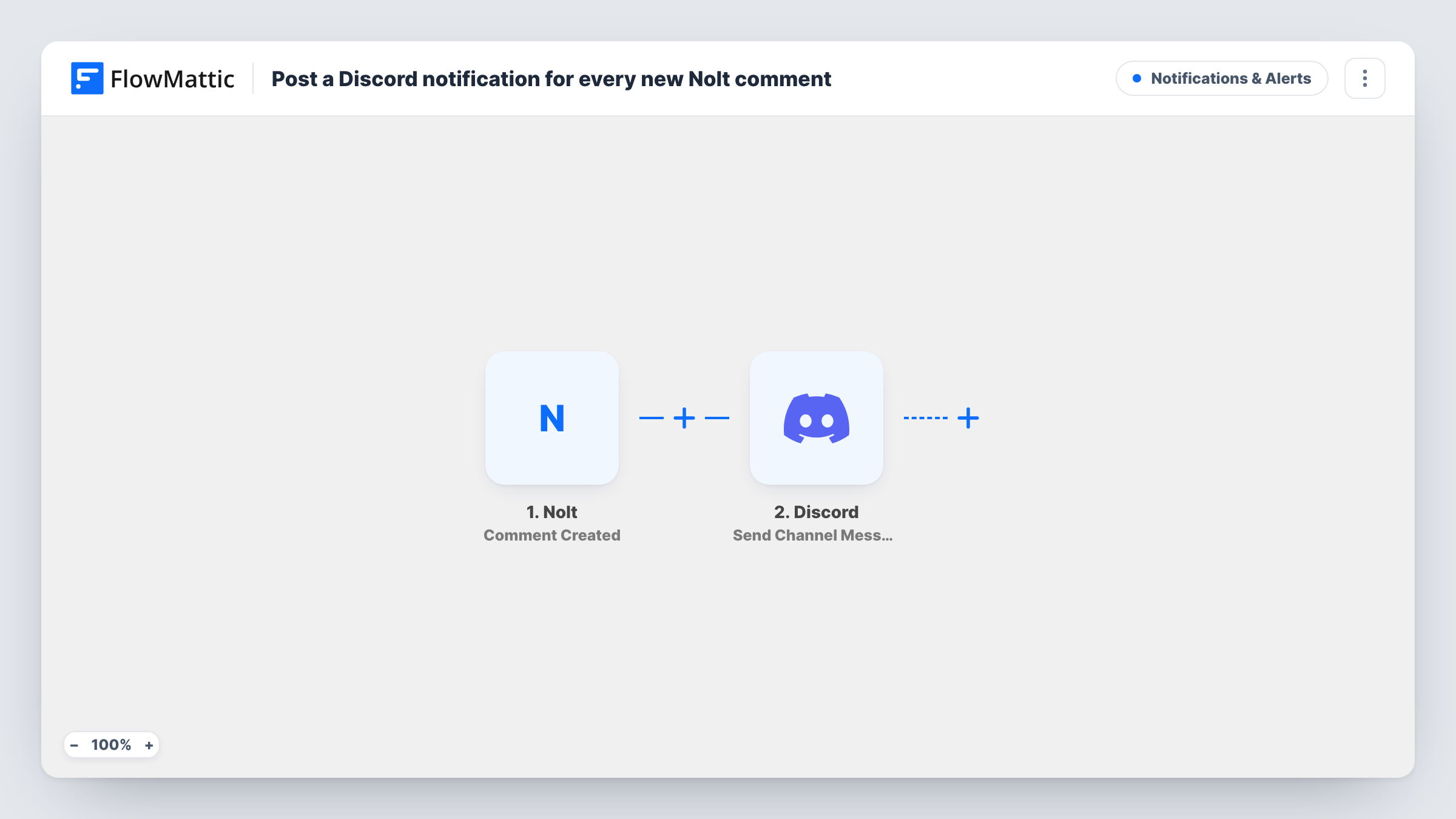
The Nolt trigger fires when a user posts a new comment on a post. FlowMattic passes the comment data to Discord, where the Send Channel Message action posts to the channel you choose. You decide what the message shows by placing Nolt fields in it.
Every new comment produces one message. On a busy board that can be a lot, so a dedicated feedback channel works best. The workflow only notifies; replies still happen in Nolt. Task History shows each run with the data Nolt sent and Discord's reply.
Product team triage
A SaaS team keeps a #feedback channel. Each new Nolt comment appears there, so the product manager can spot a request gathering momentum.
Game studio with a player board
Players comment on bug reports in Nolt. The developers' Discord channel shows each comment, helping them see when a bug is reported again with new detail.
Open-source project feedback
Maintainers coordinate in Discord. Comments on the project's Nolt board are posted to a maintainers channel for whoever is on duty.
How this workflow runs
What happens at each step once the workflow is on, and what you need before you import it.
 Nolt Comment Created
Fires when a user posts a new comment on one of your Nolt posts. The comment data is passed on for you to use in the Discord message.
- Discord Send Channel Message
Sends the comment alert to a Discord channel you pick. Connect Discord, select the channel, and compose the message from the Nolt comment fields.
What you need
- FlowMatticCore
- Nolt AccountAccount
- Discord AccountAccount
After importing, map your own data. To keep the template universal, not every step is pre-filled. Open each step in the builder and connect your accounts and fields (channels, lists, sheets, recipients) before you switch the workflow on.
Make it yours
Changes worth making after you import it.
- Add a Filter after the Nolt trigger to skip comments from your own team, if the comment data includes the author's email or name.
- Use a Router to post comments to different Discord channels by board or post, giving each route a condition that cannot overlap with another.
- Copy the workflow and switch the trigger to Nolt's Post Created event if you also want new posts announced, not just comments.
Questions about this workflow
Does every Nolt comment go to Discord?
Yes, as imported. There is no Filter, so each new comment on any post produces a message.
Can my team reply to the Nolt comment from Discord?
No. The workflow only posts a notification. Replies still need to be written in Nolt.
Which comment details appear in the Discord message?
Whatever Nolt fields you put in the message. Post a test comment after import to see what Nolt sends, then map the ones you need.
More Notifications & Alerts workflows
Other ready-to-import templates from the same category.




Import this workflow into your WordPress site
Download the JSON, import it from the Workflows screen and connect your accounts. Every run stays on your server, with no per-task fees.
30-day money-back guarantee Unlimited workflows and runs Self-hosted