

Post a Discord notification when changes are requested on a BrowserStack build
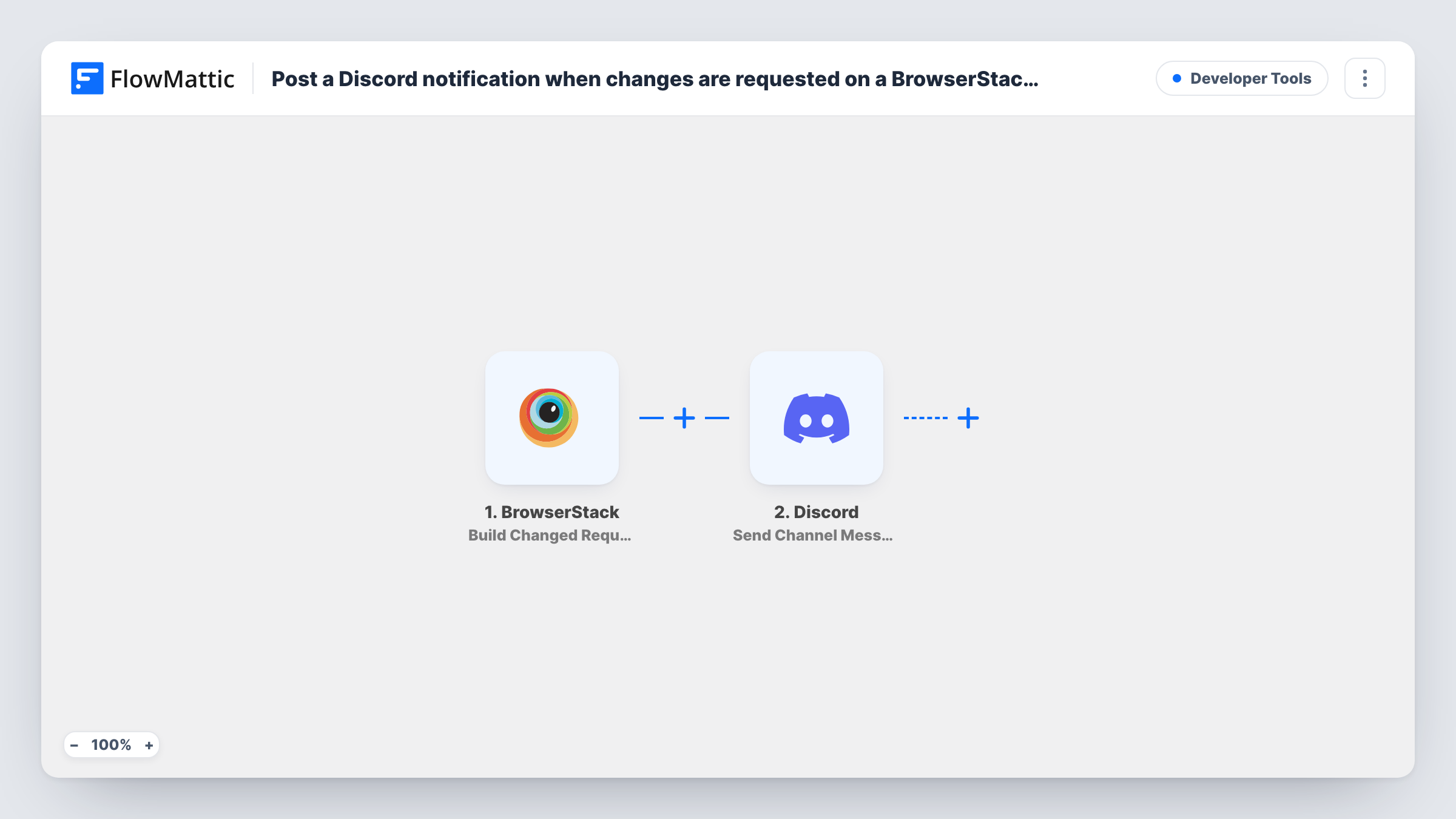
When a reviewer requests changes on a BrowserStack build, this workflow posts a message in your Discord channel, so developers see the feedback without watching BrowserStack.
 BrowserStack
 Discord
2 steps Setup ~5 min Used on 2.2k sites Free to import
What this workflow does
A build review only helps if the people who must fix things hear about it. When a reviewer requests changes in BrowserStack and nobody checks the dashboard, the release waits. This workflow puts each change request in the Discord channel your developers already follow.
The BrowserStack trigger, Build Changed Requested, fires when a build has changes requested. Approvals and other build events don't start it. FlowMattic then posts to Discord with Send Channel Message, using the text you write and details from the build event.
Each change request produces one post, and there is no Filter, so every project in the connected account reports to the same channel. Add a Filter on a project value if you want only some of them. Task History lists each run with what was posted.
Visual review for a front-end team
A designer reviews screenshots in BrowserStack and requests changes. The front-end team's Discord channel gets a post, and someone picks up the fix.
Open source project with Discord as its home
The project's maintainers already talk in Discord. Requests for changes on test builds show up there, where contributors can discuss them.
Release checklist channel
A release channel collects change requests during the final week, so the release manager can see what is still blocking.
How this workflow runs
What happens at each step once the workflow is on, and what you need before you import it.
 BrowserStack Build Changed Requested
Fires when changes are requested on a BrowserStack build. The build details from the event are passed on to the Discord message.
- Discord Send Channel Message
Sends your change-request notice to one Discord channel. Write the text, insert build details from the BrowserStack event, and connect your Discord bot on import.
What you need
- FlowMatticCore
- BrowserStack AccountAccount
- Discord AccountAccount
After importing, map your own data. To keep the template universal, not every step is pre-filled. Open each step in the builder and connect your accounts and fields (channels, lists, sheets, recipients) before you switch the workflow on.
Make it yours
Changes worth making after you import it.
- Request changes on a test build after import, so FlowMattic captures a real event and you can see which build details to put in the message.
- Pair this with a second workflow on BrowserStack's Build Approved trigger, posting to the same channel, so the team also hears when a build passes review.
- Add a Filter on the project or build name if several teams share the BrowserStack account but only one uses this channel.
Questions about this workflow
Does an approved BrowserStack build post to Discord?
No. This trigger fires only when changes are requested. BrowserStack's Build Approved trigger can drive a second workflow for approvals.
Can the Discord post include the reviewer's comments?
Only if the event carries them. Look at a captured test event before writing the message.
What does the Discord bot need to post the BrowserStack alerts?
It must be in your server with permission to send messages in the chosen channel. You connect it in the Discord step on import.
Does every BrowserStack project report to this Discord channel?
Yes, as imported. Change requests on any build in the connected account post to the channel. A Filter on a project value narrows it.
More Developer Tools workflows
Other ready-to-import templates from the same category.





Import this workflow into your WordPress site
Download the JSON, import it from the Workflows screen and connect your accounts. Every run stays on your server, with no per-task fees.
30-day money-back guarantee Unlimited workflows and runs Self-hosted