

Send data from FlowMattic to Make, where the integration is not available in FlowMattic
Catch data from any app or site with a FlowMattic webhook and pass it on to Make, so you can reach an app that Make connects to when FlowMattic has no integration for it yet.
 Webhook
 Make
2 steps Setup ~5 min Used on 1.7k sites Free to import
What this workflow does
FlowMattic covers many apps, but now and then you need one it does not connect to. If you already use Make and Make supports that app, you can let FlowMattic collect the data and hand it to Make for the last leg. This template sets up that handoff from FlowMattic to Make.
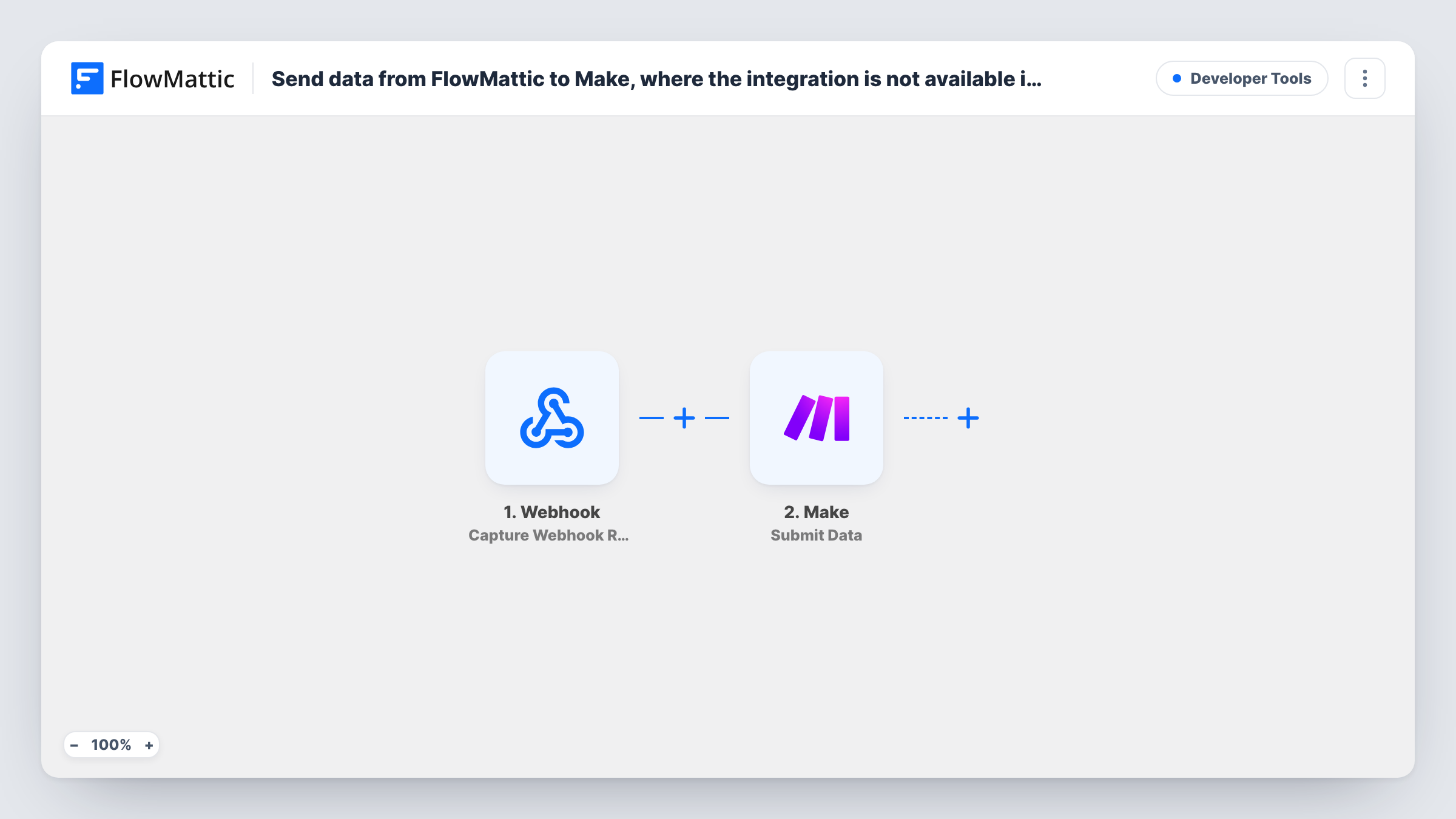
The Webhook trigger shows a URL that belongs to this workflow alone. Any app, form or script that posts data to that URL starts a run, and FlowMattic captures the fields it sent. The Make step then submits that data to Make, where your own Make setup picks it up and sends it to the app you need.
FlowMattic passes on what you map and nothing more, so the work that happens inside Make is up to you. Build the receiving side in Make first, then connect the Submit Data step to it. Send a test request to the webhook and check Task History to see the payload that arrived and what Make returned.
Reaching an app FlowMattic does not cover
Your CRM has a Make module but no FlowMattic integration. Lead data posted to the webhook goes to Make, which creates the record in that CRM.
Moving work off Make step by step
You are shifting workflows from Make to FlowMattic. Data collection runs in FlowMattic now, while Make keeps only the final step you have not moved yet.
Sharing one data source with a Make user
A colleague builds in Make and you build in FlowMattic. The webhook gathers the data once and passes a copy to their Make setup.
How this workflow runs
What happens at each step once the workflow is on, and what you need before you import it.
 Webhook Capture Webhook Response
Gives you a webhook URL. Whatever an app or script posts to it starts the workflow, and the captured fields become available to map in the Make step.
- Make Submit Data
Submits the captured data to Make. Map the webhook fields you want to pass on, and connect the step to the receiving side you set up in Make.
What you need
- FlowMatticCore
- Make AccountAccount
After importing, map your own data. To keep the template universal, not every step is pre-filled. Open each step in the builder and connect your accounts and fields (channels, lists, sheets, recipients) before you switch the workflow on.
Make it yours
Changes worth making after you import it.
- Send one sample request to the webhook URL right after import, so FlowMattic captures real field names that you can map into the Make step.
- Add a Filter before the Make step if the source posts events you do not need, such as test records, so only the ones that pass reach Make.
- If the source sends a list of items in one request, place an Iterator before the Make step so each item is submitted on its own.
Questions about this workflow
Do I need a Make account to use this webhook workflow?
Yes. The data is submitted to Make, so you need a Make account with something set up there to receive it and send it on to the target app.
What can send data to the FlowMattic webhook?
Any app, form or script that can make an HTTP request to a URL. The webhook captures what it receives, and you map those fields into the Make step.
What if the Make step returns an error?
Task History shows the error on the Make step for that run, along with the data that was sent. Fix the setup on the Make side and send the request again.
Can I send the same webhook data to Make and another app?
Yes. Add more action steps after the Make step, such as Google Sheets or Slack, and map the same webhook fields into them.
More Developer Tools workflows
Other ready-to-import templates from the same category.






Import this workflow into your WordPress site
Download the JSON, import it from the Workflows screen and connect your accounts. Every run stays on your server, with no per-task fees.
30-day money-back guarantee Unlimited workflows and runs Self-hosted