

When your plugin fires an action hook, create a new user in WordPress and create a new customer in Desku.io
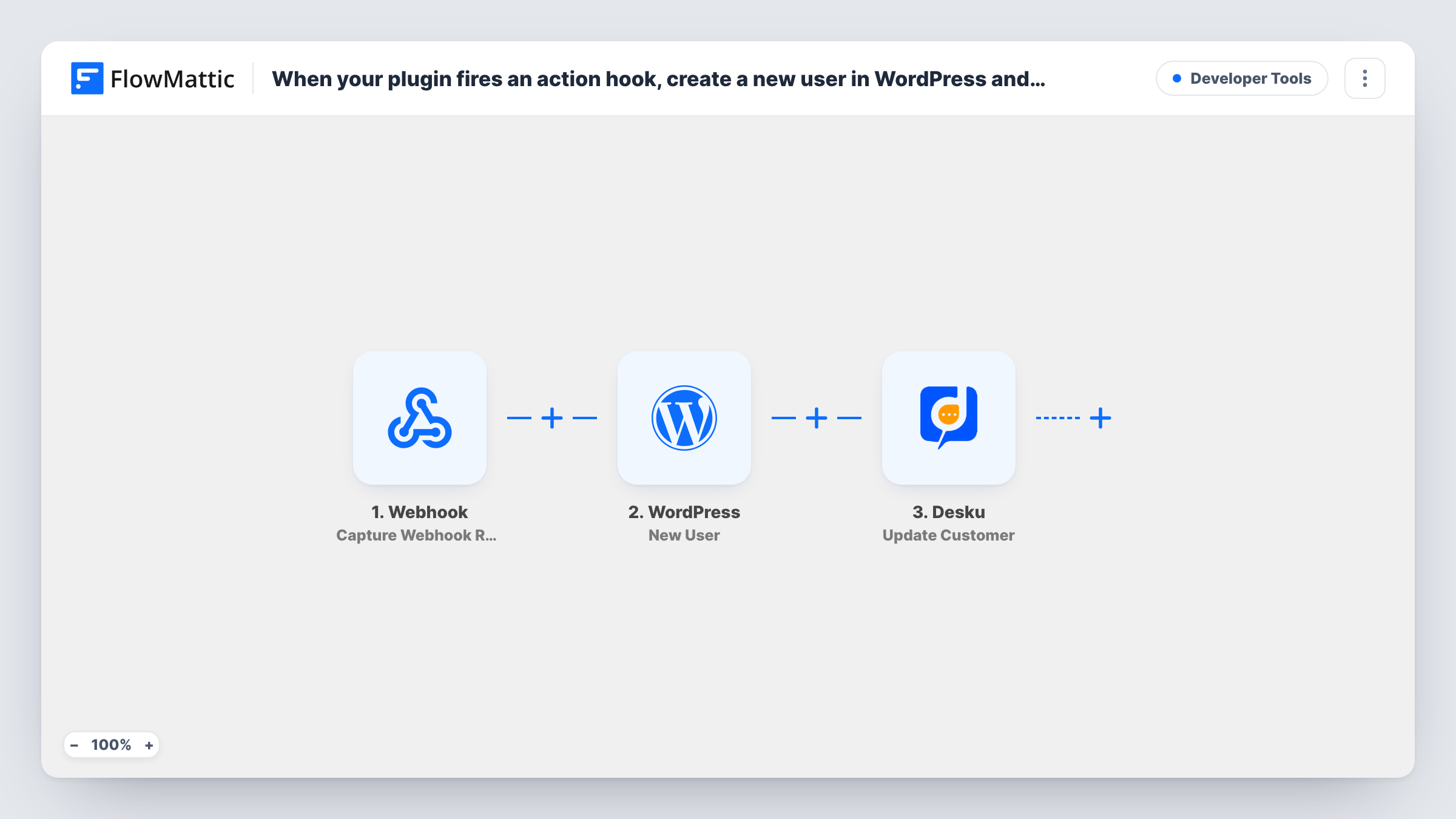
When a WordPress or plugin action hook you name fires, FlowMattic creates a WordPress user from the hook’s data and then adds the same person as a customer in Desku.io.
 Plugin Actions
 WordPress
 Desku
3 steps Setup ~5 min Used on 2.2k sites Free to import
What this workflow does
Plenty of plugins have no FlowMattic integration of their own, but most of them fire WordPress action hooks when something happens, such as a registration, a purchase or an approval. This workflow listens for one of those hooks and uses its data to set the person up in two places: as a WordPress user on your site and as a customer in your Desku help desk.
The Plugin Actions trigger runs when the action hook you enter is fired by your plugin or by WordPress, and passes along the values that hook provides. Check your plugin's documentation for the hook name, then fire it once to see what data arrives.
The WordPress New User step creates an account from the values you map, such as the email and name. If that email is already registered, WordPress keeps the one existing account rather than adding a duplicate, and the user ID the step hands back appears in Task History. Finally, Desku creates a new customer, so support agents see the person when they write in.
Both action steps ship unmapped, and the hook has to supply at least an email address for either one to work. If it only passes an ID, you may need to look the details up first. Test with a single real event before relying on it.
Membership plugin without a native integration
A site uses a membership plugin that fires a hook on approval, and each approved member gets a WordPress account and a Desku customer record.
Custom booking plugin
A developer's in-house booking plugin fires a hook after payment, so the client can log in to the site and the support team already knows them in Desku.
Imported leads from a custom form
A custom form handler fires a hook on submit, turning each lead into a user and a Desku customer ready for onboarding questions.
How this workflow runs
What happens at each step once the workflow is on, and what you need before you import it.
 Plugin Actions Plugin or WP action triggered
Starts when the action hook you enter fires on your site, either from a plugin or from WordPress itself. The hook's arguments become the data you can map in the next steps.
- WordPress New User
Creates a WordPress user from the hook's data. After import, map the email and the other details you want on the account. An email that's already registered isn't given a second account; check Task History for the user ID that came back.
- Desku Create Customer
Creates a customer in Desku.io. The step ships unmapped: connect Desku and map the person's name and email from the hook or from the user step.
What you need
- FlowMatticCore
- Desku.io AccountAccount
After importing, map your own data. To keep the template universal, not every step is pre-filled. Open each step in the builder and connect your accounts and fields (channels, lists, sheets, recipients) before you switch the workflow on.
Make it yours
Changes worth making after you import it.
- Fire the hook once with real data before mapping, so the trigger shows exactly which values your plugin passes.
- If the hook passes a user or order ID rather than an email, add a step that looks up the full record between the trigger and the New User step.
- Put a Filter between the trigger and the New User step that continues only when the hook's email value is not empty. The field to check depends on your hook, so set it from a test run.
Questions about this workflow
Which action hook should I use for this WordPress and Desku workflow?
The one your plugin fires when the event you care about happens. Plugin documentation usually lists its hooks. Enter the hook name in the trigger and fire it once to test.
What happens if the person already has a WordPress account?
Your site keeps a single account per email, so the hook's person isn't added twice. Look at Task History for that run to see which user ID the New User step reported.
Does the person get a login email from WordPress?
That depends on your site's settings and plugins. Test with your own email address to see what is sent when the New User step runs.
What if the customer already exists in Desku?
The Create Customer step still sends the request, and Desku decides whether to accept it. Check Task History for its reply.
More Developer Tools workflows
Other ready-to-import templates from the same category.






Import this workflow into your WordPress site
Download the JSON, import it from the Workflows screen and connect your accounts. Every run stays on your server, with no per-task fees.
30-day money-back guarantee Unlimited workflows and runs Self-hosted