

Send a Telegram message for each new Detectify finding
When Detectify reports a new vulnerability finding, this workflow posts a Telegram message with its details, so your security or dev team sees it in chat without checking the dashboard.
 Detectify
 Telegram
2 steps Setup ~5 min Used on 2.3k sites Free to import
What this workflow does
Detectify scans your web applications and reports vulnerabilities it finds. A finding that waits in a dashboard until someone logs in is a finding nobody is working on. If your engineers talk in Telegram, posting each one there gets it noticed while it's new.
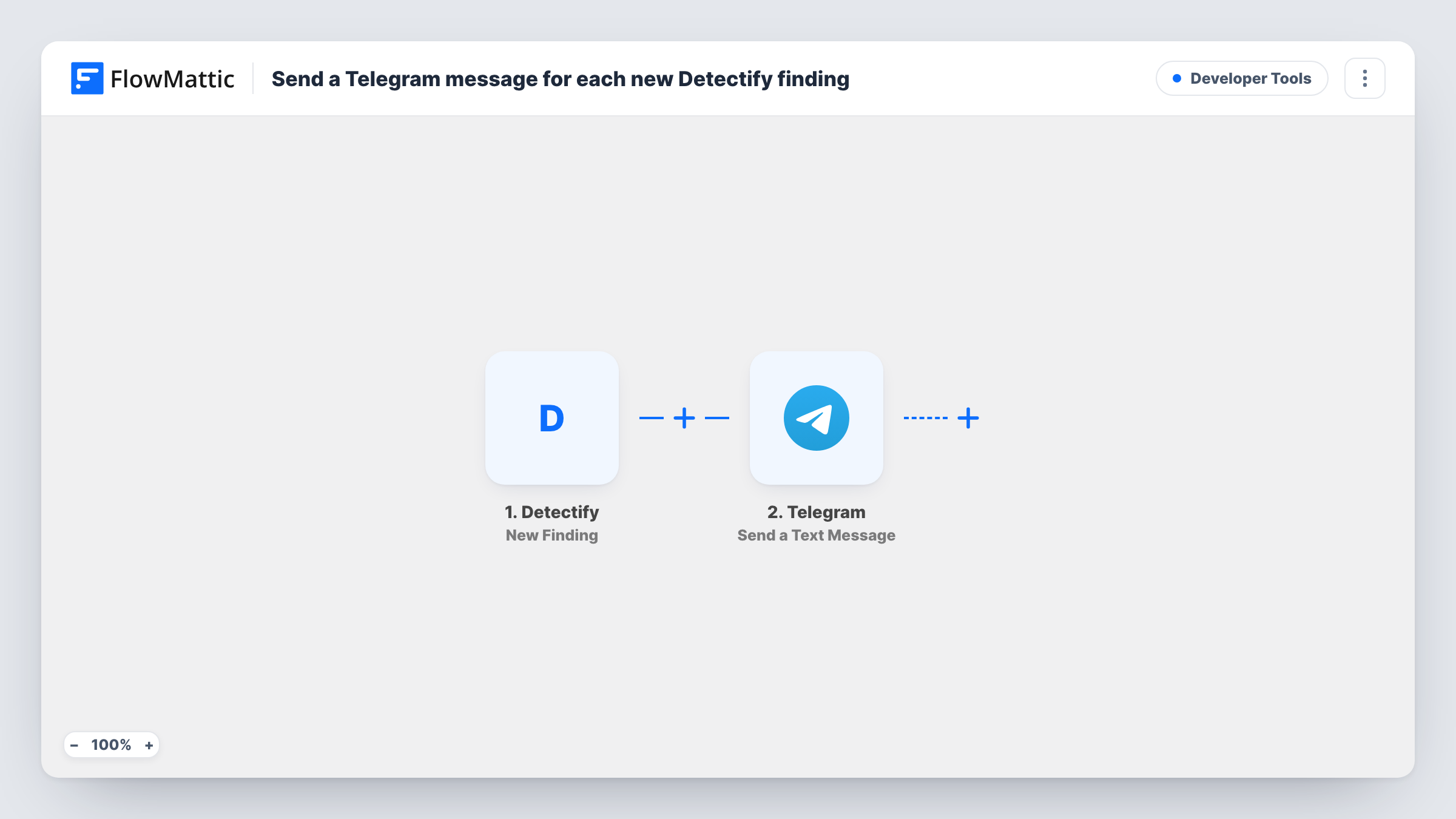
The Detectify trigger fires when a new vulnerability finding is reported. The finding's details become fields you can map. The Telegram step then sends a text message to the chat you choose, built from those details. The action supports markup, so you can bold the finding title or put the affected asset on its own line.
Every new finding produces one message; nothing in the template filters by severity. After import, connect Telegram, choose the chat and write the message from a test finding's fields. Task History stores each run, which helps if you need to check what was sent.
Security team on-call chat
Each new Detectify finding lands in the security team's Telegram group, where whoever is on call can claim it and open the report.
Agency watching client sites
An agency that runs Detectify on client websites posts findings to an internal Telegram group so the right developer sees them.
Solo developer alerts
A developer running a single SaaS app sends findings to a private Telegram chat with their bot, so new issues reach their phone.
How this workflow runs
What happens at each step once the workflow is on, and what you need before you import it.
 Detectify New Finding
Runs when Detectify reports a new vulnerability finding. The finding's details are passed on for use in the Telegram message.
- Telegram Send a Text Message
Sends a text message about the finding to the Telegram chat you choose. Write the text with the Detectify details mapped in, using markup if you want bold labels.
What you need
- FlowMatticCore
- Detectify AccountAccount
- Telegram AccountAccount
After importing, map your own data. To keep the template universal, not every step is pre-filled. Open each step in the builder and connect your accounts and fields (channels, lists, sheets, recipients) before you switch the workflow on.
Make it yours
Changes worth making after you import it.
- Add a Filter after the trigger to post only findings above a severity you choose, if Detectify sends a severity field. Check a test finding for the exact values.
- Use a Router with non-overlapping severity values to send critical findings to one Telegram group and the rest to another.
- Add a Google Sheets or Airtable step after Telegram to keep a record of every finding alongside the alert.
Questions about this workflow
Does every Detectify finding go to Telegram?
Every new finding the trigger receives sends one message. Add a Filter if you only want some severities.
Can I post Detectify findings in a Telegram group?
Yes. Add your bot to the group first, since Telegram only lets a bot post where it is a member.
Can I also get a message when a Detectify scan finishes?
Build a separate workflow for that. FlowMattic's Detectify app also has Scan Completed and Asset Changed triggers.
Is the vulnerability report itself posted to Telegram?
Only the details you map into the message text. Include a link to the finding if Detectify sends one.
More Developer Tools workflows
Other ready-to-import templates from the same category.





Import this workflow into your WordPress site
Download the JSON, import it from the Workflows screen and connect your accounts. Every run stays on your server, with no per-task fees.
30-day money-back guarantee Unlimited workflows and runs Self-hosted