

When a row is added in Google Sheets, count points in Qdrant for data validation
When a row is added to your Google Sheets spreadsheet, this workflow asks Qdrant how many points a collection holds, giving you a count to check against your source data.
 Google Sheets
 Qdrant
2 steps Setup ~5 min Used on 2.0k sites Free to import
What this workflow does
If a spreadsheet is the source for the vectors in a Qdrant collection, the two can drift apart. Rows get added while the collection stays the same size, and you find out only when search results look thin. This workflow fetches the point count each time the sheet grows, so you have a number to compare against.
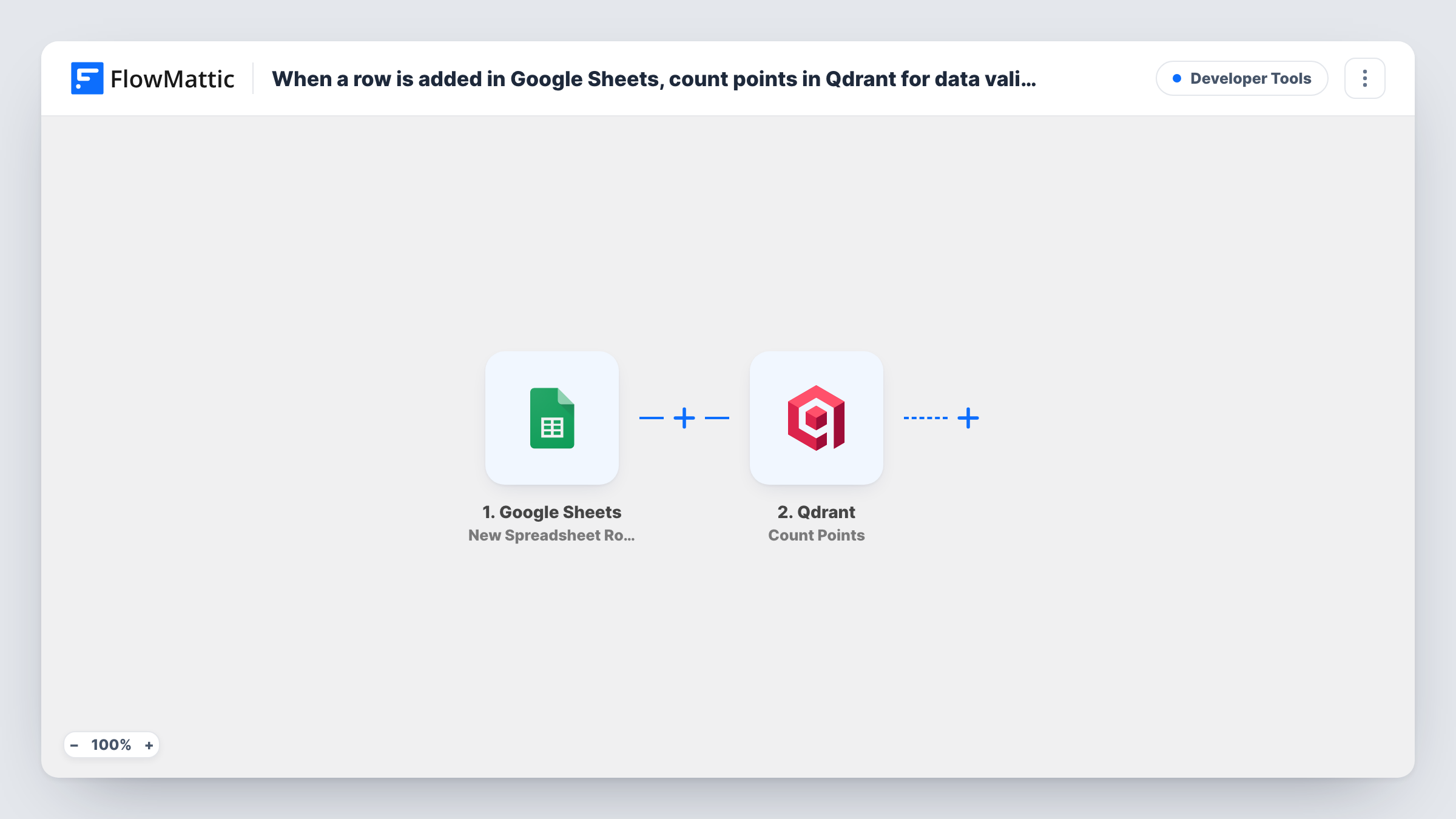
The Google Sheets trigger watches one spreadsheet and starts a run for each row that appears in it. FlowMattic then runs the Count Points action in Qdrant, which counts the points in a collection and returns the result. The row's data is available to map, though the count itself doesn't need it.
Be clear about what you get as imported. The Qdrant step only reads; it adds, changes and deletes nothing. No step compares the count with your sheet or tells anyone about it, so the number sits in Task History until you add a step that uses it. The tips below suggest ways to turn the count into an actual check.
Watching an embedding pipeline
A separate process turns each sheet row into a Qdrant point. Reading the count after each new row lets you see in Task History whether the collection grew.
Spotting a stalled import
Your team adds product rows to the sheet all day. If the Qdrant count stops rising while rows keep arriving, you know the upload side has stopped.
Starting point for an alert
You want a message when the collection and the sheet disagree. This template gives you the count step; you add the comparison and the message.
How this workflow runs
What happens at each step once the workflow is on, and what you need before you import it.
 Google Sheets New Spreadsheet Row
Starts the workflow each time a row appears in the connected Google Sheets spreadsheet. The row's values are passed on and can be mapped in later steps.
- Qdrant Count Points
Counts the points in a Qdrant collection and returns the number. This step only reads from Qdrant. Nothing else in the template uses the count until you add a step after it.
What you need
- FlowMatticCore
- Google Sheets AccountAccount
- Qdrant AccountAccount
After importing, map your own data. To keep the template universal, not every step is pre-filled. Open each step in the builder and connect your accounts and fields (channels, lists, sheets, recipients) before you switch the workflow on.
Make it yours
Changes worth making after you import it.
- Add a Filter after Count Points that compares the returned count with a value from the new row, such as a row number column you keep in the sheet, and continue only when they differ.
- After that Filter, add a Slack Send Direct Message step so the person who looks after the collection gets told when the numbers don't match.
- To keep a history of counts, add a Google Sheets Add New Row step that writes to a different spreadsheet, never the one the trigger watches, or each log row would start another run.
Questions about this workflow
Does this workflow add the new Google Sheets row to Qdrant?
No. It only counts the points already in a collection. If you want rows stored as points, Qdrant's Upsert Points action is the one to add, along with the vectors it needs.
Where can I see the Qdrant count after each run?
In Task History, on the Count Points step of that run. To see it anywhere else, add a step that sends or stores the number.
Will it warn me when the sheet and the Qdrant collection don't match?
Not as imported. There is no comparison or notification step. Add a Filter and a message step after Count Points to get a warning.
Does every new Google Sheets row trigger a count?
Yes. Each row added to the connected spreadsheet starts one run, and each run asks Qdrant for the count once.
More Developer Tools workflows
Other ready-to-import templates from the same category.







Import this workflow into your WordPress site
Download the JSON, import it from the Workflows screen and connect your accounts. Every run stays on your server, with no per-task fees.
30-day money-back guarantee Unlimited workflows and runs Self-hosted