

When a PageVitals series completes, log the metrics in Google Sheets and open a Todoist task for the dev team
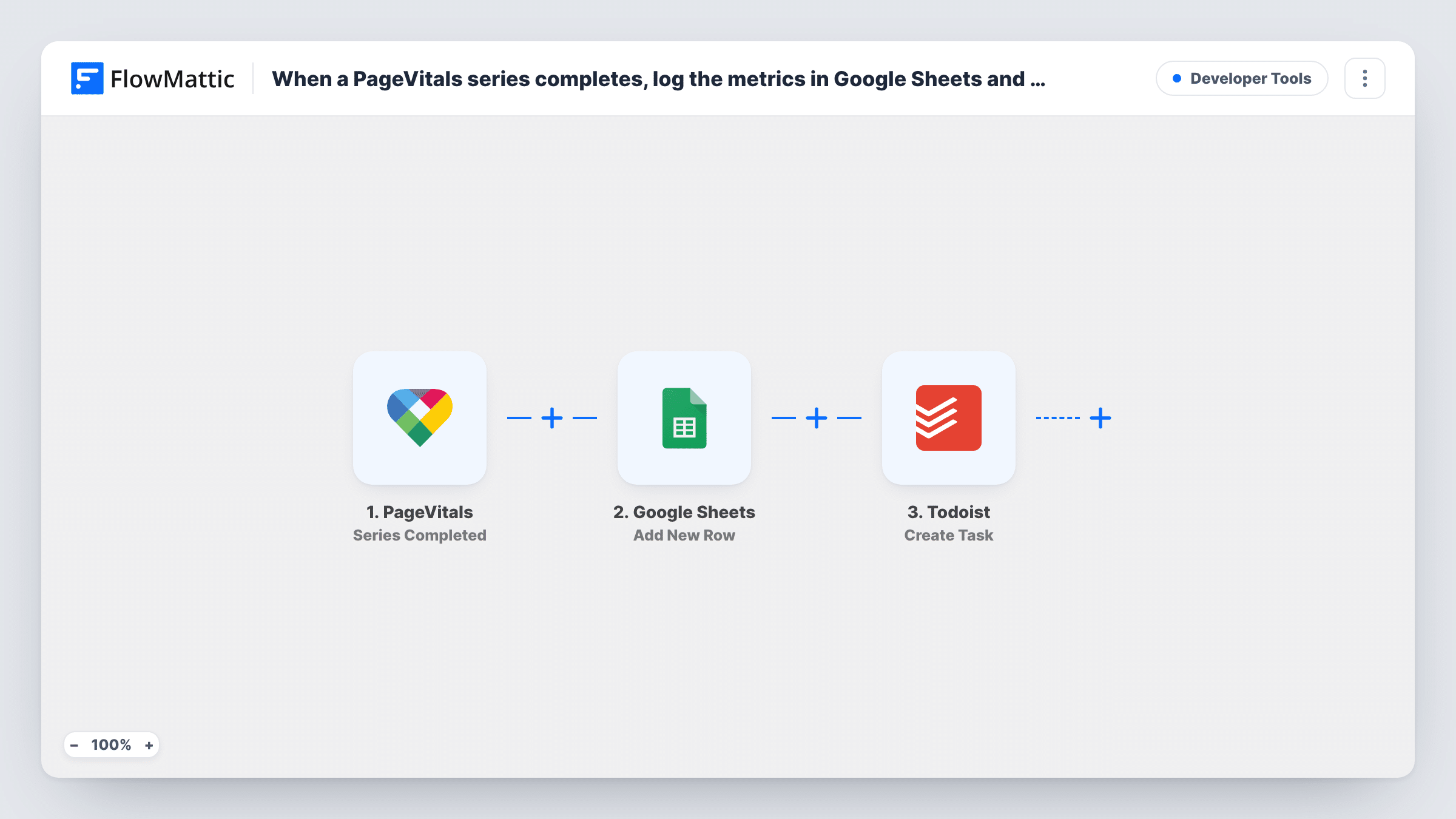
When a PageVitals test series completes, this workflow writes the results to a Google Sheets row and creates a Todoist task for your developers, so the numbers are logged and someone is asked to review them.
 PageVitals
 Google Sheets
 Todoist
3 steps Setup ~5 min Used on 2.7k sites Free to import
What this workflow does
Performance test results are only useful when someone records them and someone looks at them. PageVitals runs the tests, but the numbers can sit unread in the dashboard. This workflow does two things with every completed series: it keeps a record in a spreadsheet and puts a review task in front of your dev team.
The PageVitals trigger fires when a test series is completed and passes on the series data. The Google Sheets step adds a new row, with each column filled from a PageVitals field you map. Then the Todoist step creates a task, where you can put the key results or a link to the sheet in the task text.
Nothing in the template compares results against a target, so every completed series produces both a row and a task, good results included. If the team only needs tasks for poor scores, add a Filter before the Todoist step, as the tips explain.
Weekly performance review
Every series that finishes in PageVitals adds a row to the tracking sheet and a Todoist task, so the developer on rotation knows there are results to review.
Release checks for a web agency
After a client site update, the completed test series is logged, and a task lands in the client's Todoist project for the developer who shipped it.
Keeping a long-term record
The sheet keeps every series for later charts, while the Todoist task makes sure the current result gets looked at.
How this workflow runs
What happens at each step once the workflow is on, and what you need before you import it.
 PageVitals Series Completed
Fires when a PageVitals test series completes. The data sent with the finished series is available to both the Google Sheets and Todoist steps.
- Google Sheets Add New Row
Logs the finished series as a fresh row in your chosen Google Sheets spreadsheet. Map the PageVitals metrics you want to keep into the columns, one series per row.
- Todoist Create Task
Creates a new task in Todoist for the team. Connect Todoist and write the task content using fields from PageVitals so the task explains which series finished.
What you need
- FlowMatticCore
- PageVitals AccountAccount
- Google Sheets AccountAccount
- Todoist AccountAccount
After importing, map your own data. To keep the template universal, not every step is pre-filled. Open each step in the builder and connect your accounts and fields (channels, lists, sheets, recipients) before you switch the workflow on.
Make it yours
Changes worth making after you import it.
- Add a Filter between Google Sheets and Todoist that continues only when a score is below your target. Every series is still logged, but tasks appear only for results worth fixing.
- Remember that the Filter compares numbers as whole numbers, so a value like 2.7 is checked as 2. Pick a threshold that still works after decimals are cut off.
- Run a series in PageVitals after import to capture real data before you map the sheet columns and the task text.
Questions about this workflow
Does every completed PageVitals series create a Todoist task?
Yes, as imported. There is no condition between the steps, so each series makes one row and one task. Add a Filter before Todoist to limit tasks to poor results.
Which PageVitals metrics can I log to Google Sheets?
Whatever PageVitals sends when a series completes. Run a test series and look at the captured fields in FlowMattic to see what is available.
Can the Todoist task go into a specific project?
Check the Todoist step after import to see which options it offers. If the project choice is there, select your dev team's project.
Are multistep tests in PageVitals included?
No. This trigger covers test series. FlowMattic has a separate PageVitals Multistep Completed trigger you can use in another workflow.
More Developer Tools workflows
Other ready-to-import templates from the same category.







Import this workflow into your WordPress site
Download the JSON, import it from the Workflows screen and connect your accounts. Every run stays on your server, with no per-task fees.
30-day money-back guarantee Unlimited workflows and runs Self-hosted